 EN
 IT Italiano
 ES Español
 FR Français
 DE Deutsch
Description
What it is
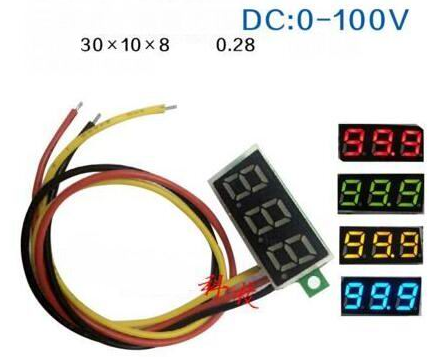
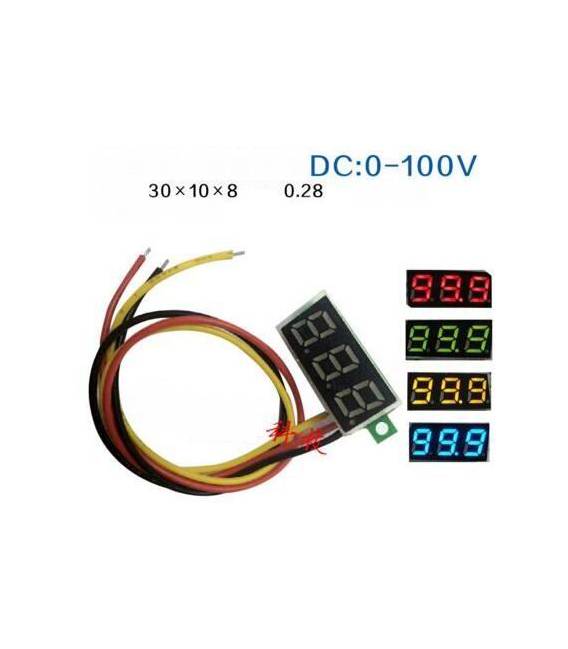
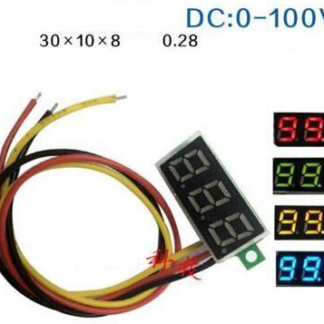
The Red 3-Wire Digital DC Voltmeter is a tool for measuring electrical voltage in DC power supply systems.
Features
- Maximum measurable voltage: 0-100V
- Voltage type: DC
- Number of wires: 3 (red)
- Adjustment: present
- SKU: ARD0010013
- Price: 3.31 €
What it is for
This voltmeter is ideal for beginner and intermediate makers who want to monitor battery level or control circuit power supply. It can be used to create alarm systems that send a notification when the battery voltage drops below a certain critical value.
Tutorial: How to use Red 3-Wire Digital DC Voltmeter
The Red 3-Wire Digital DC Voltmeter is a simple tool for measuring electrical voltage in DC power supply systems. Ideal for beginner and intermediate makers who want to monitor battery level or control circuit power supply.
What you need
- Mini Digital 3-Wire Red DC Voltmeter
- Arduino (optional)
- Jumper Cable M-M
Steps
- Connect the two ends of the voltmeter to the points in the electrical circuit where you wish to measure the voltage.
- If using an Arduino, connect the voltmeter to pin A0 or other available analog pins.
- Read the voltage value on the voltmeter display or monitor the data through the Arduino IDE.
Example code
void setup() {
  Serial.begin(9600);
}

void loop() {
  int sensorValue = analogRead(A0);
  float voltage = (sensorValue * 5.0) / 1024.0;
  Serial.println(voltage);
}
Mini project
Create an alarm system that sends a notification when the battery voltage drops below a certain critical value.
Common mistakes
- Connect the voltmeter in series rather than in parallel in the electrical circuit.
- Use a voltage higher than the voltmeter’s range.
- Read the data from the display without connecting it properly to the Arduino.
Recommended accessories
- Arduino Uno
- 3.7V LiPo Battery
- LCD Display for Arduino
- Relay Module
Frequently asked questions
What is the measurement range of the voltmeter?
Check the datasheet.
Can I connect this voltmeter to a higher voltage than its maximum range?
No, it could damage it. Always check the maximum voltage specification on the datasheet.
Reviews
There are no reviews yet.