 EN
 IT Italiano
 ES Español
 FR Français
 DE Deutsch
Description
What it is
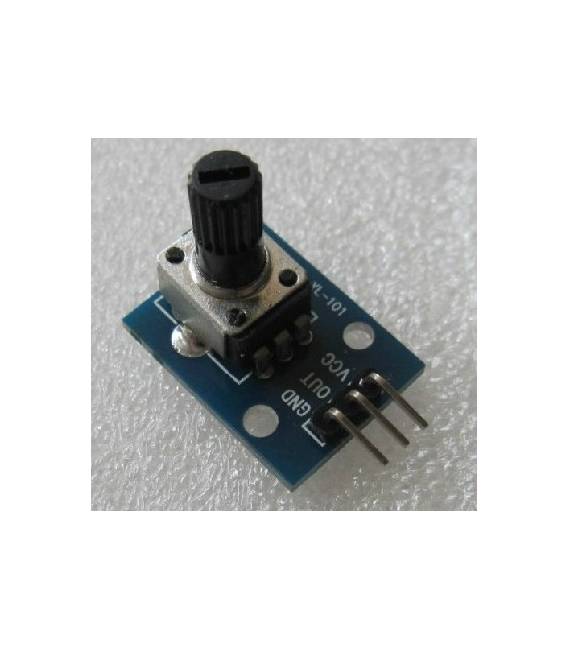
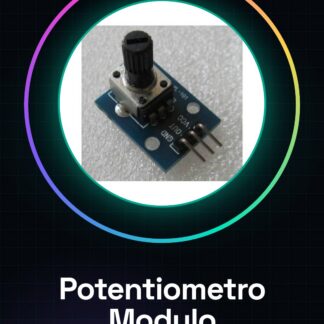
The Analog Potentiometer Module is an electronic component used to continuously adjust voltage. This module allows reading analog values from Arduino or other microcontrollers, providing easy user interaction through the potentiometer’s knob.
Features
- Analog Potentiometer Module
- Suitable for Arduino and other microcontrollers
- Allows continuous voltage adjustment
What it is for
This module is ideal for projects requiring user input, such as volume or brightness control. You can use it to create an LED dimmer or control the volume of an audio amplifier. It is compatible with Arduino and other microcontrollers.
Tutorial: How to Use Analog Potentiometer Module
The analog potentiometer module is an essential component for Arduino projects that require user input in terms of position or volume. It is perfect for both beginners and intermediate makers who want to explore reading analog values.
What you need
- Arduino Uno
- USB A-Micro B cable
- Breadboard
Steps
- Connect the potentiometer module to the breadboard.
- Connect the center terminal of the potentiometer to an analog pin on the Arduino (for example, pin A0).
- Connect the two outer terminals of the potentiometer to the power supply wires (+5V and GND) through the breadboard.
- Open Arduino IDE and upload a sketch that reads from the analog pin connected to the potentiometer.
- Verify the correct function of the module output with an LCD display or by monitoring the values on the Arduino Serial Monitor.
Example code
int sensorPin = A0;

void setup() {
  Serial.begin(9600);
}

void loop() {
  int value = analogRead(sensorPin);
  Serial.println(value);
}
Mini project
Create an LED lamp dimmer using the potentiometer module. Connect the potentiometer output to a PWM current driver and control the LED brightness based on the switch position.
Common mistakes
- Do not connect the power pins (+5V and GND) to the two lateral ends of the potentiometer.
- Use an incorrect analog value for pin A0 in the Arduino code.
Recommended accessories
- LCD Display Module
- PWM LED Driver
- 3-way splitter
Frequently asked questions
How can I adjust the range of the potentiometer?
Check the datasheet to find the total resistance and adjust the switch position.
Which analog pins can I use with this module?
You can use any analog pin between A0-A5 on Arduino Uno.
Reviews
There are no reviews yet.