 EN
 IT Italiano
 ES Español
 FR Français
 DE Deutsch
Description
What it is
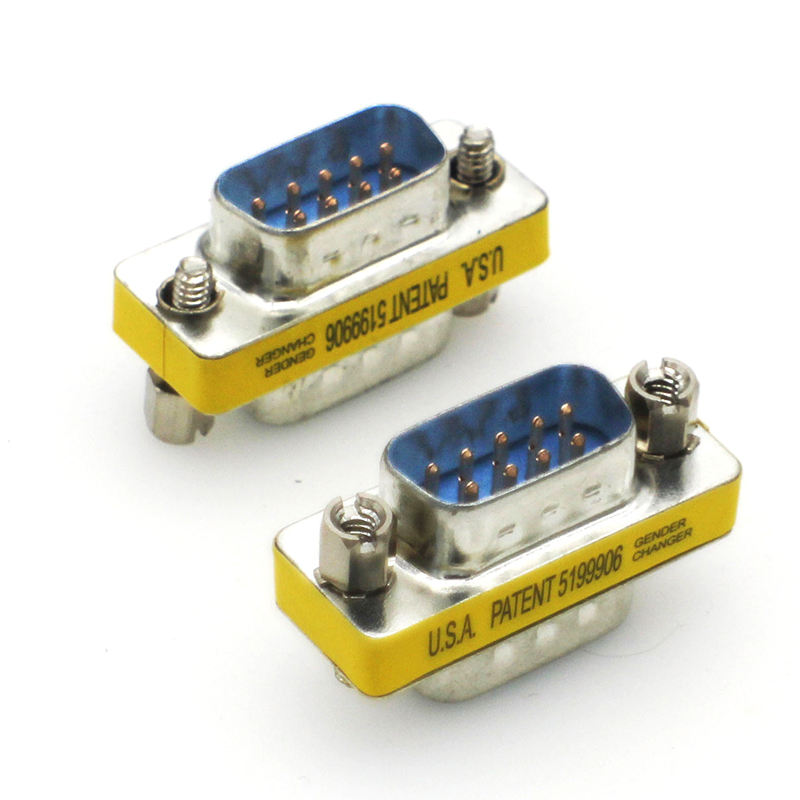
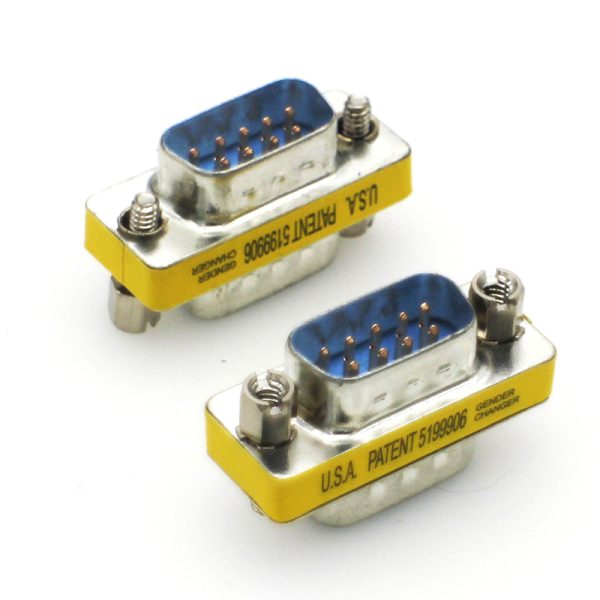
The DB9 RS232 male to male cable is a connector used to connect devices that use the RS232 interface, such as computers and other serial communication devices. This type of connector is essential for electronic projects and for Arduino, allowing for serial data transmission.
Features
- DB9 RS232 Male to Male Cable
- Ideally suited for serial connections
- SKU: ARD0012651
- Price: 2.88 €
- Category: Power Supply
What it is for
This connector is used to connect devices that use the RS232 interface, such as Arduino and other serial communication devices. It is useful for temperature monitoring projects, temperature data transmission, and other applications that require serial communication.
Tutorial: How to use DB9 RS232 Male to Male
The DB9 RS232 male to male connector is essential for connecting devices that use the RS232 interface, such as computers and serial communication devices. This tutorial will guide you through the installation and connection of this connector for beginners and intermediate makers.
What you need
- Arduino or microcontroller
- serial cable
- computer with serial port or USB-DB9 adapter
Steps
- Check the compatibility of DB9 connectors on the devices you intend to connect.
- Connect the serial cable to the DB9 connector of your device.
- Connect the other end of the serial cable to the DB9 connector of your Arduino or microcontroller.
- Verify the correct connection of the TX, RX, and GND signals between the devices.
- If necessary, use pull-up or pull-down resistors to stabilize the signals.
- Configure the Arduino or microcontroller for RS232 communication.
- Test communication by sending and receiving data.
- Verify that data is transmitted and received correctly without errors.
Mini project
Create a simple temperature monitoring system using a temperature sensor and an Arduino connected via the DB9 RS232 connector. Send temperature data to the computer for real-time monitoring.
Common mistakes
- Incompatible connectors
- TX and RX signals connected in reverse
- Unstabilized signals
- Incorrect impedance between devices
Recommended accessories
- RS232 serial cable
- USB-DB9 adapter
- Temperature sensor
- Arduino Uno
Frequently asked questions
Which devices can use the DB9 RS232 connector?
Devices with RS232 interfaces, such as computers, printers, and serial communication devices.
How can I stabilize RS232 signals?
Use pull-up or pull-down resistors to stabilize TX and RX.
Reviews
There are no reviews yet.