 EN
 IT Italiano
 ES Español
 FR Français
 DE Deutsch
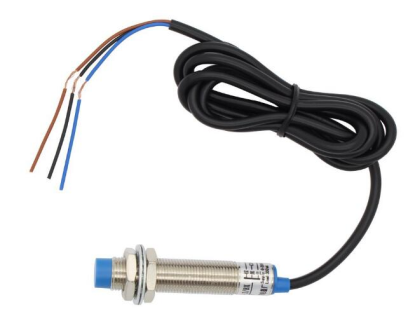
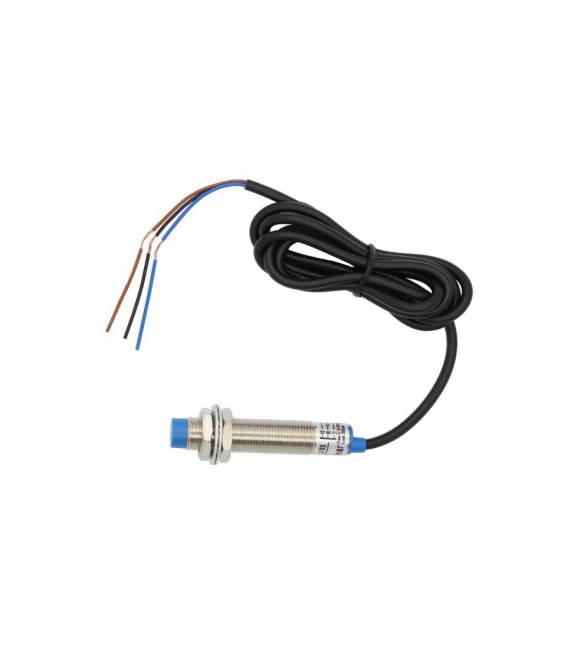
Description
What it is
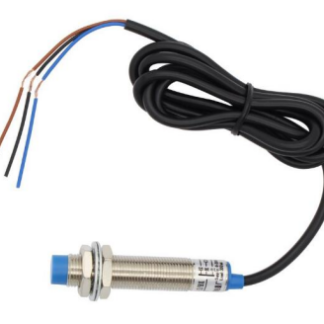
LJ12A3-4-Z / EX is a proximity inductive switch, used to detect the presence of metallic objects. This device can be integrated into various electronic projects such as security systems or automatic sensors.
Features
- Type: Proximity inductive switch
- SKU: ARD0010867
What it is for
The LJ12A3-4-Z / EX switch is ideal for projects requiring the detection of metallic objects. It can be used in alarm systems, home automation, or any application where the approach of a metallic object needs to be detected.
Tutorial: How to use LJ12A3-4-Z / EX Proximity Inductive Switch
The proximity inductive switch LJ12A3-4-Z / EX is ideal for controlling the approach to metallic materials. Useful for projects requiring a presence sensor.
What you need
- LJ12A3-4-Z / EX
- Arduino
- Resistor (1 kΩ)
- Power cable
Steps
- 1. Connect the power supply to the VCC and GND pins of the switch.
- 2. Connect the resistor between the VCC pin and the OUT pin.
- 3. Connect the GND pin of the switch to the GND of the Arduino.
- 4. Connect the OUT pin of the switch to a digital pin of the Arduino (e.g., D2).
- 5. Load the code below.
- 6. Verify the power supply specifications in the datasheet.
- 7. Try bringing a metallic object close to the switch.
- 8. Check the state change of the digital pin.
Example code
const int sensorPin = 2;
int sensorValue = 0;

void setup() {
  pinMode(sensorPin, INPUT);
  Serial.begin(9600);
}

void loop() {
  sensorValue = digitalRead(sensorPin);
  Serial.println(sensorValue);
  delay(1000);
}
Mini project
Build an alarm system for doors with the proximity switch. Connect the switch to pin D2 of an Arduino and to an LED. When a metallic object approaches, the LED turns on.
Common mistakes
- Do not verify the power supply specifications in the datasheet.
- Connect the switch without a resistor.
- Do not use a digital pin as a read pin.
- Forget to install the code on the Arduino.
Recommended accessories
- LED
- Resistor (220Ω)
- Arduino UNO
Frequently asked questions
Which metallic materials work with the switch?
Works with all metallic materials, including steel and aluminum.
Can it work with non-metallic materials?
No, it only works with metallic materials.
How long does the battery last?
Check the datasheet for power supply specifications.
Can I use the switch with an Arduino Nano?
Yes, it is compatible with all types of Arduino.
Reviews
There are no reviews yet.