 EN
 IT Italiano
 ES Español
 FR Français
 DE Deutsch
Description
What it is
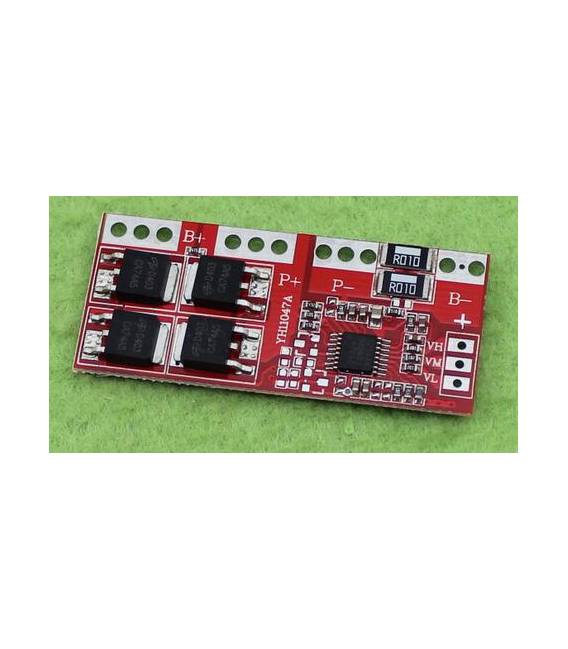
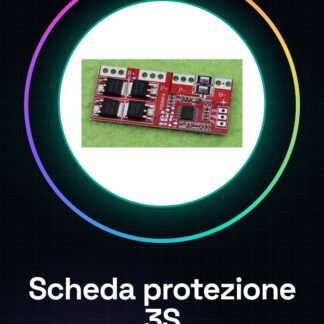
The Lithium Battery Protection Board Series 3S by Arduiner is an essential component for the safety and stability of your electronic projects that use lithium batteries. This device offers automatic recovery and overvoltage and undervoltage protection, ensuring longer battery life.
Features
- Series 3S
- Automatic recovery between 10.8 V and 12.6 V
- Current capacity up to 30 A
What it is for
The board is ideal for projects that use lithium battery series 3S. It is suitable for both beginners and intermediates, offering overvoltage and undervoltage protection. You can use it to create a simple charge-battery system by integrating the board with a 3S battery.
Tutorial: How to Use the Lithium Battery Protection Board 3S
This component protects your 3S lithium battery from overvoltage and undervoltage, essential for hobby electronics projects. Useful for beginners and intermediates.
What you need
- 3S Lithium Battery Protection Board
- 3S Lithium Battery
- Arduino or microcontroller
- Power supply cable
Steps
- 1. Check the datasheet for the maximum and minimum voltage of your 3S battery.
- 2. Connect the V+ pin of the battery to the V+ pin of the board.
- 3. Connect the GND pin of the battery to the GND pin of the board.
- 4. Connect the S1 pin to the S1 pin of the microcontroller.
- 5. Connect the S2 pin to the S2 pin of the microcontroller.
- 6. Connect the S3 pin to the S3 pin of the microcontroller.
- 7. Verify that the output voltage of the board is correct (10.8V – 12.6V).
- 8. Test the circuit with a sample program.
Mini project
Create a simple battery charger using the board and a 3S battery.
Common mistakes
- Do not check the battery voltage before connecting it.
- Connecting pins incorrectly.
- Omitting the verification of the output voltage.
- Not using an updated datasheet.
Recommended accessories
- 3S Lithium Battery
- Arduino Uno
- Power Supply Cable
- Multimeter
Frequently asked questions
Does the board work with batteries other than 3S?
Yes, but check compatibility in the datasheet.
Can I use this board with a drone?
Yes, but make sure the maximum voltage is compatible with your drone.
What to do if the output voltage is not correct?
Check connections and battery voltage. If the problem persists, contact the seller.
Reviews
There are no reviews yet.