 EN
 IT Italiano
 ES Español
 FR Français
 DE Deutsch
Description
What it is
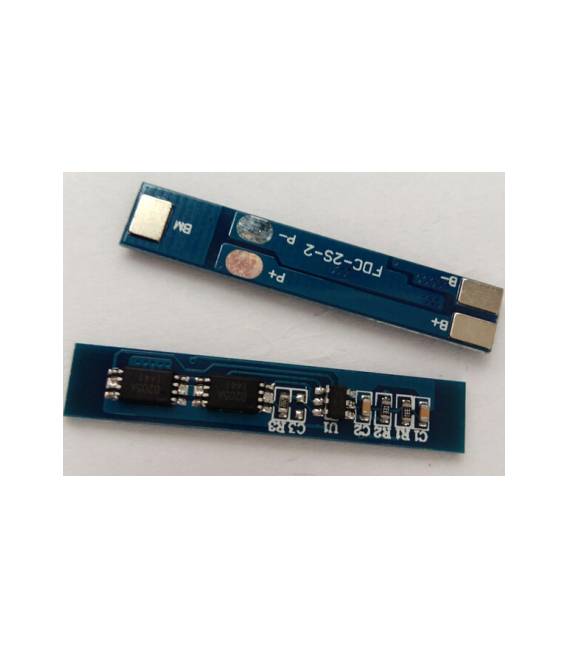
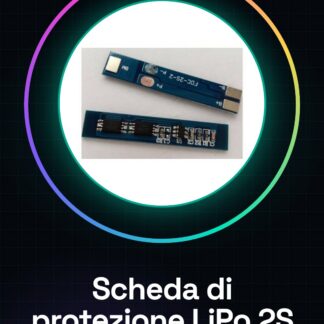
This PCB board is a battery charger protection circuit for 2S (7.4V-8.4V) lithium-ion batteries with a current of 3A. It is designed to ensure the safety and longevity of the batteries during the charging process.
Features
- Battery Voltage: 7.4V – 8.4V
- Maximum Current: 3A
- Battery Type: Li-Ion 2S
- SKU: ARD007924
- Price: 2.41 €
What it is for
This protection board is essential for the safety of LiPo battery charging. It is useful for projects that require the safe charging of LiPo batteries, such as drones, robots, or battery-powered electronic devices. It can be integrated with a microcontroller like Arduino to create an automatic charging system.
Tutorial: How to use the ARD007924 battery charger protection board
This protection board is essential for the safety of LiPo battery charging. Useful for beginners and intermediate makers.
What you need
- ARD007924 Shield
- 2S LiPo Battery
- DC Charger
- Multimeter
Steps
- 1. Ensure that the ARD007924 shield is in good condition.
- 2. Check the datasheet for the output voltage range (7.4V – 8.4V).
- 3. Connect the input pins to the DC charger.
- 4. Connect the output pins to the 2S battery.
- 5. Verify the maximum allowed current (3A) from the datasheet.
- 6. Set the charger to DC 7.4V – 8.4V.
- 7. Check the voltage with the multimeter before charging.
- 8. Charge the battery safely, monitoring the voltage regularly.
Mini project
Build an automatic charger for LiPo batteries using the ARD007924 shield and an Arduino.
Common mistakes
- Connecting the shield to voltages outside the 7.4V – 8.4V range.
- Forgetting to check the voltage before charging.
- Using an incompatible charger.
- Ignoring the maximum allowed current.
Recommended accessories
- Compatible DC Charger
- LiPo Battery 2S
- Multimeter
- Arduino (optional)
Frequently asked questions
Can I use this board with 3S batteries?
Check the datasheet. The board only supports 2S.
How long does it take to charge the battery?
The charging time depends on the charger and the capacity of the battery.
Does the board have a status indicator?
Check the datasheet. It may not have an indicator.
Reviews
There are no reviews yet.