 EN
 IT Italiano
 ES Español
 FR Français
 DE Deutsch
Description
What it is
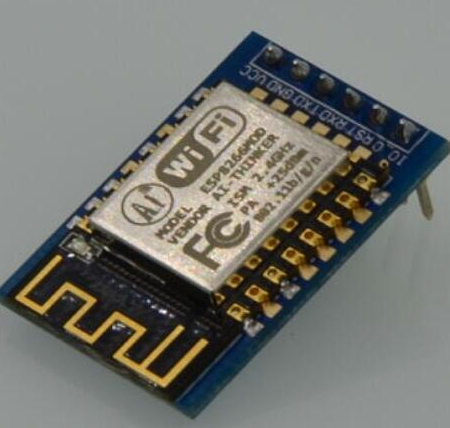
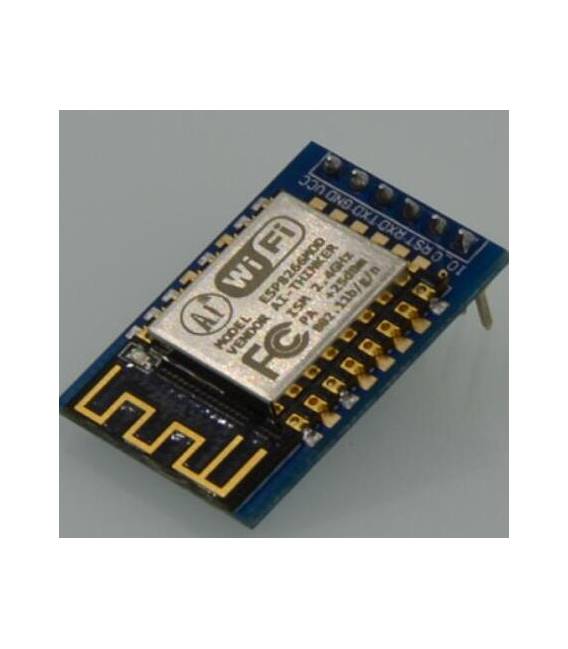
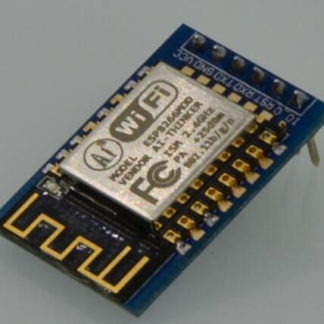
The ESP8266 Serial to WiFi Module (SKU ARD0010435) allows adding WiFi connectivity features to Arduino projects. It is an affordable and easy-to-use module, ideal for beginners and intermediates who want to integrate WiFi connectivity into their circuits.
Features
- WiFi Connection
- Serial Interface
- Price: 8.85 €
What it is for
The ESP8266 Serial to WiFi Module is perfect for IoT projects and remote monitoring. You can use it to create a simple WiFi server to send test messages or to connect your Arduino devices to the internet. Check the datasheet for compatibility information with specific Arduino models.
Tutorial: How to Use ESP8266 Serial to WiFi Module
The ESP8266 Module allows adding WiFi connectivity features to Arduino projects. Ideal for beginners and intermediates who want to integrate WiFi connectivity into their circuits.
What you need
- ESP8266 module
- Arduino IDE
- Arduino board
- USB cable
- WiFi antenna
- 10kΩ resistor
Steps
- 1. Connect the ESP8266 module to your Arduino board using pins D0 (RX) and D1 (TX).
- 2. Connect the 10kΩ resistor between VCC and GND of the ESP8266 module.
- 3. Insert the ESP8266 module into your Arduino IDE as an external module.
- 4. Set the baud rate to 115200 in your code.
- 5. Load the following example sketch:
- 6. Use a USB cable to connect your Arduino to your computer.
- 7. Check the datasheet for WiFi configuration.
- 8. Connect the WiFi module to your network.
- 9. Verify the WiFi connection with a print of sta.getSSID().
Example code
```
#include <ESP8266WiFi.h>

const char* ssid = "nome_rete";
const char* password = "password_rete";

void setup() {
  Serial.begin(115200);
  WiFi.begin(ssid, password);
  delay(5000);
  Serial.print("Connessione WiFi: ");
  Serial.println(WiFi.SSID());
}

void loop() {}```
Mini project
Create a simple WiFi server using the ESP8266 to send test messages.
Common mistakes
- Always verify the correct configuration of the baud rate.
- Ensure that the WiFi antenna is well connected.
- Check the proper power supply for the ESP8266 module.
- Verify the correct WiFi network configuration.
Recommended accessories
- WiFi Antenna
- 10kΩ Resistor
- Arduino board
- USB cable
Frequently asked questions
How to configure the WiFi connection?
Enter the WiFi credentials in the Arduino code and use `WiFi.begin(ssid, password);`.
Does the ESP8266 module require external power supply?
Yes, make sure to provide a 3.3V-5V power supply.
What are the minimum requirements for using this module?
You need an Arduino IDE, an Arduino board, and a USB cable for uploading.

Reviews
There are no reviews yet.