 EN
 IT Italiano
 ES Español
 FR Français
 DE Deutsch
Description
What it is
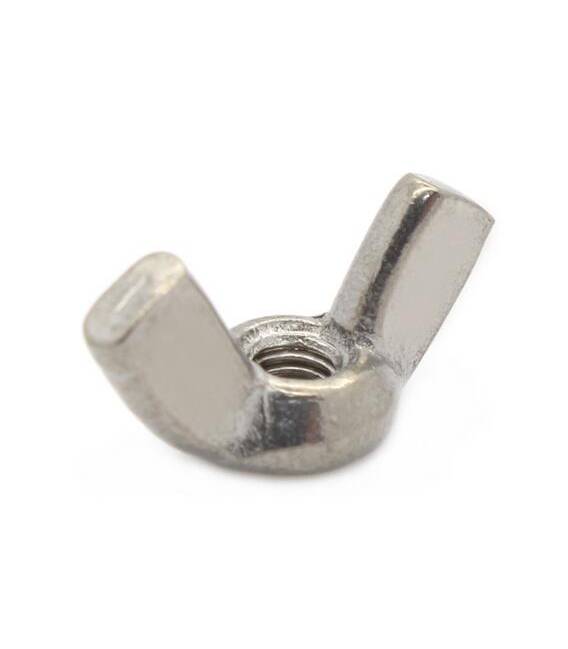
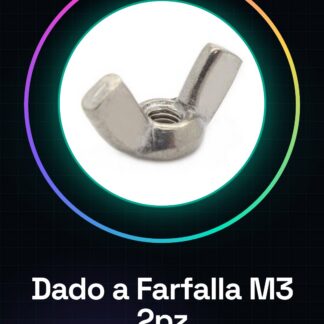
Phillips M3 screws are components used to connect various electronic elements. These pieces are ideal for projects that require distance or obstacle measurement, especially when working with infrared sensors.
Features
- 2 Phillips M3 screws
- Used to build multi-purpose distance sensors
What it is for
Phillips M3 screws are useful for distance and proximity measurement projects, ideal for beginners and intermediates. They are compatible with Arduino and can be used to build simple distance-based alarm systems.
Tutorial: How to use Phillips M3 screws
These pieces are useful for building multi-purpose distance sensors, ideal for beginner and intermediate Arduino projects.
What you need
- 2 Phillips M3 screws
- Arduino
- 10kΩ resistor
- Power cable
Steps
- 1. Prepare the necessary components.
- 2. Connect the Phillips M3 screws to pin A0 of the Arduino.
- 3. Connect the 10kΩ resistor between the VCC and GND pins of Arduino.
- 4. Connect the resistor between the VCC pin and the M3 Butterfly Dado.
- 5. Connect the GND of Arduino to the M3 Butterfly Dado.
- 6. Load the following code onto Arduino.
- 7. Check if the value read from A0 varies with distance.
- 8. Check the datasheet for further details.
Example code
```
void setup() {}
void loop() {
  int value = analogRead(A0);
  Serial.println(value);
}
```
Mini project
Build a simple distance alarm system.
Common mistakes
- Do not connect the M3 Butterfly Dado correctly.
- Omit the 10kΩ resistor.
- Do not use the A0 pin.
- Power the M3 Butterfly Dado directly without a resistor.
Recommended accessories
- Proximity sensors
- Arduino UNO
- LCD Display
- 3V Battery
Frequently asked questions
How can I calibrate the M3 Butterfly Dado?
Check the datasheet for specific calibration instructions.
Can I use these M3 Butterfly Dados with other microcontrollers?
Check the datasheet for compatibility.
Which resistor should I use?
10kΩ.
Reviews
There are no reviews yet.