 EN
 IT Italiano
 ES Español
 FR Français
 DE Deutsch
Description
What it is
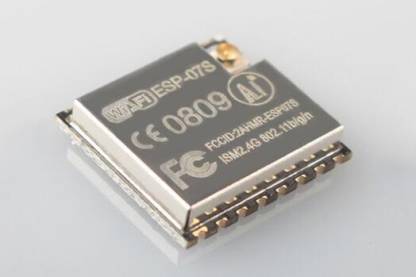
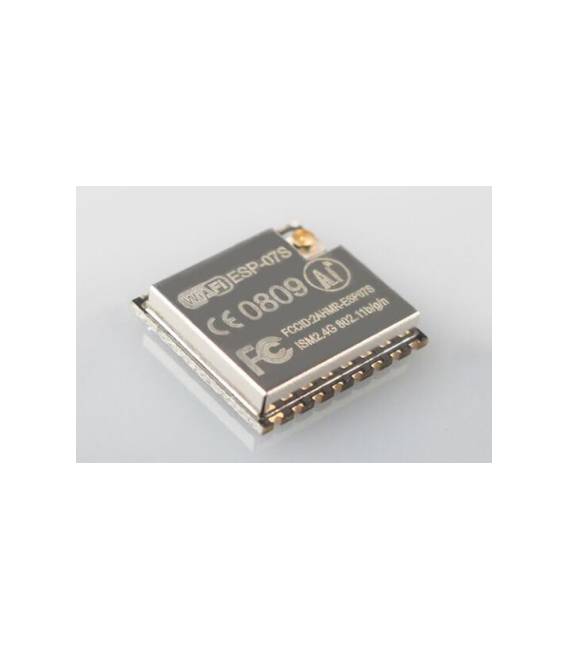
The ESP-07S module is an electronic component that allows adding WiFi functionality to serial devices. Based on the ESP8266 chip, this module simplifies the integration of wireless connectivity in Arduino and IoT projects.
Features
- ESP8266 Module
- Serial Connection
- WiFi
What it is for
The ESP-07S module is ideal for transforming serial devices into wireless devices. It can be used to create sensors that transmit data via WiFi, control devices remotely, or build simple IoT applications. It is compatible with Arduino and other microcontrollers that support serial communication.
Tutorial: How to use ESP-07S ESP8266 Module from Serial to WiFi
The ESP-07S ESP8266 Serial to WIFI module is an ideal component for anyone looking to transform serial devices into wireless devices. It is perfect for beginners and makers who want to explore Internet of Things (IoT) projects without complications.
What you need
- Arduino or compatible microcontroller
- USB Type B or micro USB cable
- Arduino IDE software
- Internet connection
- Power supply for the module
- Serial connection for the device to be connected
Steps
- Install the Arduino IDE development environment if it is not already installed.
- Download and install the ESP8266 library.
- Connect the ESP-07S module to the microcontroller via the serial cable.
- Open a new sketch in Arduino IDE and include the ESP8266WiFi library.
- Configure the WiFi connection in the code.
- Insert the code to establish a serial connection with the device.
- Save and upload the code to the microcontroller.
- Check serial connection and data transmission between the device and the ESP-07S module.
Example code
void setup() {
  Serial.begin(9600);
  WiFi.begin("SSID", "PASSWORD");
  while (WiFi.status() != WL_CONNECTED) {
    delay(500);
    Serial.println("Connessione in corso...");
  }
  Serial.println("Connesso al WiFi");
}

void loop() {
  // Inserire qui il codice per la trasmissione dati
}
Mini project
Create a temperature sensor that sends data via WiFi. Connect a temperature sensor to the ESP-07S module and send the data to the server.
Common mistakes
- WiFi network configuration error.
- Serial communication obstruction.
- Power supply issues with the module.
- Incorrect microcontroller configuration.
Recommended accessories
- Arduino Uno
- DHT11 Temperature Sensor
- LiPo Battery
- Relay Module
Frequently asked questions
How can I check the serial connection?
Check the TX and RX button on the ESP-07S module during data transmission.
Which libraries are required for the ESP-07S module?
The ESP8266WiFi library is essential, check the datasheet for any additional specific libraries.
Can the ESP-07S module be powered by USB?
Yes, the module can be powered directly from the USB port of the computer.



Reviews
There are no reviews yet.