 EN
 IT Italiano
 ES Español
 FR Français
 DE Deutsch
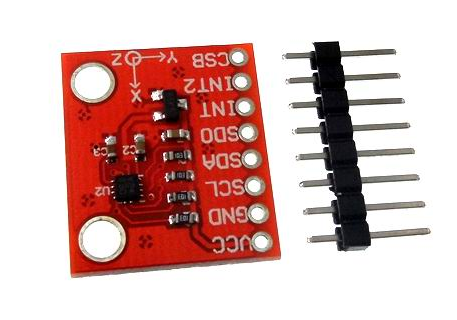
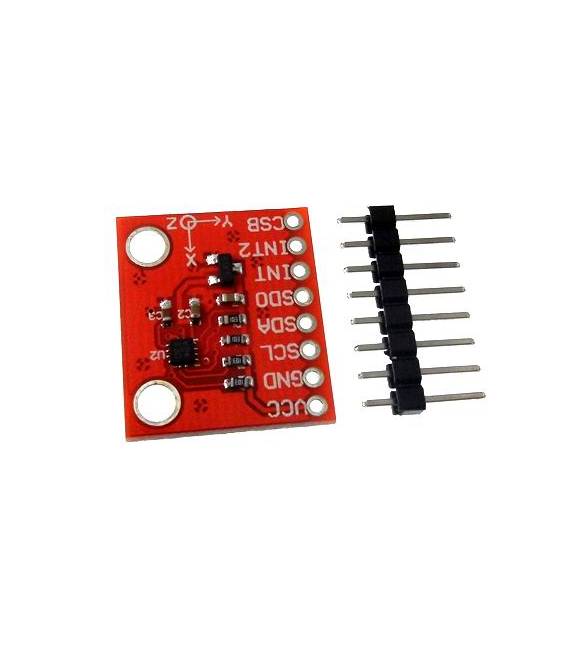
Description
What it is
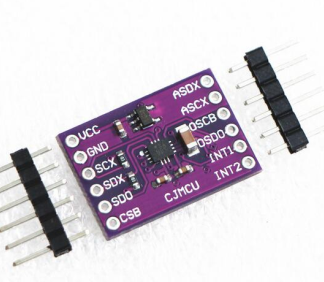
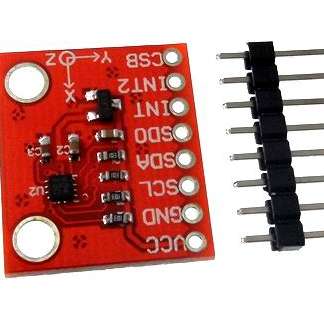
The BMA280 is a three-axis digital accelerometer, a sensor that measures acceleration in three independent directions (x, y, z). It is an electronic component ideal for projects that require the measurement of movement or position.
Features
- 3 axes of measurement (x, y, z)
- Type: Digital Accelerometer
- SKU: ARD0010575
- Price: 9.05 €
What it is for
The BMA280 accelerometer is used in applications that require movement measurement, such as vehicle stabilization (air and ground), interactive game creation, inclination measurement, or movement data logging. It is compatible with Arduino and other electronic prototyping platforms.
Tutorial: How to Use Accelerometer BMA280
The BMA280 accelerometer is ideal for measuring acceleration in three axes. Useful for movement and stabilization projects, perfect for beginners and intermediates.
What you need
- Arduino UNO or compatible
- Power cable
- 4.7kΩ resistor
- Multimeter
Steps
- 1. Installation: Download and install the latest version of Arduino IDE.
- 2. Connection: Connect the BMA280 accelerometer to your Arduino.
- 3. Configuration: Use the SDA and SCL pins to connect the accelerometer.
- 4. Pull-up resistor: Connect a 4.7kΩ resistor between SDA and GND.
- 5. Sketch: Download the example code.
- 6. Upload: Upload the sketch to your Arduino.
- 7. Test: Use the serial monitor to display the data.
- 8. Check: Verify that the values are correct.
Example code
```
#include <Wire.h>
#include <Adafruit_BMA280.h>

Adafruit_BMA280 bma;

void setup() {
  Serial.begin(9600);
  if (!bma.begin()) {
    Serial.println("BMA280 not found!");
    while (1);
  }
}

void loop() {
  int16_t ax, ay, az;
  bma.getAcceleration(&ax, &ay, &az);
  Serial.print("ax:"); Serial.print(ax);
  Serial.print(" ay:"); Serial.print(ay);
  Serial.print(" az:"); Serial.println(az);
}
```
Mini project
Create a stabilization project for a quadcopter or remote vehicle using the BMA280 accelerometer to control movement.
Common mistakes
- Incorrect connection: Make sure you are using the correct pins.
- Missing resistor: A pull-up is necessary for proper functioning.
- Non-working code: Check that the code is correct.
- Incorrect data: Check configuration and connections.
Recommended accessories
- Arduino UNO
- Power supply cable
- 4.7kΩ resistor
- Multimeter
Frequently asked questions
How can I verify the correct functioning of the accelerometer?
Check the values in the serial monitor. They should vary based on movement.
Which pins should I use for the accelerometer?
SDA and SCL.
Can I use another type of Arduino?
Yes, but it might require a different driver.
How can I calibrate the accelerometer?
Check the datasheet for further instructions.
Reviews
There are no reviews yet.