 EN
 IT Italiano
 ES Español
 FR Français
 DE Deutsch
Description
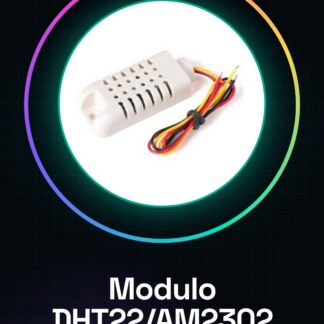
Tutorial: How to Use DHT22 / AM2302 Digital Sensor Module
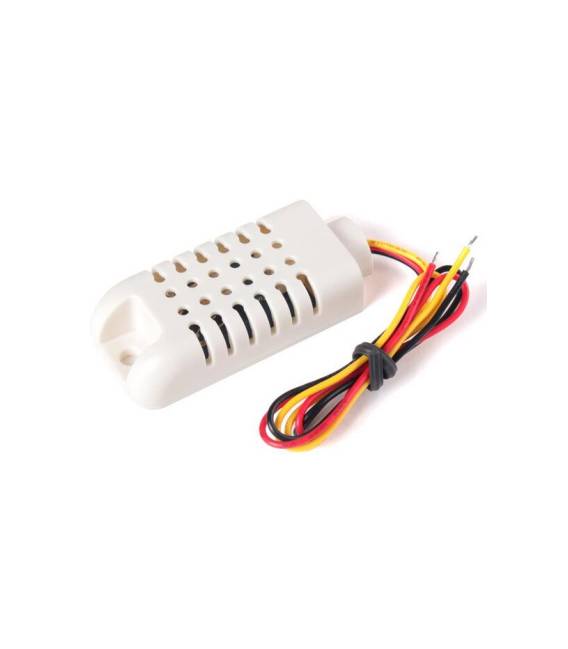
The DHT22 sensor is an essential component for projects requiring precise measurement of temperature and humidity. Ideal for both beginners and more experienced makers, this module allows for easy integration of environmental monitoring features into your devices.
What you need
- Arduino Uno
- USB Cable
- Breadboard
- 10kΩ Resistor
- Connect to PC
Steps
- Connect the DHT22 module to the breadboard using connecting wires.
- Connect the 10kΩ resistor between VCC and GND of the sensor, passing through the DATA pin.
- Now connect the Arduino Uno module to the USB port of the computer.
- Download the latest DHT library on Arduino IDE (https://github.com/adafruit/DHT-sensor-library/releases).
- Open a new sketch in Arduino IDE and include the DHT library.
- Add the example code to read the sensor values.
- Compile and upload the sketch to your Arduino Uno, ensuring that the sensor is correctly connected.
- Observe the results on the Arduino IDE serial monitor.
Example code
DHT dht(D2, DHT22);
void setup() {
dht.begin();
Serial.begin(9600);
}

void loop() {
float t = dht.readTemperature();
float h = dht.readHumidity();
Serial.print("Temperatura: "); Serial.println(t); Serial.print("% Umidità: "); Serial.println(h);
delay(2000);
}
Mini project
Create a humidity and temperature alarm system. When the values exceed a certain threshold, send an email or SMS.
Common mistakes
- DATA pin connected to the wrong pin on the Arduino
- 10kΩ resistor not present between VCC and GND of the sensor
- DHT library not installed correctly
- Sensor not recognized by Arduino
Recommended accessories
- LCD module to display data in real-time
- RFM69HW relay to send data over distance
- 18650 batteries to power the system autonomously
- Arduino Nano to miniaturize the solution
Frequently asked questions
Can the DHT22 sensor measure soil humidity as well?
No, it is specifically designed for air. Check the datasheet of a dedicated soil sensor.
What are the operating temperatures of the sensor?
Check the datasheet for precise values, but generally works from -40°C to +80°C.
Reviews
There are no reviews yet.