 EN
 IT Italiano
 ES Español
 FR Français
 DE Deutsch
Description
What it is
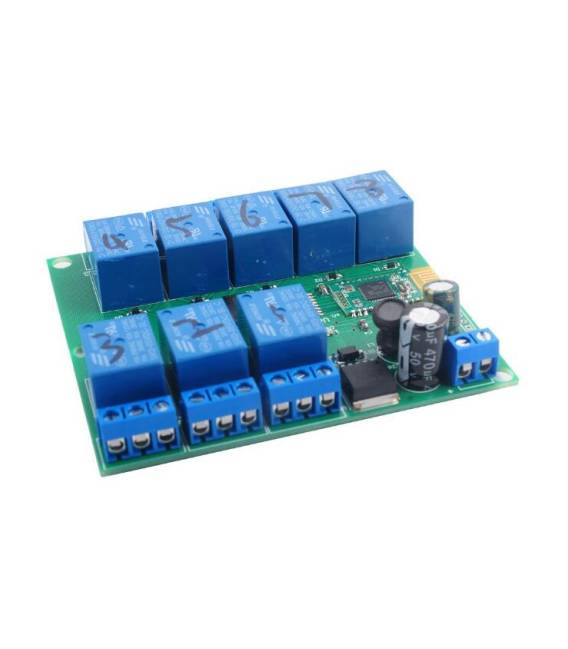
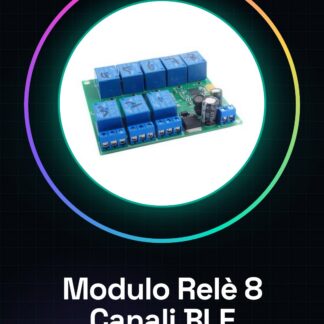
The DC5V 8 Channel Relay Module Bluetooth 4.0 BLE is an electronic module that allows you to control 8 relay channels via a smartphone app on iOS or Android devices.
Features
- 8 relay channels
- 5V power supply
- Bluetooth 4.0 BLE
- Compatible with iOS and Android smartphones
What it is for
This module is ideal for Arduino and IoT projects, allowing you to automate electronic devices via an app. Examples of use include creating controllable lighting systems via smartphone, managing home appliances, or automating industrial processes.
Tutorial: How to use DC5V 8 Channel Relay Module Bluetooth 4.0 BLE
This module allows you to control electronic devices via a smartphone app. Useful for IoT and home automation projects.
What you need
- Arduino IDE
- PC with USB
- Smartphone with Bluetooth
Steps
- 1. Download and install Arduino IDE.
- 2. Connect to the Arduino via USB.
- 3. Install the Bluetooth BLE library.
- 4. Load the source code.
- 5. Configure the Bluetooth module.
- 6. Connect the module to an iOS or Android device.
- 7. Control the relays through the app.
- 8. Test the 8 relay channels.
Example code
```cpp
#include <BLEDevice.h>
#include <BLEUtils.h>

BLEService myService("180F");
BLECharacteristic myCharacteristic("2A19", BLEReadWriteNoNotify);

void setup() {
  BLEDevice::init("Relay Module");
  BLEServer *pServer = BLEDevice::createServer();
  pServer->getService(myService.getUUID())->addCharacteristic(myCharacteristic);
  myCharacteristic.setValue("0000");
  BLEAdvertising *pAdvertising = BLEDevice::getAdvertising();
  pAdvertising->addServiceUUID(myService.getUUID());
  pAdvertising->setScanResponse(true);
  pAdvertising->start();
}

void loop() {
  if (myCharacteristic.wasNotified()) {
    String value = myCharacteristic.getValueString();
    if (value == "11111111") {
      Serial.println("All relays ON");
    } else if (value == "00000000") {
      Serial.println("All relays OFF");
    }
  }
}
```
Mini project
Create a simple lighting system that turns lights on/off based on the state of the entry doors.
Common mistakes
- Forget to install the Bluetooth BLE library.
- Connect the module to an incompatible device.
- Fail to properly configure the Bluetooth module.
- Fail to carefully test the relay channels.
Recommended accessories
- Motion sensors
- Relays
- Connection cables
- Arduino UNO
Frequently asked questions
How to configure the Bluetooth module?
Configure the module through the Bluetooth application on your smartphone.
Which devices can connect?
iOS and Android.
Can I use this module with Arduino Nano?
Yes, but check power compatibility.
Reviews
There are no reviews yet.