 EN
 IT Italiano
 ES Español
 FR Français
 DE Deutsch
Description
What it is
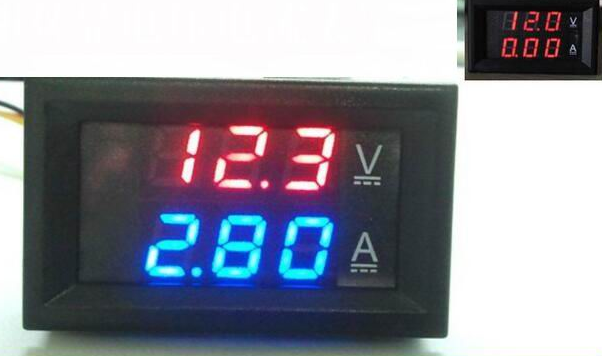
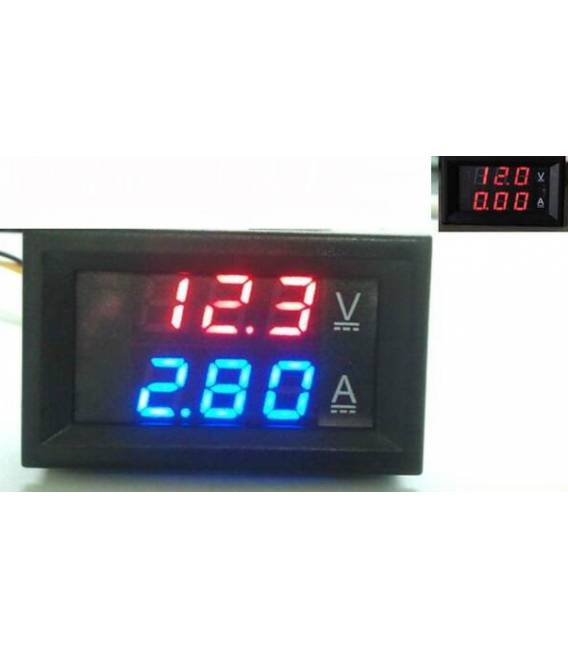
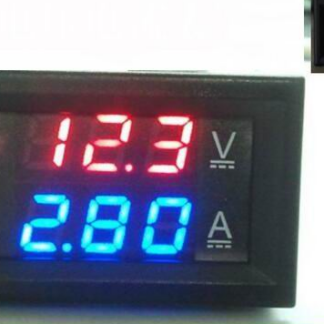
The DC0-100V 100A red + blue is a digital voltmeter and ammeter with integrated dual LED shunt, ideal for monitoring voltage and current flow in various electronic projects.
Features
- Voltmeter 0-100V
- Ammeter 0-100A
- Digital charger balancer
- Red and blue LED display
- Integrated dual shunt
What it is for
This device is used to monitor voltage and current flow in Arduino circuits or other devices. It is useful for makers working with low and high voltage power supplies, such as in the case of drones or robots.
Tutorial: How to use DC0-100V 100A Voltmeter and Ammeter
This digital voltmeter and ammeter is ideal for monitoring current flow and voltage in Arduino circuits or other devices. It is particularly useful for makers working with low and high voltage power supplies.
What you need
- DC0-100V 100A Voltmeter Ammeter
- Dual 100A shunt
- Test head connectors
Steps
- Check the supply voltage of the voltmeter and ammeter (check the datasheet).
- Connect the dual shunt to the two terminals of the ammeter.
- Connect the power supply to the voltmeter using the test leads.
- Check the maximum current you can measure with the shunt (check the datasheet).
- If necessary, connect an Arduino to read the data from the voltmeter and ammeter (see code below).
- Configure the Arduino to display the current and voltage values.
- Verify that the voltmeter and ammeter display the correct values.
- Adjust the sensitivity of the device if necessary.
Example code
// Collega i pin del voltmetro/amperometro a quelli dell'Arduino
// Esempio: int vPin = A0; int aPin = A1;
void setup() {
    Serial.begin(9600);
}
void loop() {
    // Leggi il valore dal voltmetro e amperometro
    int valV = analogRead(vPin);
    int valA = analogRead(aPin);

    // Stampa i valori in seriale
    Serial.print(valV); Serial.print(", "); Serial.println(valA);
}
Mini project
Create a battery monitoring system for drones or robots, displaying voltage and current in real-time.
Common mistakes
- Connect the voltmeter/ammeter with wrong polarity
- Do not check the maximum current of the shunt
- Use an Arduino without configuring it to read data from the device
Recommended accessories
- Head connection, ARD0010023
- Arduino Uno R3, ARD0010045
- LiPo Battery 3S, ARD0010067
- USB cable for Arduino, ARD0010089
Frequently asked questions
How do you calibrate the voltmeter/ammeter?
Follow the instructions in the product datasheet.
Can it measure AC currents?
No, it is designed only for DC.
Reviews
There are no reviews yet.