 EN
 IT Italiano
 ES Español
 FR Français
 DE Deutsch
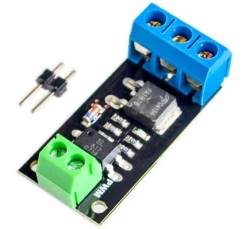
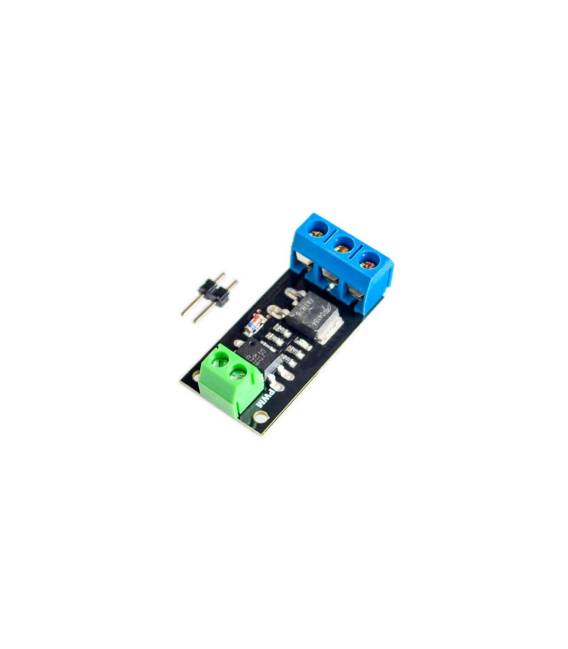
Description
What it is
The D4184 MOS Module is a MOSFET (Metal-Oxide-Semiconductor Field-Effect Transistor) control module that allows managing electrical loads such as lights, motors, or other electronic devices.
Features
- SKU: ARD0011484
- Price: 2.39 €
- Availability: Pre-order
- Type: MOSFET Module
What it is for
The D4184 MOS Module is useful for basic and intermediate electronics projects. It allows controlling electrical loads with a digital signal. Example use: create a button to turn on/off an LED. Compatibility with Arduino/ESP is not specified, check the datasheet.
Tutorial: How to use D4184
The D4184 is a MOSFET module ideal for controlling electrical loads such as lights, motors, or other electronic devices. Useful for basic and intermediate electronics projects.
What you need
- Arduino or compatible microcontroller
- 10kΩ resistor
- Load to control (e.g., LED, motor)
Steps
- 1. Ensure that the D4184 module supports your microcontroller.
- 2. Connect the GND of the module to the GND of the microcontroller.
- 3. Connect the VCC of the module to the VCC of the microcontroller.
- 4. Connect the microcontroller control pin (e.g., D8) to the IN pin of the module.
- 5. Connect the load (e.g., LED) between VOUT and GND of the module.
- 6. Check the datasheet for the maximum current of the load.
- 7. Load the provided Arduino code.
- 8. Check that the load turns on/off correctly.
Example code
```cpp
#include <Arduino.h>

void setup() {
  pinMode(8, OUTPUT);
}

void loop() {
  digitalWrite(8, HIGH);
  delay(1000);
  digitalWrite(8, LOW);
  delay(1000);
}
```
Mini project
Create a push button that turns on/off an LED using the D4184 module in 30 minutes.
Common mistakes
- Connect VCC to 5V without verifying the module’s voltage range.
- Omit the pull-up/pull-down resistor.
- Ignore the maximum current of the load.
- Do not verify hardware compatibility before use.
Recommended accessories
- Arduino Uno
- LED
- Push button
- 1kΩ resistor
Frequently asked questions
Does the module support Arduino Nano?
Check the datasheet for compatibility with Arduino Nano.
How much load can the D4184 handle?
Check the datasheet for the maximum allowed current.
Is a bootloader necessary?
No, just load the code directly.



Reviews
There are no reviews yet.