 EN
 IT Italiano
 ES Español
 FR Français
 DE Deutsch
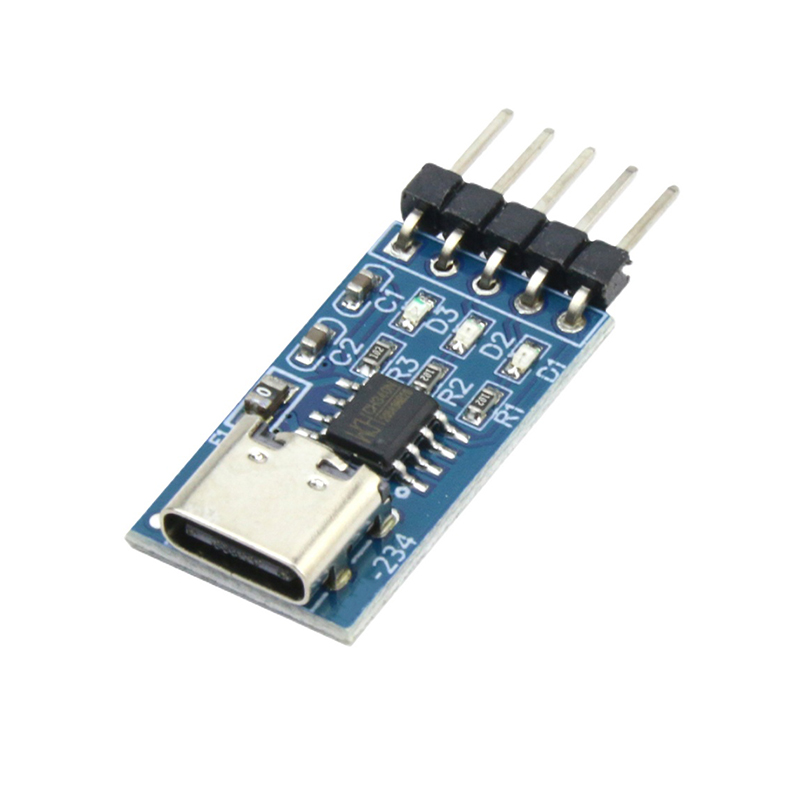
Description
What it is
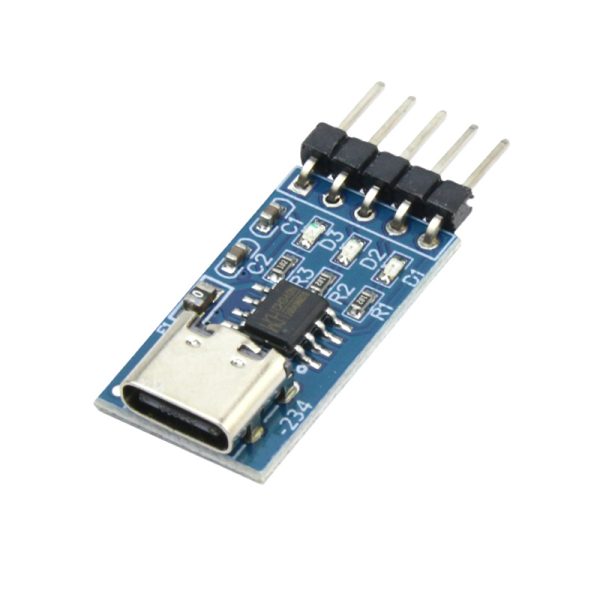
The CH340N USB-C to TTL / downloader module is a device that allows converting USB-C communication to a TTL connection, facilitating the programming of microcontrollers like Arduino. This module is essential for anyone who wants to upload sketches to microcontrollers via a USB connection.
Features
- Converts USB-C serial port to TTL
- Facilitates serial communication
- Compatible with Arduino microcontrollers and similar
- Price: 2.9 €
What it is for
The CH340N module is ideal for makers who want to upload sketches to Arduino microcontrollers or similar. It is particularly useful for beginners and intermediates looking for a simple and affordable way to program. It can be used to create simple projects such as an LED display that turns on and off based on a message sent from the computer.
Tutorial: How to use CH340N USB-C to TTL Module
The CH340N USB-C to TTL module is a fundamental device for makers who want to upload sketches to Arduino or compatible microcontrollers via a USB connection. It is ideal for beginners and intermediates looking for a simple and affordable programming method.
What you need
- Arduino or compatible microcontroller
- USB-C cable
- Computer running Windows, Mac, or Linux operating system
- USB drivers (check the datasheet for the specific model)
Steps
- Connect the CH340N module to the microcontroller via the TX, RX, GND, and VCC pins
- Connect the CH340N module to the computer via a USB-C cable
- Install the necessary USB drivers (check the datasheet)
- Open Arduino IDE and select the correct port for the CH340N module
- Upload a test sketch to the microcontroller
- Verify that the microcontroller executes the code correctly
Example code
void setup() {
  Serial.begin(9600);
  Serial.println("Benvenuto!");
}

void loop() {
}
Mini project
Create a simple LED display that turns on and off based on a message sent from the computer via the CH340N module. Use an Arduino and an LED with a resistor.
Common mistakes
- The microcontroller does not respond during sketch upload
- The computer does not recognize the CH340N module
- The uploaded code does not execute correctly
- USB drivers are not installed correctly
Recommended accessories
- Arduino Uno
- LED and resistor
- USB-C cable
- USB drivers (check the datasheet)
Frequently asked questions
How can I know which USB port to select?
In the Arduino IDE options menu, select the port that appears when the CH340N module is connected to the computer.
Which microcontrollers are compatible with this module?
The CH340N module is compatible with most Arduino and compatible microcontrollers.
Reviews
There are no reviews yet.