 EN
 IT Italiano
 ES Español
 FR Français
 DE Deutsch
Description
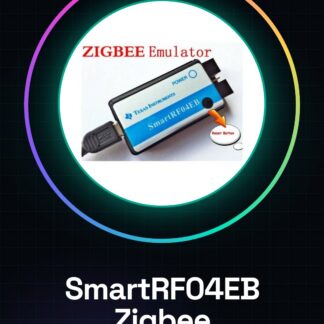
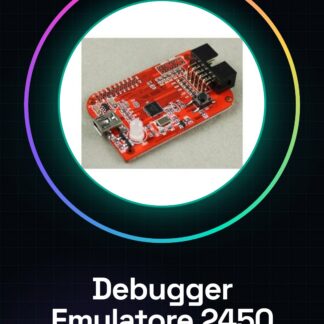
Bluetooth ZigBee Emulator CC Debugger Supports Protocol 2450 2541 2530 Programmer
Description
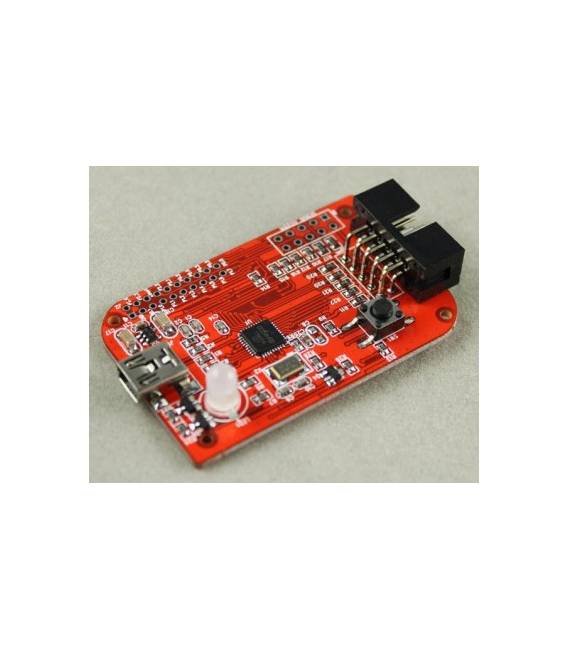
CC Debugger is primarily used for debugging and programming the flash on System-on-Chip (SoC) devices based on TI CCxxxx 8051. CC Debugger also supports CCxxxx RF transceivers. Additionally, CC Debugger is used to configure CC85xx devices with PurePath Wireless Configurator.
Tutorial: How to Use Bluetooth ZigBee CC Debugger
The Bluetooth ZigBee CC Debugger Emulator is an essential tool for developers and makers working with TI CCxxxx 8051 SoC based devices. It aids in the configuration, debugging, and programming of these chips and RF transceivers. This debugger supports specific protocols such as 2450, 2541, and 2530, making it indispensable for advanced ZigBee or Bluetooth projects.
What you need
- CC Debugger
- Computer with USB connectivity
- PurePath Wireless Configurator configuration software
- TI CCxxxx System on Chip (SoC) device
Steps
- Connect the CC Debugger to the computer via USB.
- Install and open the PurePath Wireless Configurator software on a PC or Mac.
- Select the CCxxxx device in the configurator’s menu.
- Verify the connection between the debugger and the SoC device on the configurator.
- Configure the desired settings for the device according to the datasheet specifications.
- Debug existing firmware or load new code through the software interface.
- Verify the proper functioning of the device after configuration.
- Close and disconnect the CC Debugger from the computer.
Mini project
Configure a TI CC2541 RF transceiver to transmit Bluetooth data at a distance of 10 meters using the CC Debugger emulator.
Common mistakes
- Unable to establish a USB connection with the debugger.
- Configure incorrect settings in the software configurator.
- Load incompatible or damaged code onto the SoC device.
- Fail to properly verify the functionality of the device after programming.
Recommended accessories
- TI CC2541 Starter Kit
- TI CC85xx Evaluation Module
- Antenna for long-range RF transmissions
- TI Code Composer Studio development software
Frequently asked questions
What is the difference between this debugger and others available?
This debugger specifically supports ZigBee and Bluetooth protocols based on CCxxxx SoC, making it more suitable for projects requiring these technologies.
Can I use the CC Debugger with Arduino or Raspberry Pi?
The CC Debugger is designed primarily for use with PC/Mac computers. For use with microcontrollers like Arduino, a different approach or specific software may be necessary.
Reviews
There are no reviews yet.