 EN
 IT Italiano
 ES Español
 FR Français
 DE Deutsch
Description
What it is
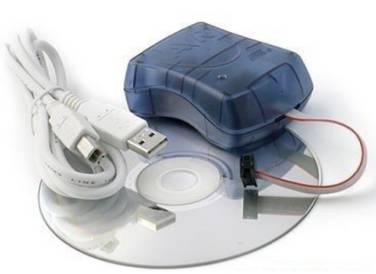
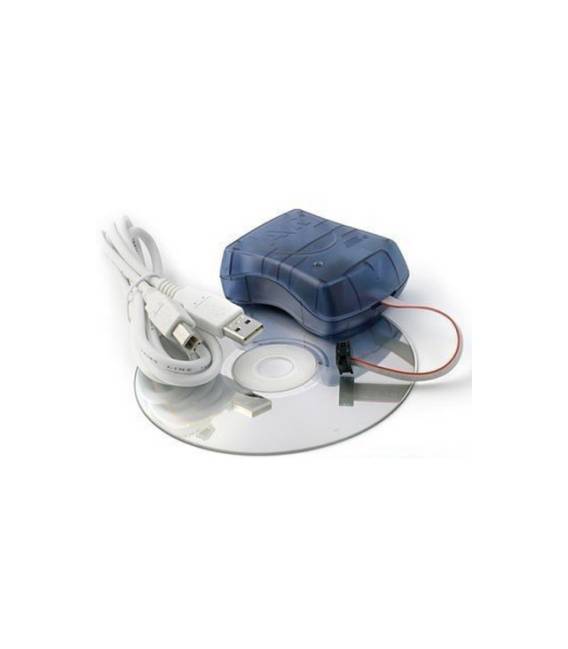
The AVRISP STK500 V2.0 USB compatible programmer for ATmel IC is a tool for loading code onto ATmel microcontrollers. It connects to the computer via USB and allows programming of the microcontrollers without the need to connect them directly to the PC.
Features
- Compatible with the AVRISP STK500 V2.0 standard
- USB connection
- Enables programming of ATmel IC microcontrollers
What it is for
This programmer is ideal for those working with ATmel IC microcontrollers. It can be used to create projects such as a simple button counter with an ATmega328P microcontroller and a button. Compatibility with the AVRISP STK500 V2.0 standard ensures its use with a wide range of programming software.
Tutorial: How to use USB ISP Programmer
This USB programmer is ideal for those who want to program ATmel IC microcontrollers. It is used to load code onto microcontrollers without having to connect them directly to a computer.
What you need
- USB ISP Programmer
- ATmel IC Microcontrollers
- USB Cable
- Computer with Arduino IDE
Steps
- 1. Download and install Arduino IDE from the official website.
- 2. Connect the programmer to the computer via USB.
- 3. Check the datasheet to verify the correct pin connection to the microcontroller.
- 4. Open the board in the Arduino IDE project.
- 5. Load the code onto the microcontroller.
- 6. Verify the USB connection: check that the ‘Arduino: Serial Monitor’ program displays the correct data.
- 7. Disconnect the microcontroller from the programmer.
- 8. Try to load the code directly from the microcontroller.
Mini project
Create a simple button counter with an ATmega328P microcontroller and a button.
Common mistakes
- Do not connect the VCC of the microcontroller to the 5V of the programmer.
- Do not incorrectly connect the pins of the microcontroller to the programmer.
- Do not verify the USB connection before uploading the code.
- Do not use a microcontroller that is not compatible with ATmel.
Recommended accessories
- ATmel IC Microcontrollers
- Buttons
- Resistors
- Breadboards
- USB Cable
Frequently asked questions
Does the programmer work with all ATmel microcontrollers?
Check the datasheet for microcontroller compatibility.
Can I use the programmer with a non-ATmel microcontroller?
The programmer supports only ATmel IC microcontrollers.
Does the programmer work with non-ISP microcontrollers?
The programmer supports only ISP microcontrollers.
How long does it take to upload the code?
The upload time depends on the code and the microcontroller.



Reviews
There are no reviews yet.