 EN
 IT Italiano
 ES Español
 FR Français
 DE Deutsch
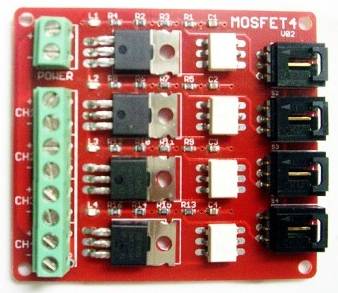
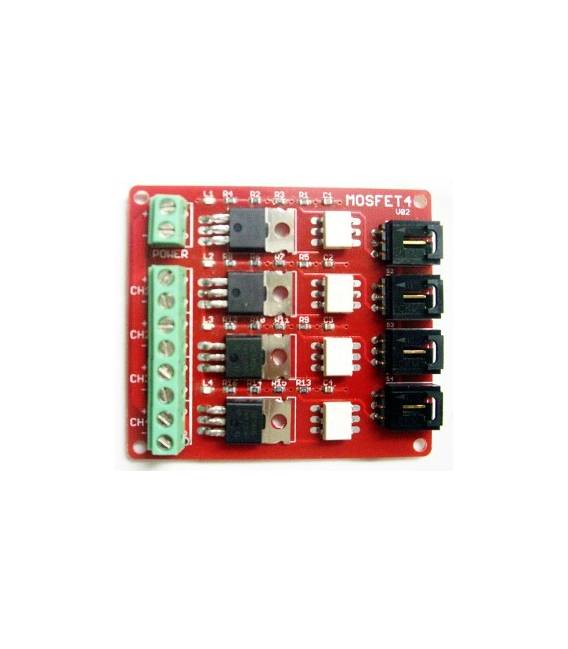
Description
What it is
The IRF540 V2.0 4-way MOSFET Switch + MOSFET Switch Module is an electronic component that allows you to control and protect connections in a circuit. It is a complete module that includes a switch and an IRF540 V2.0 MOSFET.
Features
- Type: 4-way MOSFET Switch
- MOSFET Model: IRF540 V2.0
- SKU: ARD0011096
- Price: 12.63 €
- Category: Pre-order
What it is for
This MOSFET switch is ideal for protecting your electronic circuits by adding a safe switch to a project. For example, you can use it to create a simple switch to turn off an LED by connecting it to the MOSFET and ensuring it turns off when you press the switch.
Tutorial: How to Use IRF540 V2.0 MOSFET Switch
This MOSFET switch is ideal for protecting your electronic circuits. Useful for anyone who wants to add a safe switch to a project.
What you need
- IRF540 V2.0 MOSFET Switch
- Arduino
- 10kΩ pull-up resistor
- connection cable
Steps
- 1. Prepare your Arduino and MOSFET button.
- 2. Connect the button to a digital pin on your Arduino.
- 3. Connect a 10kΩ pull-up resistor between the button pin and VCC.
- 4. Connect the MOSFET between VCC and GND of your circuit.
- 5. Connect the power supply to the MOSFET.
- 6. Load the Arduino code.
- 7. Try pressing the button and verify that the circuit activates correctly.
- 8. Check the datasheet for further details.
Example code
```void setup() {
  pinMode(2, INPUT_PULLUP);
}

void loop() {
  if (digitalRead(2) == LOW) {
    // Azione quando il pulsante è premuto
  }
}```
Mini project
Create a simple switch to turn off an LED. Connect an LED to the MOSFET and check that it turns off when you press the button.
Common mistakes
- Pressing the button too hard can damage the MOSFET.
- Make sure the pull-up resistor is correct.
- Verify that the power supply is compatible with the MOSFET.
- Do not use an analog pin as an input pin.
Recommended accessories
- LED
- LED resistor
- power supply
- Protective case for the button
Frequently asked questions
Can the MOSFET button be used with any Arduino?
Yes, it is compatible with many versions of Arduino.
What are the advantages of using a MOSFET button?
It offers protection against short circuits and can handle high currents.
What are the limitations of this MOSFET button?
It can exceed the specified current limit if used improperly.



Reviews
There are no reviews yet.