 EN
 IT Italiano
 ES Español
 FR Français
 DE Deutsch
Description
What it is
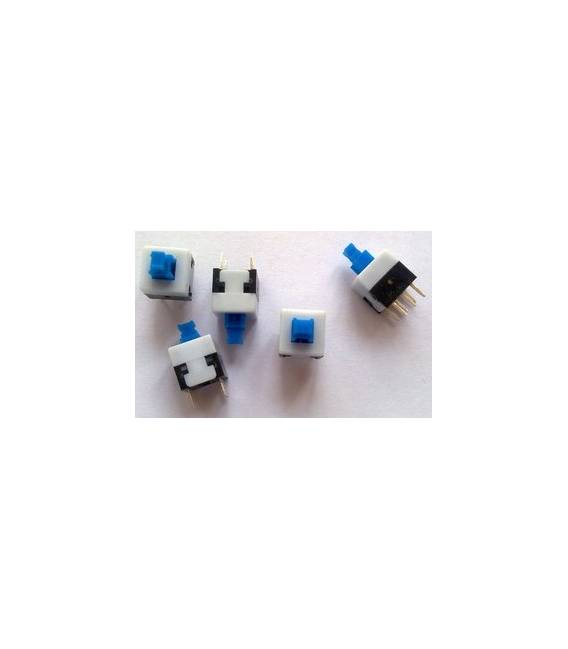
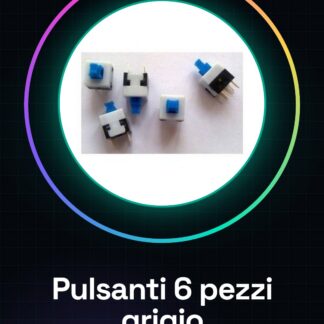
Dark Gray Non Self-locking Push Buttons Sets are useful components for electronic projects as one learns to use Arduino. This set contains 6 pieces, each with dimensions of 8.5*8.5mm.
Features
- Set of 6 Dark Gray Non Self-locking Push Buttons
- Dimensions: 8.5*8.5 mm
What it is for
The buttons are ideal for projects that require interaction, such as creating a simple button counter using 3 of these buttons and an LCD display.
Tutorial: How to Use 8.5*8.5 Push Button
This button is ideal for projects that require interaction as one learns Arduino. Useful for beginners and intermediates.
What you need
- Arduino
- 10kΩ Resistor
- Power Cable
Steps
- 1. Take the 6 push buttons and check the datasheet for specifications.
- 2. Solder the push buttons onto a protoboard.
- 3. Connect the push buttons to the Arduino input pin.
- 4. Connect the resistor between the input pin and GND.
- 5. Load the example code onto the Arduino.
- 6. Try pressing the buttons and observe the onboard LEDs.
- 7. Adapt the code to handle multiple buttons.
- 8. Test the functionality with a custom program.
Example code
```
void setup() {
  pinMode(2, INPUT);
}

void loop() {
  if (digitalRead(2) == HIGH) {
    Serial.println("Pulsante premuto");
  }
}
```
Mini project
Create a simple button counter using 3 of these buttons and an LCD display.
Common mistakes
- Connect the button directly to GND without a resistor.
- Forget to load the code.
- Install the buttons on an unprotected circuit.
- Use an Arduino pin other than INPUT for the buttons.
Recommended accessories
- 16×2 LCD Display
- Protected Circuit
- Arduino UNO
- 5V Power Cable
Frequently asked questions
How can I test the button before connecting it to the Arduino?
Connect the button to a multimeter set to resistance and press it to verify connectivity.
Can I use these buttons with a microcontroller other than Arduino?
Yes, these buttons are compatible with any microcontroller that supports input pins.
Does the button have a specific resistance?
Check the datasheet for detailed specifications.
How can I protect my buttons?
Mount the buttons on a protected circuit to prevent overheating.
Reviews
There are no reviews yet.