 EN
 IT Italiano
 ES Español
 FR Français
 DE Deutsch
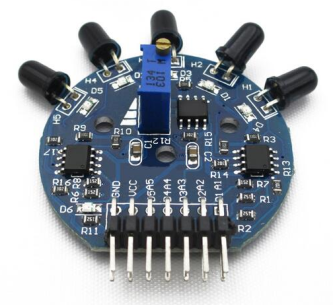
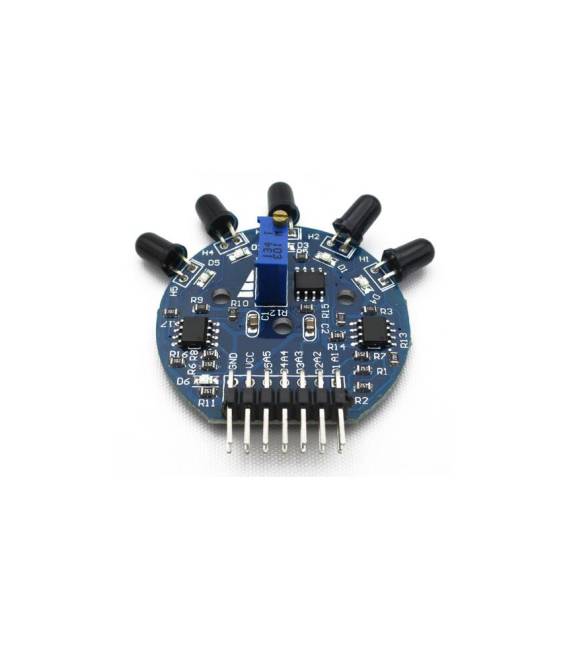
Description
What it is
The 5-channel flame sensor module is a useful device for security and monitoring projects. It accurately detects the presence of flames.
Features
- Ideally suited for projects requiring flame detection;
- Easily connectable to Arduino or ESP;
- Necessary to check the datasheet for precise technical specifications.
What it is for
It is used to build a simple alarm system that detects the presence of flames. It can be used by beginner and intermediate makers, being easy to integrate with Arduino or ESP to activate alarm signals such as LEDs.
Tutorial: How to Use the 5-Channel Flame Sensor Module
The 5-Channel Flame Sensor Module is ideal for projects requiring flame detection. Useful for beginner and intermediate makers.
What you need
- Arduino Uno or compatible
- Power supply cable
- Multimeter
- Module datasheet
Steps
- 1. Check the datasheet for the module specifications.
- 2. Connect the module to the Arduino via the I/O pins.
- 3. Set the power supply voltage to 5V.
- 4. Connect the GND of the module to the GND of the Arduino.
- 5. Use a multimeter to verify proper operation.
- 6. Load the provided Arduino code.
- 7. Configure the sensor settings through the code.
- 8. Test the sensor with artificial flames.
Example code
```void setup() { Serial.begin(9600);}void loop() { int fiamma = analogRead(A0); Serial.println(fiamma); delay(1000);}```Mini project
Build a simple flame alarm system. Connect the module to the Arduino and program it to turn on an LED when a flame is detected.
Common mistakes
- Forget to check the specifications on the datasheet.
- Connect the module to the wrong GND.
- Set the power supply voltage incorrectly.
- Omit the test with artificial flames.
Recommended accessories
- LED
- Power supply cable
- Artificial flames
- Arduino Uno
Frequently asked questions
Which Arduino pins to use?
Use the I/O pins as described in the datasheet.
Does the module work with voltages different from 5V?
Check the datasheet for voltage specifications.
How can I calibrate the sensor?
Follow the instructions provided in the datasheet.
Reviews
There are no reviews yet.