 EN
 IT Italiano
 ES Español
 FR Français
 DE Deutsch
Description
What it is
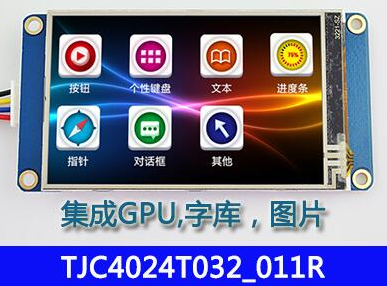
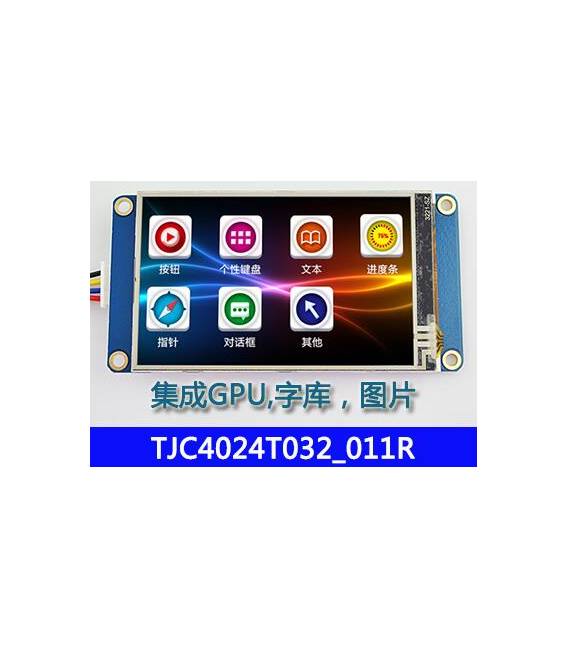
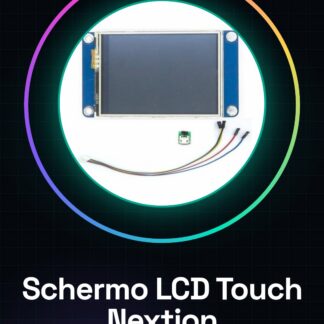
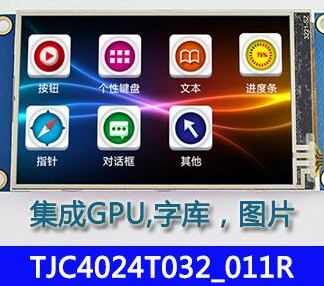
The TJC4024T032_011R 3.2 inch LCD Display is an electronic component designed for use in Arduino and Raspberry Pi projects, providing a useful graphical display for user interfaces and monitoring.
Features
- Type: 3.2 inch LCD Display
- Sku: ARD009854
- Compatible Platforms: Arduino, Raspberry Pi
What it is for
This display is ideal for projects that require a simple and clear graphical display. It is particularly useful in applications such as implementing a stopwatch or any other text or image-based user interface.
Tutorial: How to Use 3.2 Inch LCD Display TJC4024T032_011R
The 3.2 inch LCD Display is ideal for Raspberry Pi and Arduino projects that require a graphical display. Useful for beginners and intermediates.
What you need
- TJC4024T032_011R LCD Display
- Raspberry Pi or Arduino
- FPC Cable
- Pull-up Resistor
Steps
- 1. Check the datasheet for the display connectivity.
- 2. Connect the FPC cable to the display.
- 3. Connect the FPC cable to the Raspberry Pi or Arduino.
- 4. Connect the pull-up resistor between VCC and SDA.
- 5. Load the provided Arduino code.
- 6. Verify connectivity through the program.
- 7. Configure the display with desired settings.
- 8. Test the display with various commands.
Example code
```c
#include <LiquidCrystal_I2C.h>
LiquidCrystal_I2C lcd(0x27, 16, 2);
void setup() {
  lcd.init();
  lcd.backlight();
}
void loop() {
  lcd.clear();
  lcd.print("Benvenuto su");
  lcd.setCursor(0, 1);
  lcd.print("Arduino!");
}
```
Mini project
Create a simple stopwatch on the display.
Common mistakes
- Connect the pins correctly.
- Verify the correct setting of the resistors.
- Use the correct code for the display.
Recommended accessories
- FPC cable
- Pull-up resistor
- Arduino or Raspberry Pi
- LiquidCrystal_I2C.h
Frequently asked questions
The display does not turn on?
Check the connection and the pull-up resistor.
Which pins to use?
Follow the instructions in the datasheet.
The code is not working?
Check the code compatibility with your microcontroller.
Reviews
There are no reviews yet.