 EN
 IT Italiano
 ES Español
 FR Français
 DE Deutsch
Description
What it is
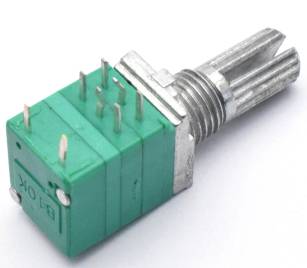
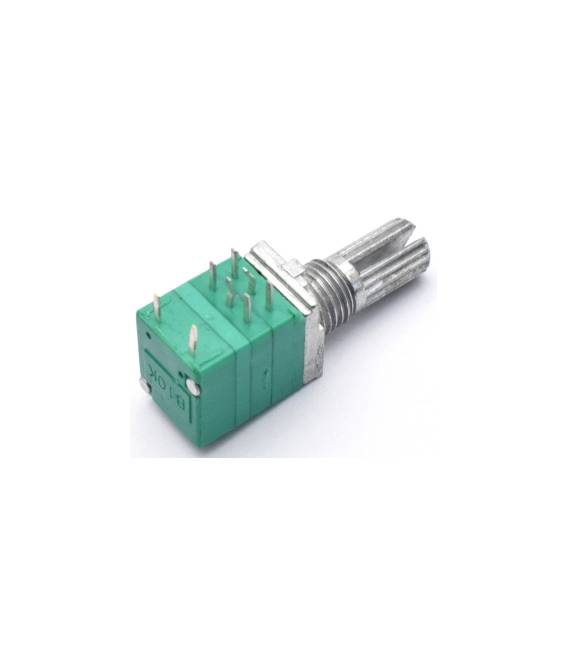
The RV097GS is a dual 100k ohm potentiometer with switch, available in a pack of 2. It is an electronic component that allows an electrical value to be varied based on the rotation of a shaft.
Features
- 2 pieces in pack
- Type: Dual Potentiometer
- Value: B100K (100k ohm)
- Pins: 6
- Includes switch
What it is for
RV097GS potentiometers are ideal for controlling analog variables in Arduino and electronics projects. They can be used to adjust audio volume, LED brightness, motor speed, and more. They are particularly useful for human-machine interaction projects.
Tutorial: How to use 2 Pieces RV097GS 6Pins Dual Potentiometer B100K with Switch
The RV097GS potentiometer is ideal for controlling analog variables such as volume or light intensity. Useful for beginners and human-machine interaction projects.
What you need
- 2 pieces RV097GS 6Pins Dual Potentiometer B100K
- Arduino
- Power cable
- Multimeter
Steps
- 1. Connect the 6 pins of the potentiometer to your Arduino: VCC to 5V, GND to GND, 3 pins as analog input (A0-A2).
- 2. Connect the switch to pin 7 of Arduino (pull-up) and to GND.
- 3. Load the minimum code to read the analog value.
- 4. Test the potentiometer with a multimeter set to ohms to verify proper functioning.
- 5. Connect the potentiometer to a display to show the value.
- 6. Experiment with different values to improve your project.
- 7. Check the datasheet if you need additional connections.
- 8. Try controlling a servo with the potentiometer.
Example code
int val = analogRead(A0); Serial.println(val);Mini project
Create a project that controls the brightness of a lamp with the potentiometer.
Common mistakes
- Connect the potentiometer to VCC without VCC.
- Forget to connect the switch.
- Do not test the potentiometer before connecting it.
- Do not verify the code before uploading it to the Arduino.
Recommended accessories
- LED Lamp
- Servo
- 16×2 Display
- Connection Cables
Frequently asked questions
The potentiometer does not work after connection?
Check the connections and the code. If the problem persists, check the datasheet.
Can I use this potentiometer with a microcontroller other than Arduino?
Yes, the potentiometer is compatible with any microcontroller that supports analog signals.
What does the switch do?
The switch activates or deactivates the potentiometer. You can use it to activate/deactivate functions.
Can I connect multiple potentiometers?
Yes, but make sure to connect them to different pins and do not overload the analog pins.



Reviews
There are no reviews yet.