 EN
 IT Italiano
 ES Español
 FR Français
 DE Deutsch
Description
What it is
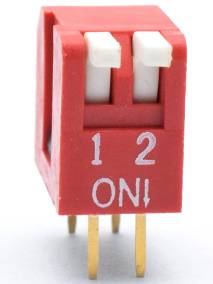
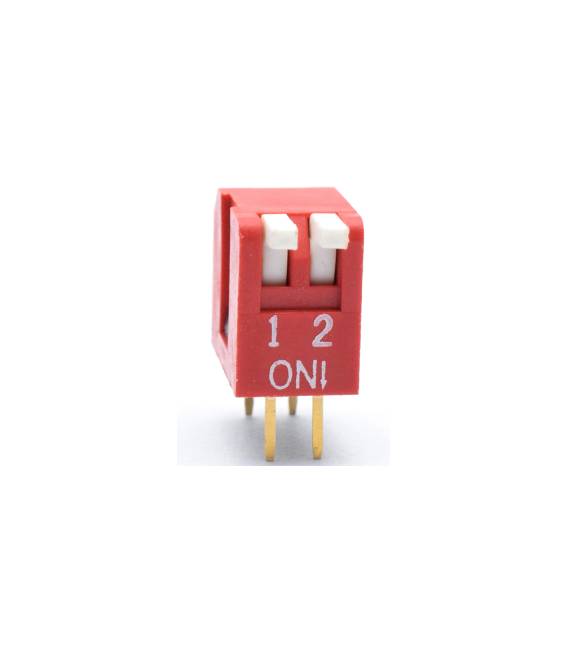
The slide switch 2 pieces 2.54 mm is an electronic component that allows to interrupt or restore the flow of electric current in a circuit. Each switch has two paths, allowing to control two separate circuits.
Features
- 2 pieces
- 2 paths
- Dimensions: 2.54 mm
What it is for
This switch is ideal for controlling devices that require a binary action, such as lights, motors or other electronic components. It can be used in electronic projects, home automation and robotics. It is compatible with Arduino and other microcontrollers.
Tutorial: How to use Slide Switch 2 pieces
The slide switch 2 pieces is ideal for controlling devices that require a binary action, such as lights or motors. Useful for electronic and home automation projects.
What you need
- Slide Switch 2 pieces
- Arduino UNO or compatible
- Power cable
- Resistor (1kΩ)
Steps
- 1. Set up the Arduino programming interface.
- 2. Connect the switch to pin 2 of Arduino.
- 3. Connect a resistor between pin 2 of Arduino and GND.
- 4. Load the following code.
- 5. Test the switch.
- 6. Check the datasheet for further details.
- 7. Disconnect the programming interface.
- 8. Connect the switch to a real device.
Example code
void setup() {}
void loop() {
  int stato = digitalRead(2);
  if (stato == HIGH) {
    // Azione quando l'interruttore è acceso
  } else {
    // Azione quando l'interruttore è spento
  }
}
Mini project
Build an automatic lighting system. Connect an LED to pin 13 of Arduino and control the light with the switch.
Common mistakes
- Do not connect the switch directly to VCC.
- Make sure the switch is properly connected.
- Do not use an analog pin for a digital switch.
- Verify that the code is correct.
Recommended accessories
- LED
- Resistor (for LED)
- Arduino UNO
- Breadboard connector
Frequently asked questions
Can I use an Arduino nano?
Yes, the nano supports the same code.
Which resistor to use?
Use a 1kΩ resistor.
Can pin 2 be replaced with another one?
Yes, select any digital pin.
Can I use this switch to control a motor?
No, use a motor contactor switch.



Reviews
There are no reviews yet.