 EN
 IT Italiano
 ES Español
 FR Français
 DE Deutsch
Description
What it is
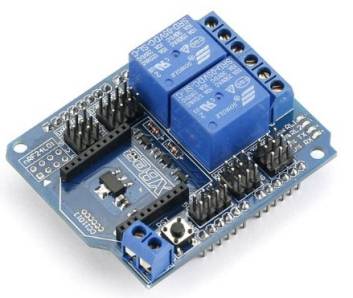
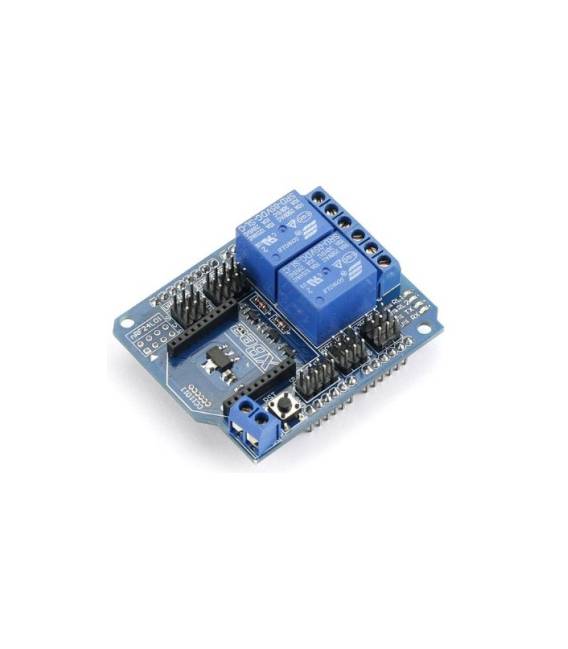
The 2-Channel XBee BTBee Relay Shield for Arduino is a shield designed to connect electrical devices remotely using XBee modules. It allows simultaneous control of two devices.
Features
- 2 relay channels
- Compatible with Arduino
- Integrates XBee modules
What it is for
The 2-Channel XBee BTBee Relay Shield for Arduino is ideal for remotely controlling electrical devices, both with Arduino and via XBee modules. It can be used to create remote lighting systems, appliance control systems, remote sensors, and other projects that require remote interactions.
Tutorial: How to use the 2-Channel XBee BTBee Relay Shield
The 2-Channel XBee BTBee Relay Shield for Arduino is ideal for remotely controlling electrical devices, both with Arduino and via XBee. Useful for projects that require remote interactions.
What you need
- Arduino
- USB cable
- 5V power supply
- 2 relays
- 2 electrical devices to control
Steps
- 1. Installation: Download the XBee driver for your computer.
- 2. Connection: Connect the Shield to your Arduino using the connection slots.
- 3. Configuration: Set the relay output pins on Arduino.
- 4. Loading: Load the example code onto your Arduino.
- 5. Testing: Connect the relays to electrical devices and check functionality.
- 6. XBee Configuration: Configure the XBee devices to control the relays.
- 7. XBee Connection: Connect the XBee devices for remote control.
- 8. Testing: Check if the relay turns on/off correctly.
Example code
```
void setup() {
  pinMode(2, OUTPUT);
  digitalWrite(2, HIGH);
}
void loop() {
  // Codice di esempio
}
```
Mini project
Create a remote lighting system with a button and a relay to control a light bulb.
Common mistakes
- Forget to load the code.
- Connect the relays to the wrong pin.
- Fail to properly configure the XBee devices.
- Power the relay with a transformer other than 5V.
Recommended accessories
- XBee S1
- Button
- Light bulb
- Power supply cable
Frequently asked questions
How to configure relays?
Set the relay output pins on Arduino using `pinMode` and `digitalWrite`.
Why is it important to check the power supply?
The power supply must be 5V to avoid damage to the relay.
Can I use this Shield with other types of relays?
Check the datasheet if the relay is supported.
How can I control relays with my smartphone?
Configure XBee devices to connect via an application.



Reviews
There are no reviews yet.