 EN
 IT Italiano
 ES Español
 FR Français
 DE Deutsch
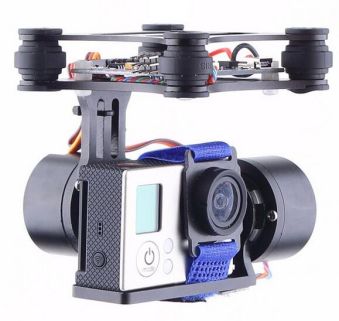
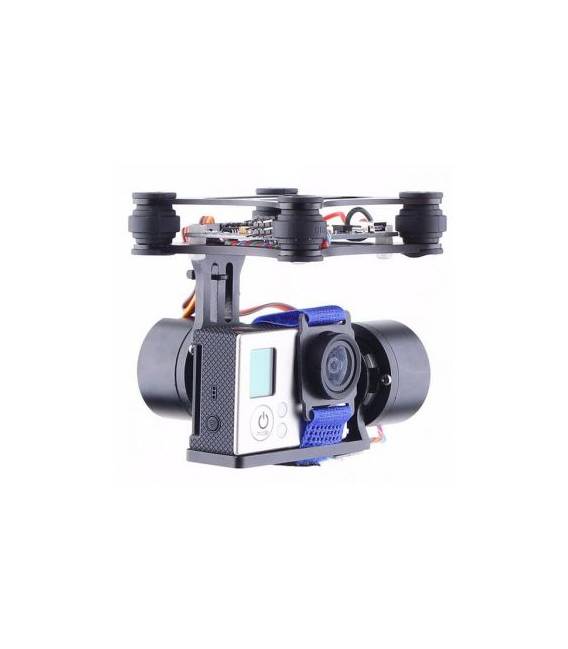
Description
What it is
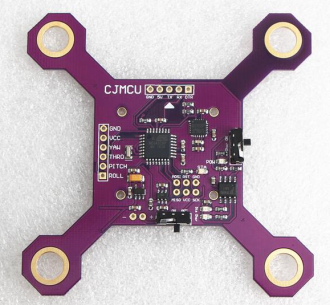
The 2-Axis Gopro3 CNC Brushless Mount Controller FPV PTZ Motor for DJI Phantom and Walkera QRX350 is a video stabilization device designed for professional drones. This gimbal provides a solid base for mounting the GoPro3 camera, significantly improving footage during sudden movements.
Features
- 2-Axis CNC brushless gimbal
- Compatible with DJI Phantom and Walkera QRX350
- Optimized for the GoPro3 camera
What it is for
It is used to stabilize video footage on drones during complex movements, ensuring a smooth and professional recording. You can use it with Arduino or ESP if necessary.
Tutorial: How to use 2-Axis Gimbal for DJI Phantom and Walkera QRX350
The 2-axis gimbal is an essential device for stabilizing the camera on drones such as the DJI Phantom or Walkera QRX350. This component allows you to achieve smooth and professional footage, even during sudden movements.
What you need
- DJI Phantom or Walkera QRX350
- GoPro 3 Camera
- USB to micro-USB connection
- Battery for power supply
Steps
- Mount the gimbal on the drone following the manufacturer’s instructions.
- Connect the camera to the gimbal’s micro-USB port.
- Configure the stability parameters via the dedicated app or control software.
- Ensure the battery is adequately powered for the entire duration of the recording session.
- Test the system in calm flight conditions before using it in challenging situations.
Mini project
Create a simple video stabilization setup by mounting the gimbal on a DJI Phantom drone and testing its recording capabilities during complex maneuvers.
Common mistakes
- Do not verify sufficient battery power.
- Configure gimbal parameters before installing it on the drone.
- Ignore the need for proper camera balancing.
Recommended accessories
- Additional batteries
- Micro-USB USB Connections
- External Battery Holders for Power Supply
Frequently asked questions
How can I configure the gimbal?
Use the dedicated app or the control software provided by the manufacturer.
What is the battery life?
Check the product datasheet for detailed information on battery life.
Reviews
There are no reviews yet.