 EN
 IT Italiano
 ES Español
 FR Français
 DE Deutsch
Description
What it is
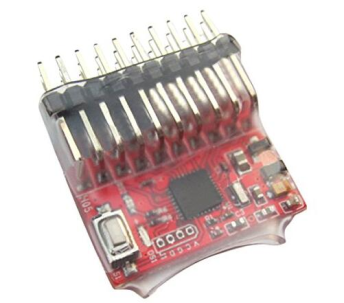
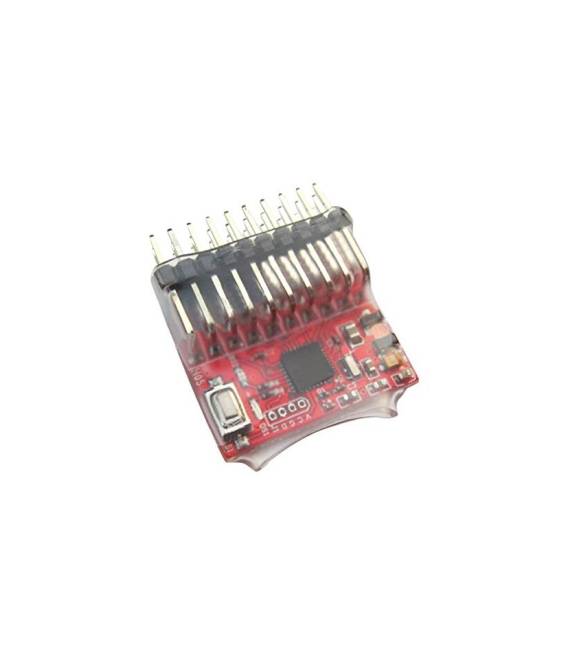
The 16CH PWM / PPM / SBUS / DBUS Receiver is a signal converter module for drones and model aircraft, designed to work with the DJI NAZA Zero Flight Controller. This device allows the reception of various types of wireless signals, ensuring precise and efficient remote control.
Features
- Supports PWM, PPM, SBUS and DBUS
- 16 channels of control
What it is for
Ideally suited for aeromodelling and advanced programming with DJI NAZA Zero. Allows various wireless transmitters to be connected to the Flight Controller, facilitating remote control of the drone in the backyard or in open terrain.
Tutorial: How to use the 16CH PWM / PPM / SBUS / DBUS Receiver
The signal receiver for drones and model aircraft is essential for remote control. With the signal converter module, you can easily connect various types of wireless transmitters to your DJI NAZA Zero Flight Controller. This tutorial shows you how to install it in just a few minutes.
What you need
- PWM/PPM/SBUS/DBUS Receiver
- JST-XH Cable from Receiver to Signal Converter Module
- Micro USB Cable (if needed for initial setup)
- DJI NAZA Zero Flight Controller
Steps
- Connect the receiver to the signal converter module using a JST-XH cable.
- Check that the module is compatible with your transmitter’s signals (PWM, PPM, SBUS, or DBUS).
- If necessary, connect the signal converter module to the Flight Controller’s USB port for initial setup.
- Configure the module settings through the dedicated DJI NAZA Zero software.
- Check the datasheet to see if an external power supply is required for the module.
- Connect the converter module to the Flight Controller according to the DJI NAZA Zero documentation.
- Test the wireless interface between the transmitter and receiver, ensuring that commands are detected correctly.
- Perform a short flight to verify basic functionality.
Mini project
Configure the converter module and test the remote control of your DJI NAZA Zero drone in an open courtyard, following the manual instructions.
Common mistakes
- Do not verify the correct interface between receiver and transmitter.
- Forget to configure the converter module through the USB port.
- Connect the module without first testing it with a short flight.
- Use incompatible cables or connectors.
Recommended accessories
- JST-XH cable
- External power supply for receiver (if needed)
- DJI NAZA Zero configuration software
Frequently asked questions
How can I verify the correct interface?
Check the datasheet of the transmitter and receiver. If not specified, use SBUS or PPM as default.
Can I use this module with other Flight Controllers?
Verify compatibility on the datasheet of your Flight Controller.
Reviews
There are no reviews yet.