 EN
 IT Italiano
 ES Español
 FR Français
 DE Deutsch
Description
What it is
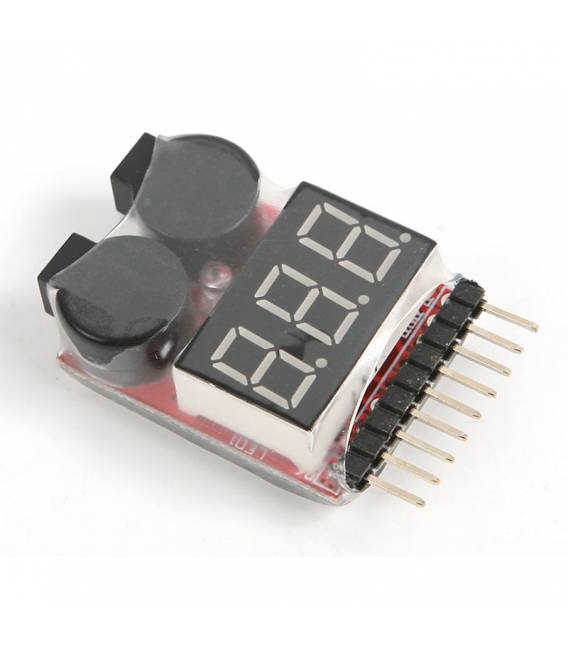
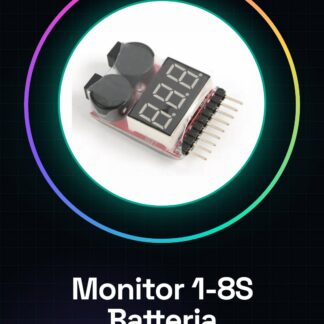
The 1-8S battery monitor is an electronic protection device for lithium LIPO batteries from 1 to 8 cells. This tool allows real-time monitoring of battery voltage, providing acoustic alarms to prevent damage due to overvoltage or undervoltage.
Features
- Monitoring from 1 to 8 cells of LIPO batteries
- Integrated acoustic alarm to protect the battery
What it is for
It is used to monitor and protect lithium LIPO batteries used in various devices such as drones. It can be integrated with third-party applications like Blynk to send real-time voltage data.
Tutorial: How to use 1-8S Battery Monitor with Alarm
The 1-8S battery monitor is an essential device for makers and drone enthusiasts who want to protect their LIPO batteries from damage due to overvoltage or undervoltage. With its acoustic alarm, it warns you when the battery voltage is too high or low.
What you need
- Battery Monitor 1-8S
- Arduino Uno/Nano
- LIPO Battery
- JST-XH Cable
Steps
- Connect the battery monitor to the LIPO battery using a JST-XH cable.
- Connect the VCC and GND pins of the battery monitor to the corresponding power supply of the Arduino.
- Read the battery voltage through the reading pins on the monitor.
- Write an Arduino sketch to read the voltage value.
- Configure the alarm thresholds (overvoltage and undervoltage) in the code.
- Test the acoustic alarm by connecting a buzzer to the pin defined in the sketch.
- Verify that the Arduino sends the voltage data to an online platform such as Blynk or ThingSpeak (optional).
- Monitor and manage the battery based on the values read.
Example code
// Esempio di sketch Arduino
void setup() {
  Serial.begin(9600);
}

void loop() {
  int vcc = analogRead(A0); // Legge il valore della tensione
  float voltage = (vcc * 5.0) / 1024.0; // Converte a volt
  Serial.println(voltage);
}
Mini project
Create a complete battery monitoring system for your LIPO battery, integrating the acoustic alarm and sending the voltage data in real-time to Blynk.
Common mistakes
- Do not connect the battery monitor directly to the 5V pin of the Arduino without a current limiter.
- Set the alarm thresholds too high or too low, always check the datasheet of the LIPO battery.
- Omit testing the acoustic alarm before using the system in real conditions.
- Do not continuously monitor the voltage data and do not react to changes.
Recommended accessories
- Arduino Uno/R3 – SKU: ARD001025
- LIPO Battery 3S 5000mAh – SKU: ARD001089
- JST-XH M-M Cable – SKU: ARD001067
- Active Acoustic Buzzer – SKU: ARD001042
Frequently asked questions
How can I configure the alarm?
Set the alarm thresholds in the Arduino code and connect a buzzer to the specific pin.
How many sensors can the battery monitor handle?
The device supports from 1 to 8 cells (S), check the datasheet for details.
Can I send the voltage data over the Internet?
Yes, use Blynk or ThingSpeak to send real-time voltage values.

Reviews
There are no reviews yet.