 EN
 IT Italiano
 ES Español
 FR Français
 DE Deutsch
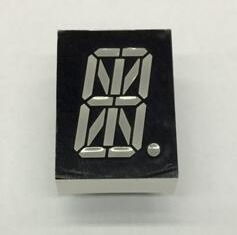
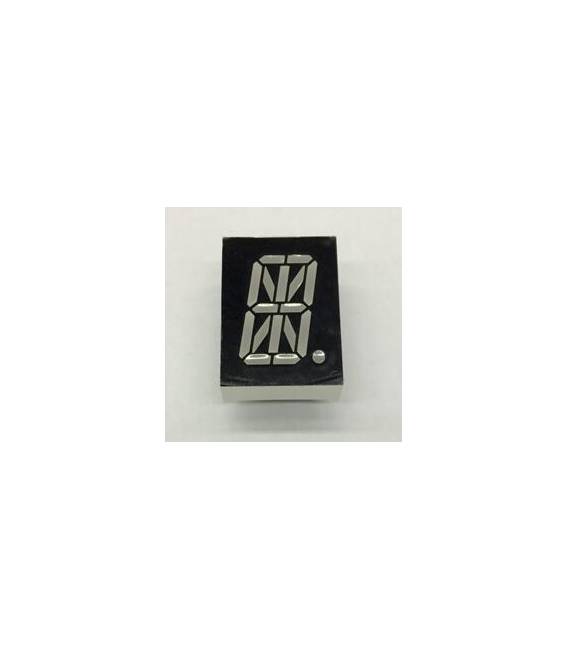
Description
What it is
Digital LED Tube 1.0 inches * Common Cathode type is an LED display with a height of 1.0 inches that uses a common cathode type for illumination.
Features
- Dimensions: 1.0 inches
- Type: Common Cathode
- SKU: ARD009102
- Price: 2.26 €
What it is for
This LED Tube is ideal for creating number or text visualizations on small displays. It is perfect for projects such as counters, digital clocks, and signaling.
Tutorial: How to Use Common Cathode Digital LED Tube
This LED Tube is ideal for creating number or text visualizations on small displays. It is perfect for projects such as counters, digital clocks, and signaling.
What you need
- Arduino Uno
- USB Type B cable
- 3D Printing (for optional mounting)
- Resistor
Steps
- Connect the common pin of the LED Tube to the GND of the Arduino
- Connect each segment pin A-G and DP to one of seven digital pins of the Arduino
- Check the datasheet for the correct resistor to protect the LEDs from overloading
- Write an Arduino sketch that turns on and off the segments of the display
- Test the functionality with a simple example like ‘digital clock’
- If necessary, print a mount to correctly position the LED Tube
Example code
void setup() {
  pinMode(2, OUTPUT);
  // ... collega altri pin digitali
}
void loop() {
  digitalWrite(2, HIGH);   // Accendi un segmento del display
  delay(1000);
  digitalWrite(2, LOW);    // Spegni il segmento
}
Mini project
Create a digital counter that displays the elapsed seconds. Use an LED Tube to show the current number.
Common mistakes
- Using a resistance that is too low
- Reverse the polarity of the display pins
- Omit checking the specifications on the datasheet
Recommended accessories
- 330 Ohm resistor
- Arduino Uno R3
- 3D printing for LED Tube mount
- LED Protection Kit
Frequently asked questions
What is the operating voltage of the display?
Check the datasheet
How many digital pins do you need to control the display?
Seven, plus one for the common pin
How can I protect the LEDs from overloading?
Use a resistor between each segment and the Arduino
Reviews
There are no reviews yet.