 EN
 IT Italiano
 ES Español
 FR Français
 DE Deutsch
Description
We have datasheets available for all components; if not present in the product download sheet, send us a message through the contact us module and we will publish it as soon as possible on our website.
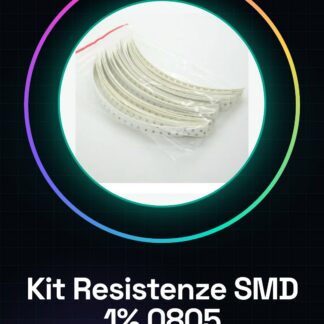
Tutorial: How to Use the SMD 0805 Resistor Kit
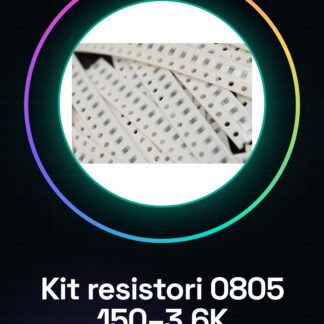
The SMD 0805 resistor kit is ideal for electronic projects that require a small footprint on PCB panels. This set is particularly useful for beginner and intermediate makers who want to explore surface mount technology (SMD) without having to worry about selecting common values.
What you need
- SMD 0805 Resistor Kit
- PCB Panel with 0805 Footprint
- Soldering with vacuum pen or soldering iron
Steps
- Check the kit datasheet for the availability of the values needed for your project.
- Prepare the PCB panel with the appropriate footprints (0805) for the SMD resistors.
- Use a round nose plier to delicately remove a resistor from the kit.
- Place the resistor on the PCB in correspondence with the footprint 0805, ensuring it is well aligned.
- Solder the resistor using a vacuum pen or a soldering iron. Verify the actual presence of solder at each connection point.
- Check the resistor with a multimeter to ensure the value is correct.
Mini project
Create a small PCB card with various values of SMD 0805 resistors connected to RGB LEDs. Change the brightness of the LEDs by modifying the values of the resistors.
Common mistakes
- Set the incorrect value of the resistor
- Do not properly verify the connections after soldering
- Use an insufficient or excessive amount of solder
Recommended accessories
- SMD 0805 Kit (SKU: ARD00617)
- PCB panel with footprint 0805 (SKU: ARD00618)
- Soldering vacuum pen (SKU: ARD00619)
Frequently asked questions
What tools are needed to solder SMD resistors?
A round nose plier, a soldering iron or a vacuum pen and a multimeter.
How can I verify the value of the resistance after soldering?
Use a multimeter to measure the actual value of the component.
Reviews
There are no reviews yet.