 EN
 IT Italiano
 ES Español
 FR Français
 DE Deutsch
Description
What it is
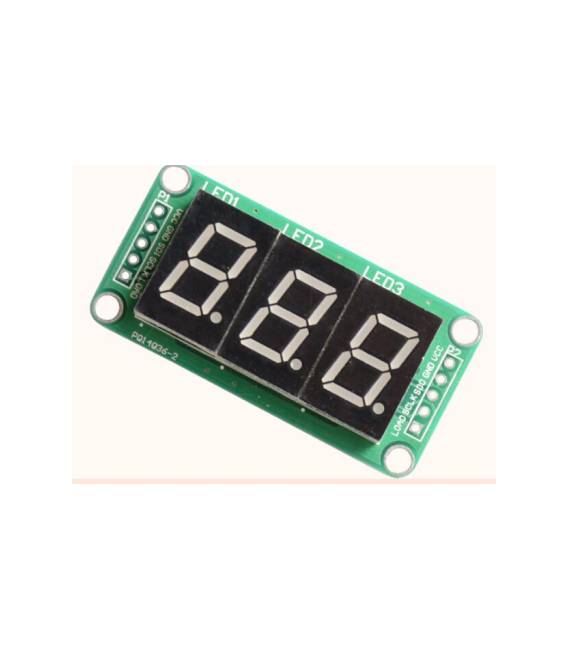
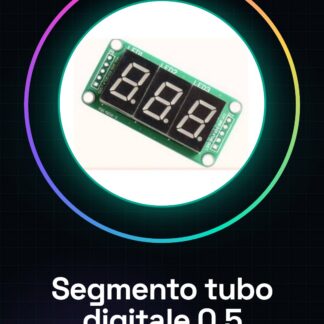
The 0.5 inch 3-digit 74HC595 digital tube segment is an electronic component that allows numbers and symbols to be displayed on an LED display.
Features
- Display size: 0.5 inches
- Number of segments: 3
- Integrated controller: 74HC595
What it is for
This component is ideal for monitoring and data visualization projects, suitable for both beginners and more experienced makers. It can be used to create custom numeric displays compatible with Arduino microcontrollers.
Tutorial: How to use 0.5 inch 3-digit 74HC595 digital tube segment
The 0.5 inch digital tube segment is a useful component for displaying numbers and symbols on an LED display. This component is ideal for monitoring and data visualization projects, suitable for both beginners and more experienced makers.
What you need
- Arduino Uno or compatible
- USB cable
- 5V power supply
- 74HC595
Steps
- Connect the digital tube segment to the 74HC595
- Connect the 74HC595 to the Arduino
- Check the electrical connection
- Load the Arduino sketch
- Test the illumination of the segments
- Configure the display to show numbers or symbols
- Check the datasheet for additional specifications
- Customize the display for your project
Example code
void setup() {
  pinMode(7, OUTPUT);
  pinMode(8, OUTPUT);
  pinMode(9, OUTPUT);
}

void loop() {
  digitalWrite(7, HIGH);
  digitalWrite(8, HIGH);
  digitalWrite(9, HIGH);
}
Mini project
Create an LED display that shows the current time. Use the digital tube segment to display the hour, minute, and second. This project takes about 30 minutes.
Common mistakes
- Incorrect connection between the digital tube segment and the 74HC595
- Incorrect pin setting on the Arduino
- Missing configuration of the display to show numbers or symbols
- Insufficient power supply for the display
Recommended accessories
- Arduino Uno or compatible
- USB cable
- 5V power supply
- Set of resistors
Frequently asked questions
How can I change the display color?
Check the datasheet for availability of multicolor LEDs or add a color control circuit.
What numbers or symbols can I display?
Check the datasheet for segment configuration of the display.
Can I connect multiple seven-segment displays?
Yes, use more 74HC595 to manage more display segments.
Reviews
There are no reviews yet.