 EN
 IT Italiano
 ES Español
 FR Français
 DE Deutsch
Description
What it is
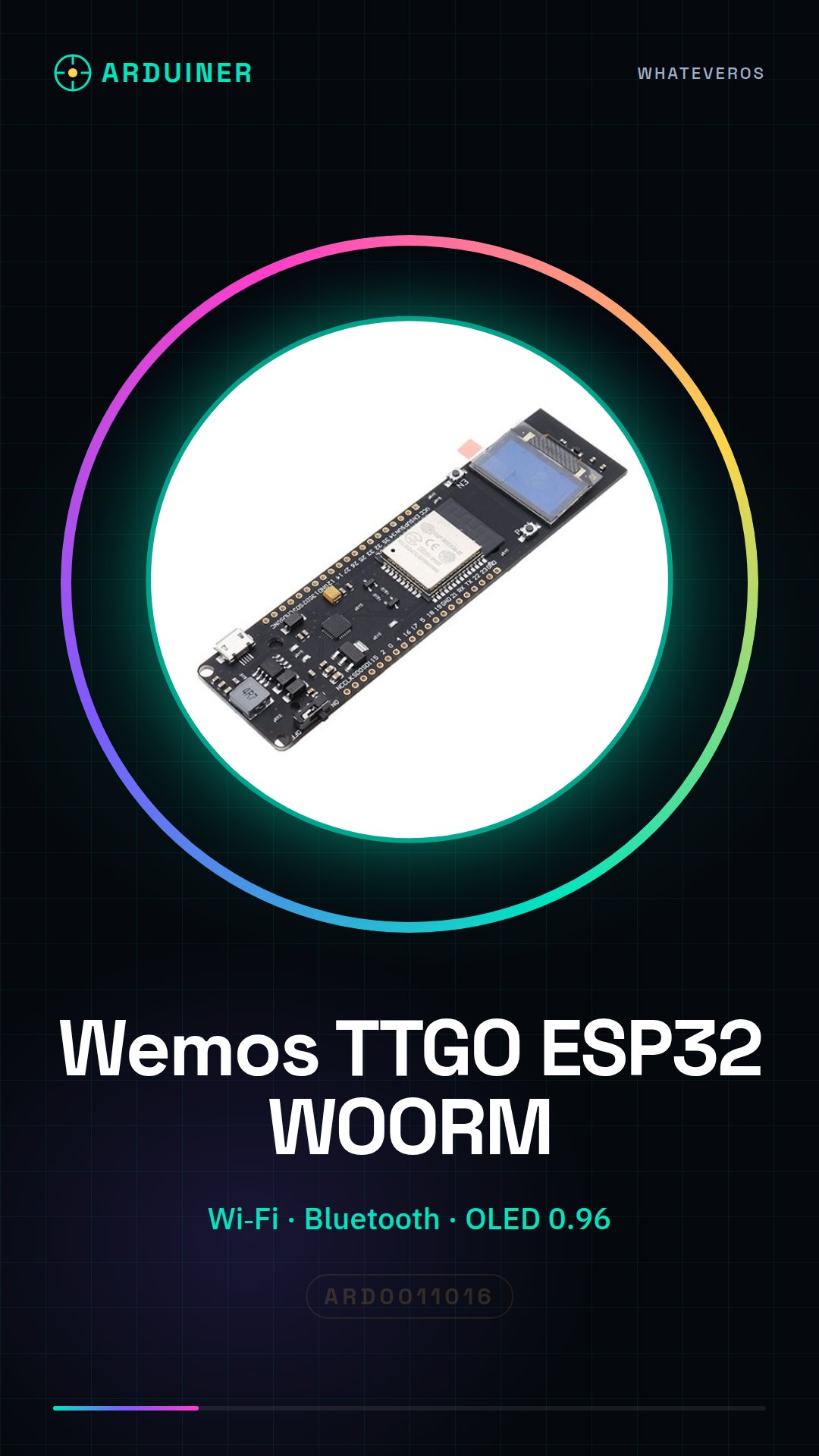
The Wemos TTGO ESP32 WOORM is an integrated module that combines Wi-Fi and Bluetooth functionality with a 0.96 inch OLED screen and an 18650 battery slot, ideal for Arduino and Internet of Things (IoT) projects.
Features
- Integrated Wi-Fi + Bluetooth module
- 0.96 inch liquid crystal OLED screen
- 18650 battery slot for portable power
What it is for
Ideal for real-time monitoring projects, such as home monitoring systems that send temperature and humidity data to a cloud platform. Compatible with Arduino and ESP.
Tutorial: How to use Wemos TTGO ESP32 WOORM with OLED Screen
The Wemos TTGO ESP32 is a versatile module that combines Wi-Fi, Bluetooth, and an OLED screen. Ideal for IoT and real-time monitoring projects.
What you need
- Arduino IDE
- Computer or laptop
- USB A-micro B cable
- 18650 battery (optional)
- Wi-Fi configuration software
Steps
- Install the Arduino development environment and add the ESP32 library.
- Connect the Wemos TTGO module to the computer via USB.
- Open a new sketch in Arduino IDE and import the necessary libraries to manage Wi-Fi, Bluetooth, and OLED.
- Configure the OLED expansion pins in the code.
- Write a simple instruction to turn on the OLED display and display a welcome message.
- Test the Wi-Fi connection and send data to a web server or mobile app.
- If available, insert an 18650 battery into the module for external power.
- Monitor the device activity through the OLED display.
Example code
// Includi le librerie necessarie
#include <Wire.h>
#include <Adafruit_SSD1306.h>

// Definisci i pin dell'OLED
#define SCREEN_WIDTH 128
#define SCREEN_HEIGHT 64
#define OLED_RESET     -1
#define SCREEN_ADDRESS 0x3C

Adafruit_SSD1306 display(SCREEN_WIDTH, SCREEN_HEIGHT, &Wire, OLED_RESET);

void setup() {
  Serial.begin(115200);
  if(!display.begin(SSD1306_SWITCHCAPVCC, SCREEN_ADDRESS)) {
    Serial.println(F("Errore durante l'inizializzazione del display."));
    while(true);
  }
}

void loop() {
  // Codice per la visualizzazione dei dati sul display OLED
}
Mini project
Create a home monitoring system that sends temperature and humidity to a cloud platform using the integrated Wi-Fi.
Common mistakes
- Error during ESP32 library installation.
- Problems with Wi-Fi or Bluetooth connection.
- OLED display does not respond correctly.
- 18650 battery not recognized by the module.
Recommended accessories
- USB A-micro B cable
- Temperature and humidity sensors DHT22
- Cloud platform for data transmission
- 18650 battery
Frequently asked questions
What is the difference between ESP32 and ESP8266?
ESP32 has more CPU cores, Bluetooth LE support, and audio control features.
How can I upload the firmware to the module without a computer?
Use a USB bootloader or an SD card for code upload.
Reviews
There are no reviews yet.