 EN
 IT Italiano
 ES Español
 FR Français
 DE Deutsch
Description
What it is
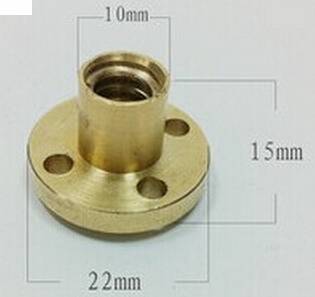
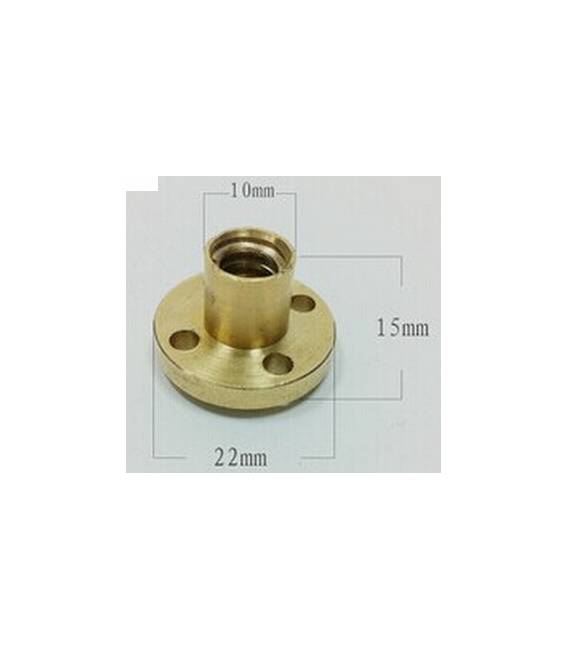
The T8 Lead Screw Nut is a mechanical component used to secure and move linear T8 guides. It is a fundamental element in electronic, robotic, and prototyping projects.
Features
- Type: T8 Lead Screw Nut
- SKU: ARD0011238
- Price: 2.49 €
- Availability: Pre-order
What it is for
The T8 Lead Screw Nut is ideal for creating screw turn counters in sewing machines or other devices that require precise linear movement. It is a versatile component for beginner and intermediate makers working on electronic and robotic projects.
Tutorial: How to use T8 Lead Screw Nut
The T8 Lead Screw Nut is an ideal component for projects that require a screw turn counter. Useful for beginner and intermediate makers.
What you need
- T8 Lead Screw Nut
- Arduino
- Power cable
- 1 kΩ resistor
Steps
- 1. Connect the Nut to a digital pin on an Arduino.
- 2. Connect the resistor between the Dado and the GND.
- 3. Download the following code to Arduino.
- 4. Check the datasheet for the presence of an external power supply.
- 5. Run the project and check the screw turns.
- 6. Adapt the code to your specific needs.
- 7. Test the Dado with different screw turns.
- 8. Adjust the sensor to improve sensitivity.
Example code
```void setup() { Serial.begin(9600); pinMode(2, INPUT); // Collega il Dado a una porta digitale}void loop() { int count = digitalRead(2); Serial.println(count); delay(100);}```Mini project
Create a screw turn counter for a sewing machine.
Common mistakes
- Do not connect the Dado directly to the VCC without a resistor.
- Set the correct digital pin in the code.
- Forget to check for the presence of an external power supply.
- Do not adjust the sensor to optimize sensitivity.
Recommended accessories
- Screws to test
- Arduino UNO
- Power supply cable
- Arduino IDE software
Frequently asked questions
Does the Dado work with Arduino Nano?
Yes, but make sure the digital pin is compatible.
How long does the Dado battery last?
Check the datasheet for precise information.
Can I use this Dado with other sensors?
Yes, but make sure the digital port is compatible.
Does the Dado work with Arduino Mega?
Yes, but make sure the digital port is compatible.



Reviews
There are no reviews yet.