 EN
 IT Italiano
 ES Español
 FR Français
 DE Deutsch
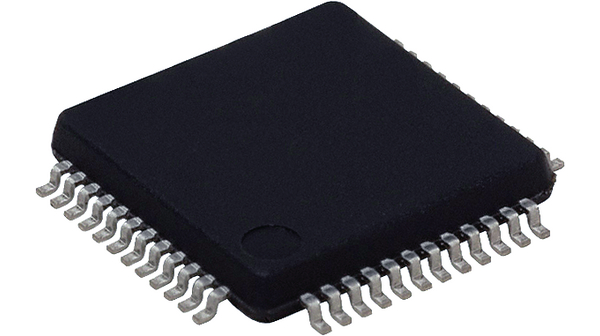
Description
Tutorial: How to Use STM32F103C6T6A MCU 32BIT
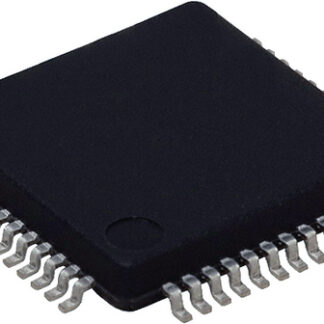
The STM32F103C6T6A is a 32-bit microcontroller ideal for projects requiring high performance and memory. This component is perfect for makers who want to develop advanced electronic control applications, such as motor controllers, smart sensors, and small operating systems.
What you need
- STM32 Development Kit
- STM32 Motherboard
- Development Software
- USB Cable
- Debug Program
- Software Libraries
Steps
- Install the STM32 development kit on your computer.
- Connect the STM32F103C6T6A microcontroller to your motherboard via the connector.
- Configure the development software for the STM32F103C6T6A microcontroller.
- Load a test sketch onto the microcontroller.
- Check that the microcontroller is properly connected and functioning.
- Develop your code using the available software libraries.
- Test the code on the STM32F103C6T6A.
- Optimize the code to improve the performance of the microcontroller.
Example code
void setup() {
  // Inizializza i pin e le funzioni necessarie
}

void loop() {
  // Esegui il codice principale del progetto
}
Mini project
Create a small temperature control system using a temperature sensor and the STM32F103C6T6A. The project should take approximately 30 minutes.
Common mistakes
- Incorrectly configuring the development software.
- Incorrectly uploading the code to the microcontroller.
- Failing to verify the correct connection of the microcontroller.
- Not using the correct software libraries.
Recommended accessories
- STM32 Development Kit
- STM32 Motherboard
- USB Cable
- Debugging Program
Frequently asked questions
Which development software is recommended for STM32F103C6T6A?
We recommend using STM32CubeMX and Keil uVision.
What software libraries are available for STM32F103C6T6A?
There are many libraries available, check the datasheet for the latest ones.
How can I get technical support for STM32F103C6T6A?
Visit the STMicroelectronics website for support and documentation.
Reviews
There are no reviews yet.