 EN
 IT Italiano
 ES Español
 FR Français
 DE Deutsch
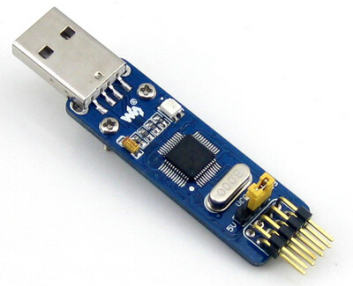
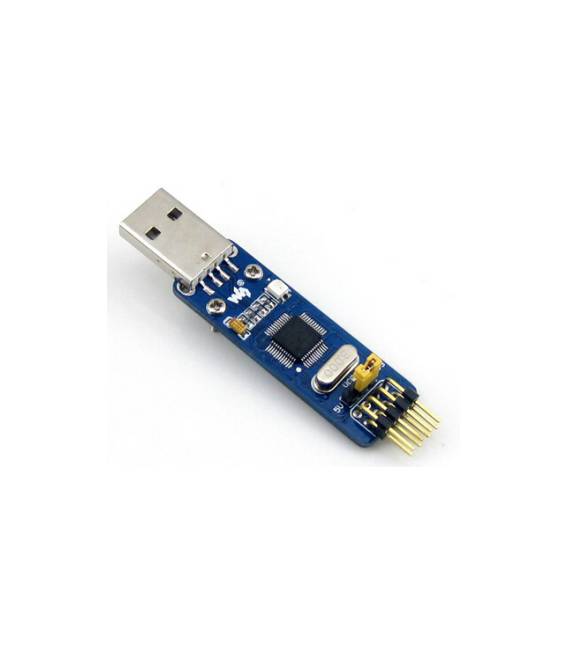
Description
What it is
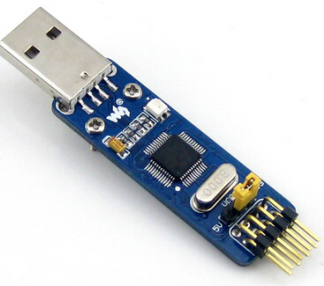
The ST-LINK / V2 (mini), STM is a programming and debugging device for STM32 microcontrollers.
Features
- Compatible with STM microcontrollers
- Mini size
- SKU: ARD009334
- Price: 10.47 €
What it is for
The ST-LINK/V2 (mini) is useful for programmers and makers, allowing to load code and diagnose systems based on STM32. It can be used to create simple projects with STM32 microcontrollers, such as a button counter.
Tutorial: How to use ST-LINK/V2 (mini)
The ST-LINK/V2 (mini) is a programming and debugging device for STM32 microcontrollers. Useful for programmers and makers, it allows to load code and diagnose systems based on STM32.
What you need
- ST-LINK/V2 (mini)
- Arduino IDE
- USB cable
- STM32 microcontroller
Steps
- 1. Download and install the Arduino IDE.
- 2. Connect the ST-LINK/V2 (mini) to your computer via USB.
- 3. Open your Arduino project in your editor.
- 4. Select ‘ST-LINK V2’ as ‘Programmer/Debug’ in the ‘Tools’ menu.
- 5. Select the STM32 microcontroller in the ‘Tools’ > ‘Board’ menu.
- 6. Select the USB port of the ST-LINK/V2 (mini) in the ‘Tools’ > ‘Port’ menu.
- 7. Upload the code to the microcontroller: click ‘Upload’.
- 8. Use ‘Serial Monitor’ to send data to the microcontroller.
Mini project
Create a simple button counter with an STM32 microcontroller.
Common mistakes
- Forget to select the correct microcontroller in the ‘Tools’ menu.
- Connect the ST-LINK/V2 (mini) to the computer with the wrong USB cable.
- Do not select the correct USB port.
- Upload the code without selecting the microcontroller.
Recommended accessories
- STM32 microcontroller
- Button
- Resistor
- USB cable
- Multimeter
Frequently asked questions
How can I verify if the microcontroller is correctly uploaded?
Use ‘Serial Monitor’ in the Arduino IDE to send and receive data.
Which STM32 microcontroller can I use with this ST-LINK/V2 (mini)?
Check the datasheet for the complete list of supported microcontrollers.
Can I use this ST-LINK/V2 (mini) with a previous version of Arduino IDE?
Make sure to use the latest version of Arduino IDE.
Reviews
There are no reviews yet.