 EN
 IT Italiano
 ES Español
 FR Français
 DE Deutsch
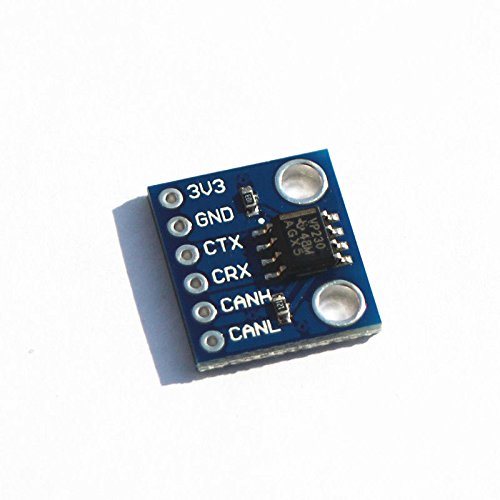
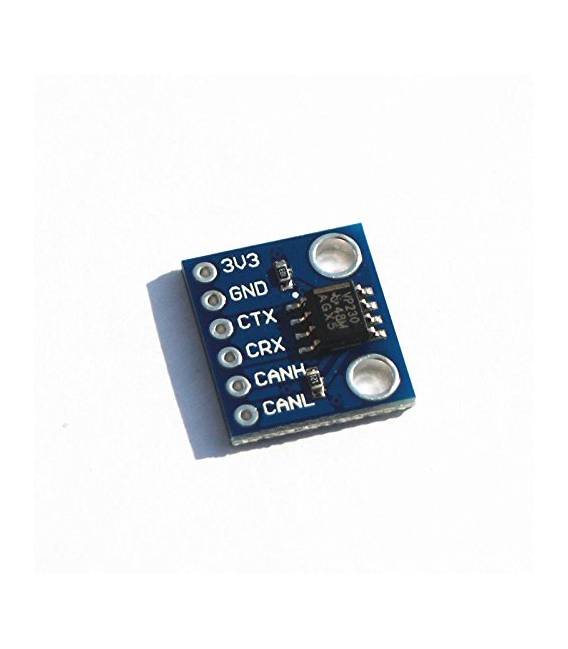
Description
What it is
The SN65HVD230 CAN Bus module is a communication component that allows data transmission and reception in CAN (Controller Area Network) networks. This module is designed to facilitate integration with Arduino devices, enabling them to participate in CAN networks.
Features
- SN65HVD230 CAN bus transceiver
- Enables bidirectional communication in CAN networks
What it is for
SN65HVD230 modules are used to create electronic control systems, for example for home or industrial automation. You can integrate it with Arduino to control devices such as relays or CAN sensors in CAN networks.
Tutorial: How to use SN65HVD230 CAN Bus Transceiver Communication Module
The SN65HVD230 CAN Bus Transceiver Communication Module allows you to easily connect your devices to a CAN network, ideal for home or industrial automation projects.
What you need
- Arduino
- CAN cable
- 120 ohm pull-up resistor
- Arduino connector
- CAN Bus Shield (optional)
Steps
- 1. Installation: Download the CAN driver for Arduino.
- 2. Connection: Connect the CAN Bus module to your Arduino using the ground, CAN_H, and CAN_L pins.
- 3. Connect the 120 ohm pull-up resistor between CAN_H and ground.
- 4. Load the source code onto your Arduino.
- 5. Check the datasheet for the maximum transmission frequency.
- 6. Configure your project to use the CAN bus.
- 7. Test the connection with another CAN device.
- 8. Try sending and receiving CAN messages.
Example code
```cpp
#include <CAN.h>

CAN_H CAN;

void setup() {
  CAN.begin(500000);
}

void loop() {
  if (CAN.available()) {
    CAN.parseMessage();
    Serial.println(CAN.data[0]);
  }
}
```
Mini project
Create a simple lighting control system using a relay and another CAN device as a button.
Common mistakes
- Do not use pull-up resistors with a value other than 120 ohm.
- Forget to check the transmission frequency.
- Connect the CAN Bus module to 5V without using a converter.
- Omit the test with another CAN device.
Recommended accessories
- relay
- CAN Push
- Motion Sensor / Detector
- LCD Display
Frequently asked questions
How can I test the CAN connection?
Connect another CAN device and send a message to verify communication.
What are the transmission frequency limits?
Check the datasheet for the maximum transmission frequency.
Can I use a different power supply than 5V?
Use a converter if you want to use a power supply different from 5V.
Reviews
There are no reviews yet.