 EN
 IT Italiano
 ES Español
 FR Français
 DE Deutsch
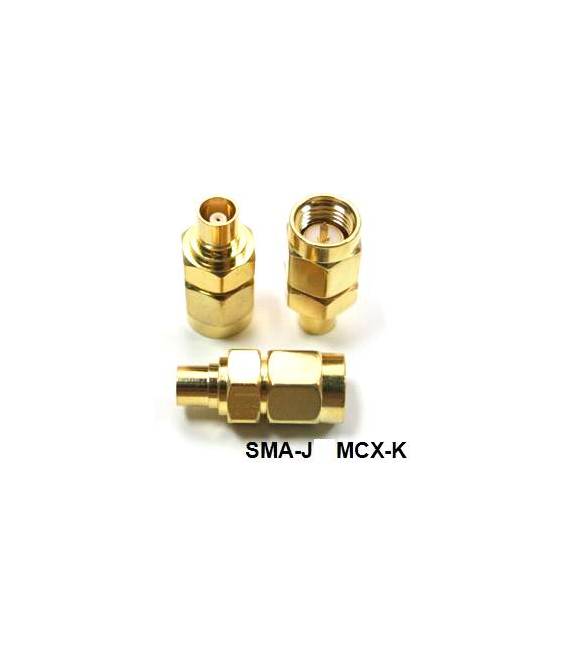

Description
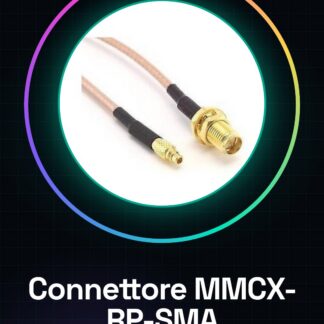
SMA-J Male inside MCX-K Female inside
Tutorial: How to use SMA-J Male inside MCX-K Female inside
This connector is ideal for connecting electronic antennas to Arduino devices. Useful for projects that require secure and antenna standard compatible connections.
What you need
- MCX Antenna
- Arduino or device with SMA connector
- 5 mm tool
Steps
- 1. Check that the MCX antenna and SMA connector are clean.
- 2. Insert the MCX antenna into the SMA connector.
- 3. Apply a light touch with the soldering iron to ensure contact.
- 4. Check the stability of the connector with your hands.
- 5. If necessary, verify the correct power supply for the antenna on the datasheet.
- 6. Connect the SMA connector to the Arduino or device.
- 7. Test the connection with a multimeter.
- 8. Verify the stability of the connector with a test device.
Mini project
Build a radio signal receiver device using the MCX antenna and Arduino.
Common mistakes
- Do not use excessive force when inserting the antenna.
- Do not apply excessive pressure with the soldering iron.
- Ensure that it is the antenna and not the connector receiving power.
- Check the stability of the connector before using it in a project.
Recommended accessories
- MCX Antenna
- Arduino
- 5 mm Tool
- Multimeter
Frequently asked questions
How do I clean the antenna and connector?
Use a soft-bristled brush or a damp cloth to remove dust.
Can I use this connector with any Arduino device?
Yes, but check the compatibility of the SMA connector diameter.
How long do I need to wait before testing the connection?
Wait at least 1 minute after assembly.
Can I use another type of antenna?
Yes, but make sure it is compatible with the SMA connector.

Reviews
There are no reviews yet.