 EN
 IT Italiano
 ES Español
 FR Français
 DE Deutsch
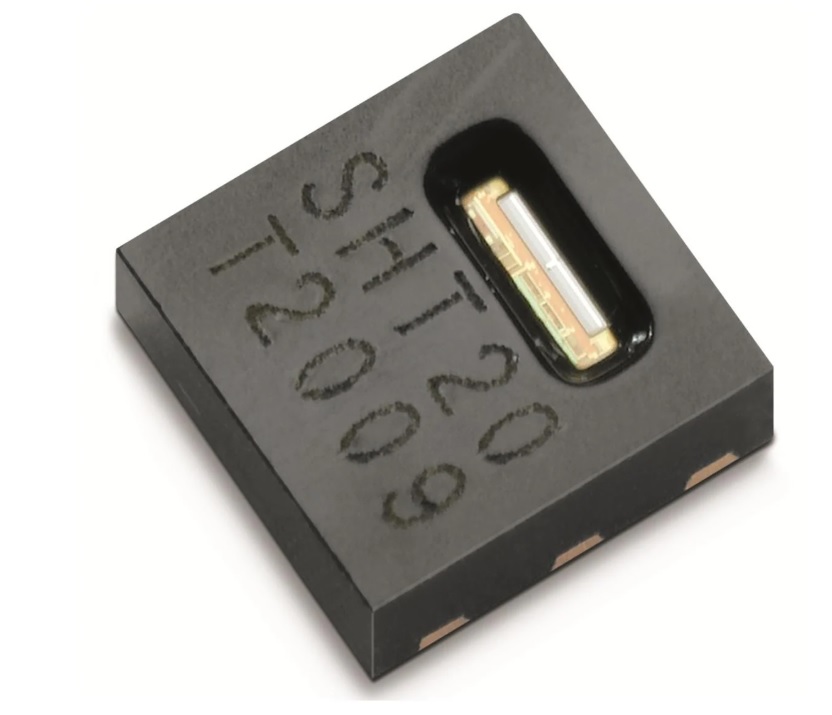
Description
What it is
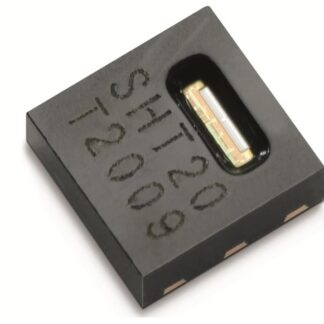
The SHT20 is an I2C temperature and humidity sensor designed for use in various electronic projects, particularly with Arduino. This sensor allows for precise measurement of temperature and relative humidity in an environment.
Features
- Relative humidity monitoring from 0% to 100%
- Accuracy of ±3% RH
- I2C communication
- Response time of 8 seconds
- Surface mount
What it is for
The SHT20 sensor is ideal for environmental monitoring applications, such as creating home alarm systems that send a message when the temperature or humidity exceeds a certain limit. It is compatible with Arduino and can be used in 3D printing projects, drones, and other applications that require temperature and humidity monitoring.
Tutorial: How to Use the SHT20 Temperature and Humidity Sensor
The SHT20 sensor is an ideal component for monitoring temperature and relative humidity in domestic or industrial environments. This tutorial will guide you through the installation and use of the sensor with Arduino.
What you need
- Arduino Uno or compatible
- USB cable
- SHT20
- Jumper wires
Steps
- Connect the SHT20 to the Arduino using jumper wires, following the pinout table in the datasheet.
- Download and install the SHT20 library for Arduino from the repository website.
- Open an Arduino sketch and import the SHT20 library.
- Set the I2C communication pins in the code.
- Compile and upload the sketch to the Arduino.
- Open the Serial Monitor in Arduino IDE to view the temperature and humidity data.
- Check that the values are consistent with the environmental conditions.
- If necessary, calibrate the sensor following the instructions in the datasheet.
Example code
include <SHT20.h>
SHT20 sht20;
void setup() {
  Serial.begin(9600);
  sht20.begin();
}
void loop() {
  float temperature = sht20.readTemperature();
  float humidity = sht20.readHumidity();
  Serial.print("Temp: ");
  Serial.print(temperature);
  Serial.print("C, Humidity: ");
  Serial.print(humidity);
  Serial.println("%");
  delay(1000);
}
Mini project
Create a home security system that sends a message when the temperature or humidity exceeds a certain limit.
Common mistakes
- Connect the sensor to the wrong pins
- Do not install the necessary library
- Do not verify I2C communication
- Do not calibrate the sensor
Recommended accessories
- Arduino Uno
- USB cable
- Breadboard
- LED
Frequently asked questions
How can I calibrate the SHT20 sensor?
Check the sensor datasheet for detailed calibration instructions.
What is the precision of the SHT20 sensor?
The precision is ±3% RH and ±0.5°C, check the datasheet for additional details.
Reviews
There are no reviews yet.