 EN
 IT Italiano
 ES Español
 FR Français
 DE Deutsch
Description
What it is
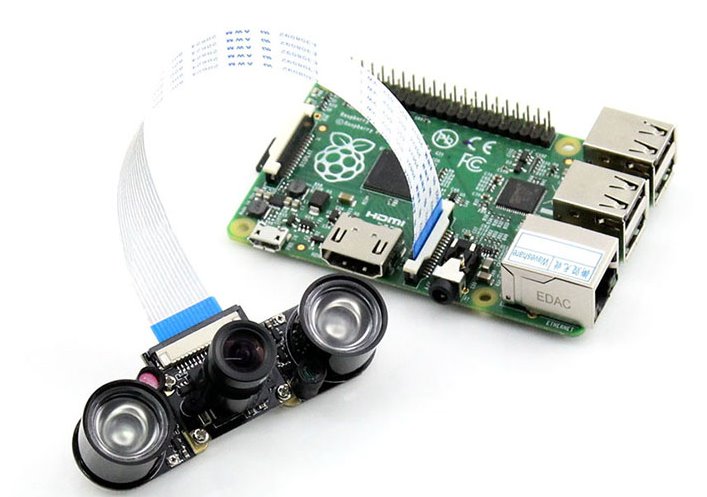
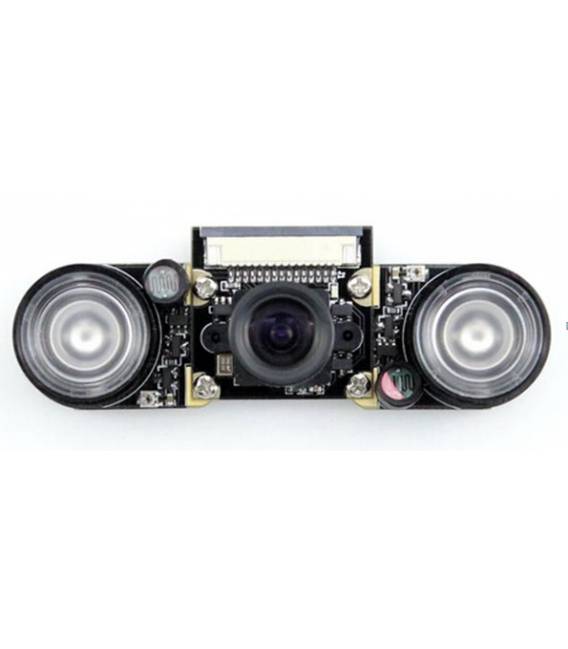
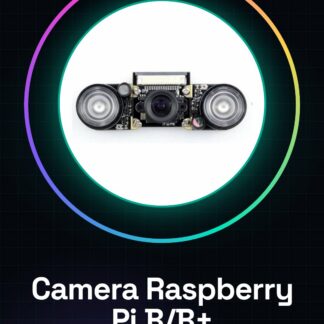
The Raspberry Pi Camera for Model B/B+ is a digital photography device that allows the user to add a 5MP webcam with OV5647 sensors to their Raspberry Pi. This camera offers night vision and HD video support, making it ideal for visual processing projects.
Features
- 5MP OV5647 Sensor
- Integrated Night Vision
- HD Video Support (1080p)
- Compatible with Raspberry Pi Model B and B+
What it is for
Ideal for home security projects, night observation, or visual processing. You can configure the Raspberry Pi to send photos at intervals to an email account.
Tutorial: How to Use Raspberry Pi Camera for Model B/B+ Night Vision
This component allows you to add a 5MP webcam with night vision to your Raspberry Pi B/B+, ideal for home security or night observation projects.
What you need
- Raspberry Pi Model B/B+
- MicroSD for OS
- 5V Power Supply
- MicroUSB Cable for Charging
- HDMI Cable for Display
- MicroSD for Image Storage
Steps
- 1. Ensure that the Raspberry Pi is powered on and turned on.
- 2. Connect the Raspberry Pi Camera to the Raspberry Pi using the specific connector.
- 3. Install the OS on a microSD card.
- 4. Insert the microSD card into the Raspberry Pi.
- 5. Connect the Raspberry Pi to a monitor or TV via HDMI.
- 6. Start the Raspberry Pi.
- 7. Install the necessary driver for the Raspberry Pi Camera using the command ‘sudo apt-get install raspicam-nodev’.
- 8. Try to take a photo using the command ‘raspistill -o foto.jpg’.
Mini project
Create a night-time alarm system with the Raspberry Pi Camera. Configure the Raspberry Pi to send photos at intervals to an email account.
Common mistakes
- Do not install the correct driver.
- Connect the Raspberry Pi Camera to the Raspberry Pi incorrectly.
- Use a microSD card that is not fast enough.
- Forget to configure the Raspberry Pi for the use of the Raspberry Pi Camera.
Recommended accessories
- MicroSD of 16GB or higher
- 5V compatible power supply
- HDMI cable
- Photo management software
Frequently asked questions
How can I check if the driver is installed correctly?
Run ‘raspistill -h’ to check if the command is available.
Can I use this camera with a Raspberry Pi Zero?
No, this camera is only compatible with Raspberry Pi Model B/B+.
What are the minimum requirements for the microSD?
Use a microSD of 16GB or higher to ensure proper functioning.
Can I use this camera for real-time video?
Check the datasheet for detailed information, but it is generally supported only for photos.
Reviews
There are no reviews yet.