 EN
 IT Italiano
 ES Español
 FR Français
 DE Deutsch

Description
What it is
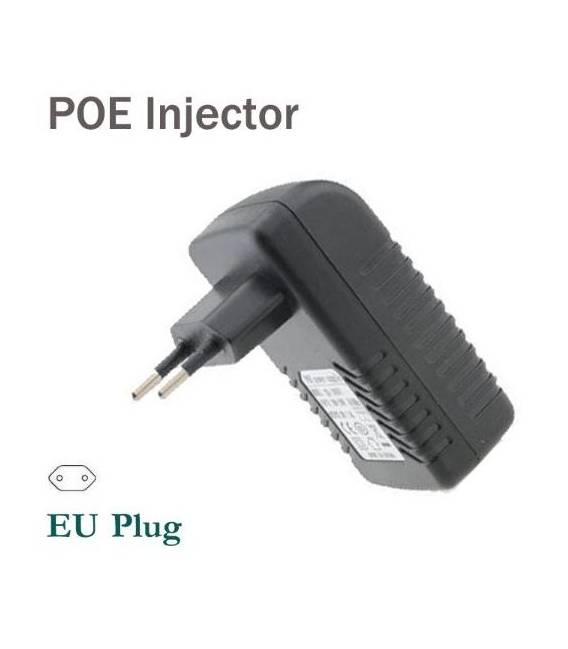
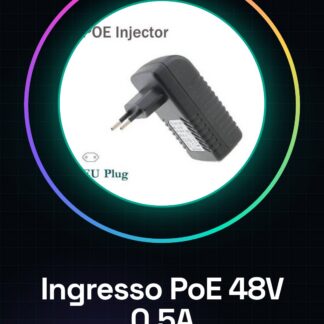
The ARD001289 PoE power supply is a device that allows Ethernet devices to be powered from an alternating current (AC) source between 100 V and 240 V, providing 48V DC power with a maximum current of 0.5 A.
Features
- PoE Power Input: 100-240 V AC
- Output: 48 V DC at 0.5 A
What it is for
Ideally used to power Arduino systems and electronic components that require PoE power. This power supply is particularly useful for DIY projects such as home security systems, smart sensors, or any other device that requires a stable and efficient power source.
Tutorial: How to use PoE Power Input
This PoE power supply allows you to power Ethernet devices from an alternating current (AC) source between 100 V and 240 V. Ideal for DIY projects such as security systems, smart sensors, or any other device requiring PoE power. It is particularly useful for those building smart home or office networks without having to worry about complicated electrical installations.
What you need
- Ethernet cable
- Device to be powered (e.g., a PoE router)
- Network connection
Steps
- Connect the Ethernet cable to the device to be powered.
- Run the cable through the PoE injector input.
- Plug one end of the cable into an AC outlet between 100 V and 240 V.
- Check the power supply connection with a multimeter to ensure it provides 48 V DC at the output.
- Connect the other end of the Ethernet cable to the network device or PoE router.
- Configure the device to use the power supplied by the PoE injector.
Mini project
Create a home security system with an IP camera powered by this PoE power supply. Connect the camera to a router and monitor the house in real time.
Common mistakes
- Do not check the current supplied at the output before use.
- Connect the Ethernet cable to the device without passing it through the PoE power supply.
- Use an Ethernet cable that does not meet the PoE requirements.
- Ignore the input voltage specifications of the product.
Recommended accessories
- Ethernet cable category 5 or higher
- Compatible PoE router
- Digital multimeter
- Network device to be powered
Frequently asked questions
Is this unit compatible with all PoE devices?
Check the device’s datasheet to ensure it is compatible with the voltage and current supplied by the power supply.
How can I verify if the power supply is functioning correctly?
Use a multimeter to measure 48 V DC at the output of the power supply when it is connected to the mains and the device.
Reviews
There are no reviews yet.