 EN
 IT Italiano
 ES Español
 FR Français
 DE Deutsch
Description
What it is
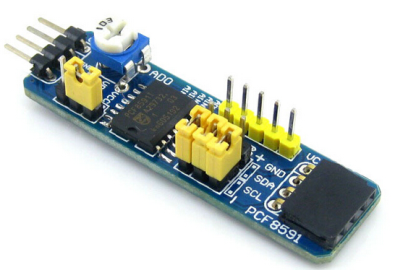
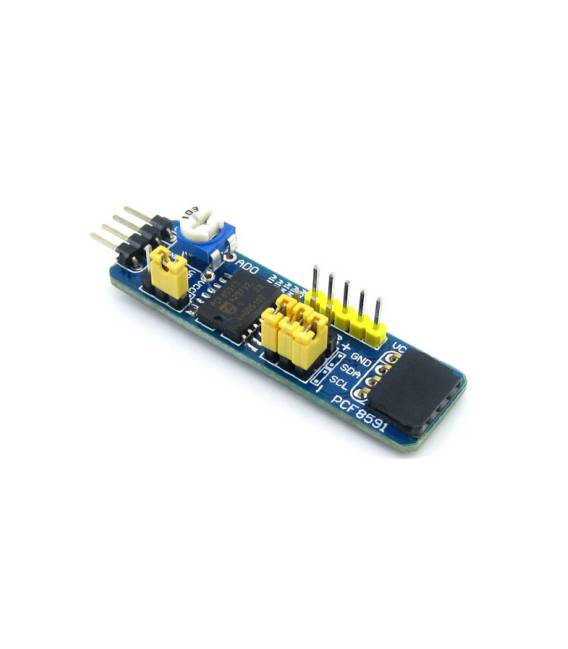
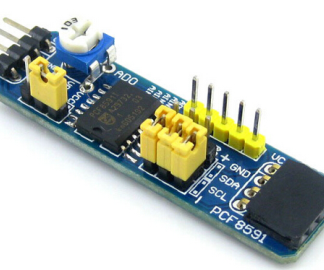
The PCF8591 AD DA Board PCF8591T is an Arduino development module that allows for measuring and generating analog signals. It is based on the multi-channel ADC-DAC converter PCF8591, ideal for electronics projects and hardware development.
Features
- Multi-channel ADC-DAC converter
- Compatible with Arduino
- SKU: ARD009335
- Price: 8.11 €
What it is for
The module can be used to measure the voltage of a pressure sensor or to control a relay. It is a versatile component for electronics projects that require interaction with analog signals.
Tutorial: How to use PCF8591
The PCF8591 is a multi-channel ADC-DAC converter used for measuring and generating analog signals. Ideal for electronics projects and hardware development.
What you need
- Arduino
- I2C cable
- 10kΩ resistor
- Voltage or resistance sensors
Steps
- 1. Install the I2C bus on your Arduino.
- 2. Connect PCF8591 to Arduino via I2C cable.
- 3. Connect the 10kΩ resistor between VCC and GND of the PCF8591.
- 4. Connect a voltage or resistance sensor to the AN0-AN3 pins.
- 5. Load the provided Arduino code.
- 6. Check the sensor specifications in the datasheet.
- 7. Read the A/D values by reading registers 0-3.
- 8. Adjust the D/A values by writing to registers 4-7.
Example code
```cpp
#include <Wire.h>
#include <Adafruit(PCF8591.h>

Adafruit(PCF8591 pcf = Adafruit(PCF8591());

void setup() {
  Serial.begin(9600);
  pcf.begin();
}

void loop() {
  int value = pcf.analogRead(0);
  Serial.println(value);
}
```
Mini project
Measure the voltage of a pressure sensor and control a relay.
Common mistakes
- Connect VCC to the 5V and GND to the GND of the Arduino.
- Ensure that the 10kΩ resistor is correctly connected.
- Verify that the sensor is correctly connected to the AN0-AN3 pins.
- If it doesn’t work, check the Wire.begin() configuration.
Recommended accessories
- Pressure sensors
- Relay
- LCD display
- Buttons
Frequently asked questions
How can I read D/A values?
Write to registers 4-7. For example, `pcf.analogWrite(5, 128);`.
Which sensors can I use?
Any voltage or resistance sensors.
Can the PCF8591 work with Arduino UNO?
Yes, but make sure the VCC is at 5V.
What sensor specifications should I check?
Check the power supply voltage and the sensor resistance.
Reviews
There are no reviews yet.