 EN
 IT Italiano
 ES Español
 FR Français
 DE Deutsch
Description
What it is
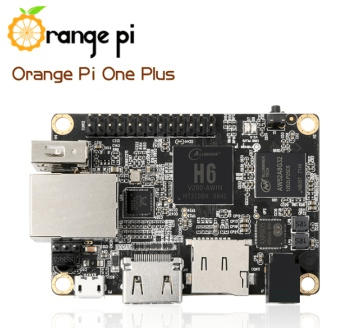
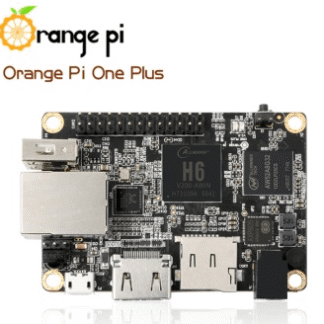
The Orange PI One Plus H6 is a small ARM-based computer ideal for electronic projects and software development. This device offers a wide range of features for makers and developers looking for a versatile and economical system.
Features
- Processor: Allwinner H6
- RAM Memory: check the datasheet
- Storage Memory: check the datasheet
- Power Supply: check the datasheet
- Connection Ports: check the datasheet
What it is for
The Orange PI One Plus H6 is perfect for beginners and experts who want to test and develop software, applications, and network projects. It can be used to create a local web server with Flask to display data collected from a connected sensor. It is compatible with various programming languages and can be integrated with Arduino or ESP for more complex projects.
Tutorial: How to use Orange PI One Plus H6
The Orange PI One Plus H6 is a small ARM-based computer that can be used for various electronics and programming projects. Ideal for beginners and experts looking for a versatile and affordable device to test software, apps, and network projects.
What you need
- Orange PI One Plus H6
- USB cable
- network adapter
- monitor or TV
- mouse and keyboard
- power supply
Steps
- Connect the Orange PI One Plus H6 to the power supply.
- Plug the USB cable from the computer to the Orange PI One Plus H6.
- Connect the keyboard and mouse to the Orange PI One Plus H6.
- Connect the monitor or TV to the Orange PI One Plus H6 via the appropriate connector.
- Access the operating system and check network connectivity.
- Install any system operating system updates.
- Configure the operating system for use with Arduino or other microcontrollers.
- Test functionality with a simple Python script or test program.
Example code
import os
os.system('echo Ciao, mondo!')
Mini project
Create a local web server with Flask to display data collected from a sensor connected to the Orange PI One Plus H6.
Common mistakes
- Ensure that all connections are securely fastened.
- Check the correct network configuration.
- Make sure the operating system is up to date.
- Verify that the necessary software is installed correctly.
Recommended accessories
- USB OTG cable
- Ethernet network adapter
- SD card for installing alternative operating systems
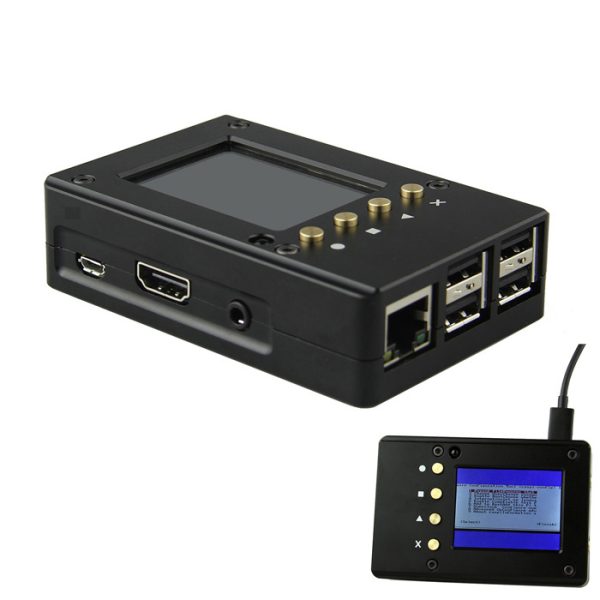
- Protective case for Orange PI One Plus H6
Frequently asked questions
What is the CPU of the Orange PI One Plus H6?
Check the datasheet for detailed technical specifications.
How can I install an alternative operating system?
Visit the official Orange PI website for detailed instructions.
How much RAM does the Orange PI One Plus H6 have?
Check the datasheet for detailed technical specifications.
Reviews
There are no reviews yet.