 EN
 IT Italiano
 ES Español
 FR Français
 DE Deutsch
Description
What it is
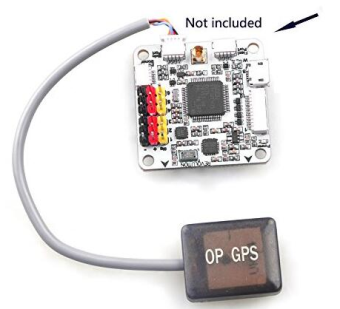
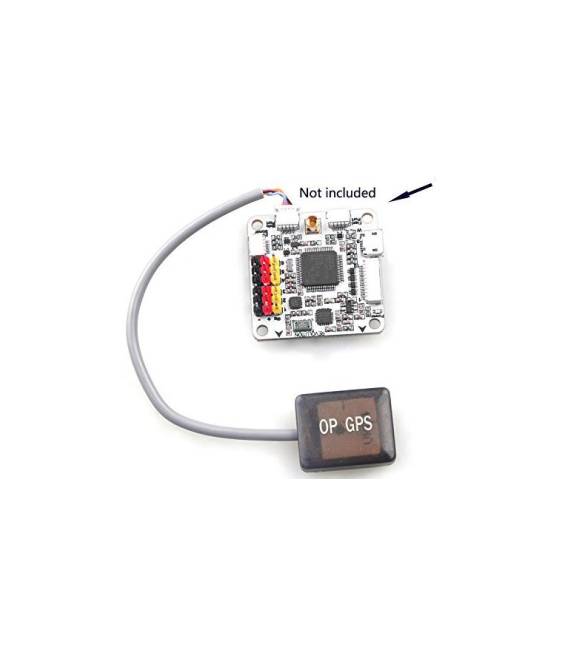
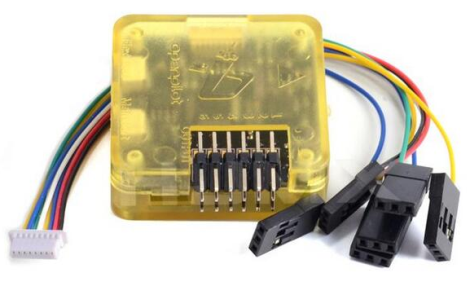
OP GPS module for CC3D Revolution or CF Cleanfight CC3D Controller Board is a GPS module designed to integrate with the CC3D Revolution and CF Cleanfight flight controllers.
Features
- Compatible with CC3D Revolution and CF Cleanfight Controller Board
- SKU: ARD008347
- Price: 21.13 €
What it is for
This GPS module enhances the flight precision of drones. It can be used for navigation, localization, and orientation stabilization. It is useful for pilots of all levels who want to improve stability and flight precision.
Tutorial: How to use OP GPS for CC3D Revolution or CF Cleanfight CC3D Controller Board
The OP GPS is necessary to stabilize the drone’s orientation and for precise localization. Useful for beginner and intermediate pilots who want to improve stability and flight precision.
What you need
- OP GPS for CC3D Revolution or CF Cleanfight CC3D Controller Board
- GPS Time Zone (if required)
- 5V Power Supply Cable
- 3.3V Power Supply Cable (if required)
Steps
- 1. Check that your CC3D Revolution or CF Cleanfight CC3D controller is compatible with the GPS OP.
- 2. Turn on the drone and verify that the controller is in boot mode.
- 3. Connect the GPS OP to the controller using the 5V and 3.3V power supply cables (if required).
- 4. Assign the GPS time zone to the controller (if required, check the datasheet).
- 5. Start the drone configuration interface and verify that the GPS OP is detected.
- 6. Configure the GPS settings in the configuration software (check the datasheet).
- 7. Start the drone and wait for the GPS OP to synchronize.
- 8. Verify that the GPS OP is functioning correctly by checking the flight data.
Mini project
Build a GPS location system for a drone using the GPS OP and the controller CC3D. In 30 minutes, you can configure the GPS OP and test its functionality.
Common mistakes
- Do not connect the GPS OP to the controller incorrectly.
- Forget to configure the GPS time zone correctly.
- Do not wait for the GPS OP to fully synchronize before flying.
- Using incompatible power cables with the controller.
Recommended accessories
- Controller CC3D Revolution
- Controller CF Cleanfight CC3D
- GPS Time Zone
- 5V and 3.3V Power Cable
Frequently asked questions
Does the GPS OP work with other controllers?
The GPS OP is only compatible with the CC3D Revolution and CF Cleanfight CC3D Controller Board.
How long does it take to synchronize the GPS OP?
The synchronization time can vary, but it usually takes 1-2 minutes.
Can I use the GPS OP even if I do not fly long range?
Yes, the GPS OP is also useful for short-range flights to improve stability and precision.
Does the GPS OP allow for completely autonomous flight?
The GPS OP provides information for stability and localization, but it does not allow for completely autonomous flight without a pilot on board.
Reviews
There are no reviews yet.