 EN
 IT Italiano
 ES Español
 FR Français
 DE Deutsch
Description
What it is
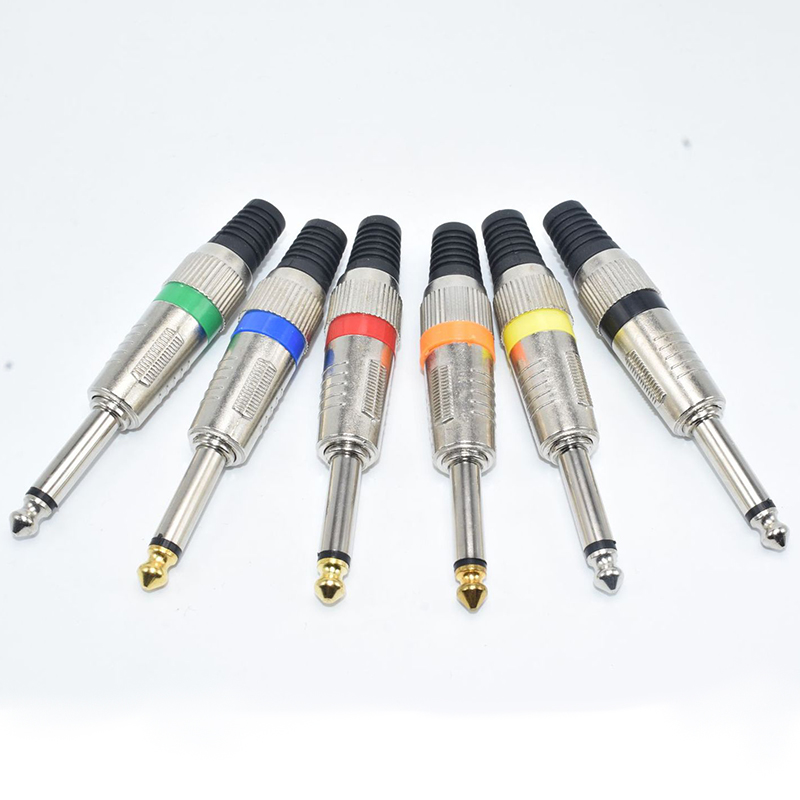
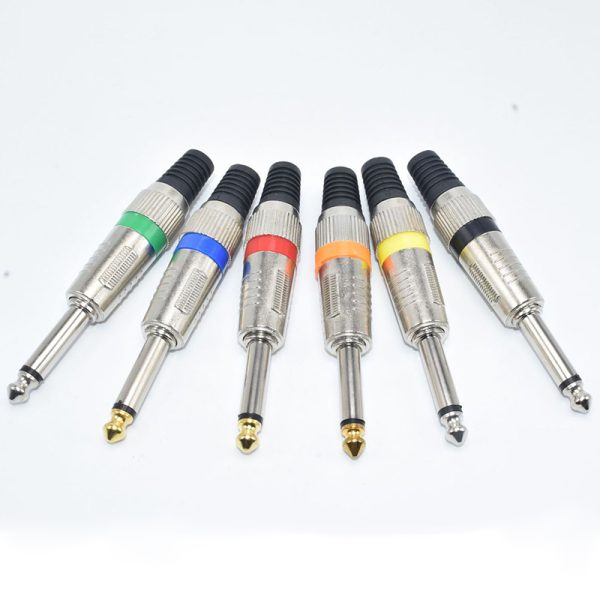
The mono audio and video plug 6.35mm is a component used to connect audio and video devices. With distinctive colors (green, blue, red, orange, yellow, black), it is easy to identify the various signals.
Features
- Type: Mono Audio and Video Plug
- Dimensions: 6.35mm
- Colors: green, blue, red, orange, yellow, black
- SKU: ARD0012683
What it is for
The mono audio and video plug 6.35mm is ideal for connecting audio and video devices. It can be used to connect a microphone to an amplifier and transmit audio to a headset or speaker. It is an essential component for audio and video connectivity projects.
Tutorial: How to use Mono Audio and Video Plug 6.35mm
The mono audio and video plug 6.35mm is an essential component for connecting audio and video devices. It is ideal for beginners who want to create simple audio connectivity projects.
What you need
- Mono Audio Connection
- Mono Video Connection
- DIY Audio Projects
- DIY Video Projects
- Audio and Video Testing
- Device Connection
Steps
- Verify the correct identification of cable colors: red for audio, blue for video, green for ground (mass) and black for ground (mass).
- Identify the 6,35mm jack of the destination device.
- Gently insert the plug into the jack of the device, making sure it is fully inserted.
- Check connectivity with a multimeter or continuity tester.
- If necessary, use electrical tape to secure the cables and prevent accidental contact.
- If the plug is used in an electronic project, ensure that the pins are correctly connected to the input/output circuits.
- Check the project’s functionality with a simple audio or video test.
- If everything works correctly, the plug can be used to connect external devices.
Mini project
Create a simple audio amplifier with Arduino and a mono 6.35mm audio jack. Connect the microphone to an amplifier and use the jack to transmit audio to a headset or speaker.
Common mistakes
- Confusion between cable colors
- Insufficient jack connection
- Incorrect pin connections in electronic circuits
- Using a damaged plug
Recommended accessories
- 6.35mm to 3.5mm audio cable
- 6.35mm jack
- Audio amplifier
- Microphone
Frequently asked questions
How can I check if the plug is properly connected?
Use a multimeter or continuity tester to check the connectivity between the cables.
Which cable colors are useful for audio connectivity?
Red is typically used for audio, blue for video, and green or black for ground (mass).
Can I use this plug to connect video devices?
Yes, the plug can be used to connect video devices, but make sure to use the blue cable for the video.

Reviews
There are no reviews yet.