 EN
 IT Italiano
 ES Español
 FR Français
 DE Deutsch
Description
What it is
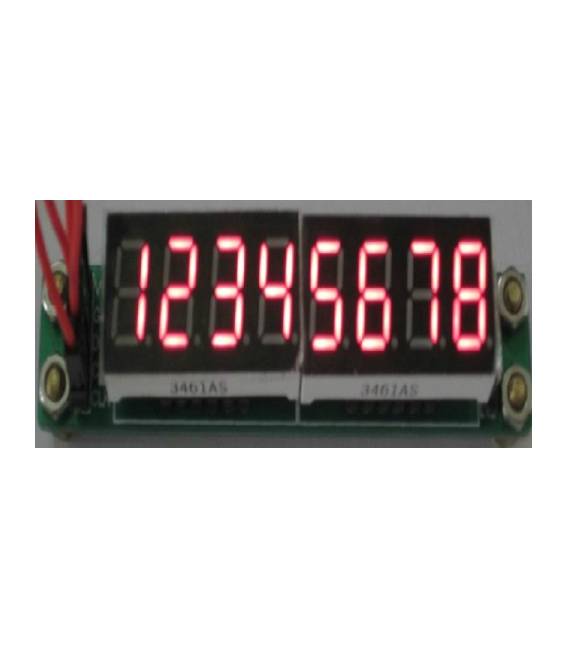
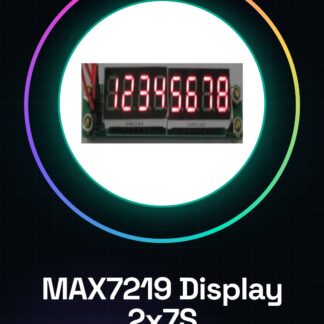
The MAX7219 module with 2 7-segment displays is an electronic component that allows displaying numerical data on segment displays. It is ideal for Arduino projects where you want to show information such as temperatures, counts, or timers.
Features
- 2 7-segment displays
- MAX7219 chip
- Compatible with Arduino
What it is for
The module is perfect for lighting and data display projects. You can create a time counter, show the current time on two 7-segment displays, or display other numerical data.
Tutorial: How to Use MAX7219 Module with 2 7-Segment Displays
The MAX7219 module is an electronic component that allows displaying numerical data on segment displays. It is ideal for Arduino projects where you want to show information such as temperatures, counts, or timers.
What you need
- Arduino Uno/Nano
- USB A-MicroB cable
- Connection between Arduino and MAX7219 module
Steps
- Connect the VCC and GND pins of the MAX7219 module to the corresponding pins on the Arduino.
- Connect the DIN pin of the module to pin D3 on Arduino, DO to pin D4 and CS to pin D5.
- Install the LedControl library in Arduino IDE (see official GitHub repository).
- Write a simple sketch to test the installation (see code below).
- Verify that numbers appear on the 7-segment displays.
- Modify the code to display various data such as temperature or count.
- Design a housing for the module and the Arduino (3D printing recommended).
- Further test the limits of the MAX7219 module.
Example code
LedControl lc = LedControl(5, 4, 3, 1); // Pin CS, DIN, CLK e numero di display
void setup() {
  lc.setIntensity(0, 8);
  lc.clearDisplay(0);
}
void loop() {
  lc.setDigit(0, 0, 5, false);
  delay(2000);
}
Mini project
Create a clock counter with the MAX7219 module and Arduino. Show the current time on two 7-segment displays.
Common mistakes
- Pins not connected correctly
- LedControl library not installed
- Incompatible data between Arduino and MAX7219 module
- Display not illuminated
Recommended accessories
- Pull-up resistors
- Temperature sensors
- Electronic counters
- 3D Printer for home projects
Frequently asked questions
How can I control displays from a PC?
Use a library like Firmata to send data from the computer to the Arduino.
Can I connect multiple MAX7219 modules together?
Yes, but you need to manage the separate CS pins for each module correctly.
What is the difference between this and an LCD display?
Seven-segment displays are simpler to use and less expensive for displaying specific numbers.
Reviews
There are no reviews yet.