 EN
 IT Italiano
 ES Español
 FR Français
 DE Deutsch
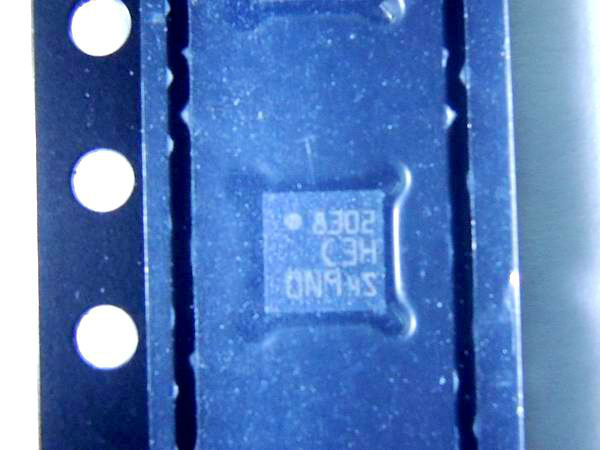
Description
Tutorial: How to Use the LIS3DH 3-Axis Accelerometer The LIS3DH is a 3-axis accelerometer that measures gravity and vibrations. It’s perfect for low-cost electronics projects requiring motion detection such as drones, robots, and movement sensors.
What You Need:
– Arduino Uno
– USB cable
– Breadboard
– Jumper wires
– Adafruit_LIS3DH library
– Software: Arduino IDE
Steps:
1. Install the Adafruit_LIS3DH library in the Arduino IDE software.
2. Connect the LIS3DH to the breadboard.
3. Wire the LIS3DH pins to the digital pins on the Arduino (refer to the datasheet).
4. Insert the example code provided by the Adafruit_LIS3DH library.
5. Save and upload the code to your Arduino.
6. Open the Serial Monitor in the Arduino IDE software.
7. Check the accelerometer data displayed in the Serial Monitor.
8. Modify the code for your specific project needs.
Example Code:
Adafruit_LIS3DH lis3dh = Adafruit_LIS3DH();
void setup() {
Serial.begin(9600);
if (!lis3dh.begin_I2C()) {
Serial.println(“Error: LIS3DH not found”);
while (1); }
}
void loop() {
sensors_event_t accel;
lis3dh.getEvent(&accel);
Serial.print(accel.acceleration.x);
Serial.print(“, “);
Serial.print(accel.acceleration.y);
Serial.print(“, “);
Serial.println(accel.acceleration.z);
delay(100);
}
Mini Project:
Create an intrusion alarm system that sends a signal when an object is moved. Use the LIS3DH to detect movements and send signals via Bluetooth or Wi-Fi.
Common Errors:
– Connection issues with LIS3DH on breadboard
– Incorrect datasheet settings
– Insufficient power supply problems
– Inaccurate code for data interpretation
Recommended Accessories:
– Arduino Uno
– Breadboard
– Jumper wires
– Adafruit_LIS3DH library
FAQ:
How to interpret accelerometer data?
The x, y, z values represent the force of gravity along each axis.

Reviews
There are no reviews yet.