 EN
 IT Italiano
 ES Español
 FR Français
 DE Deutsch
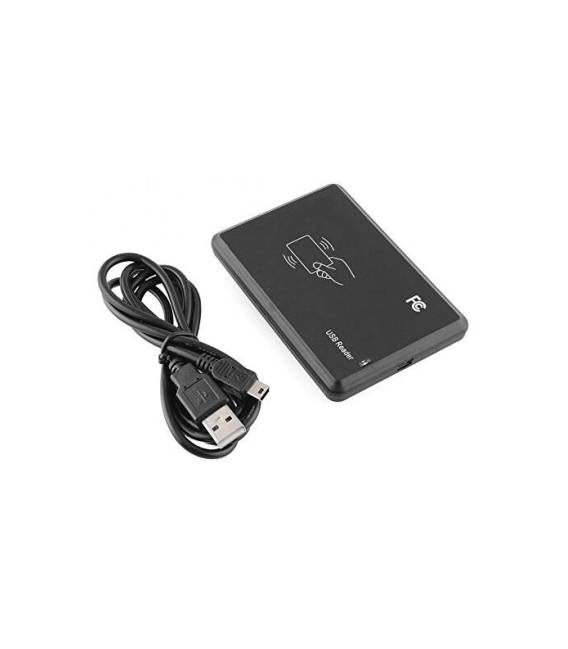
Description
What it is
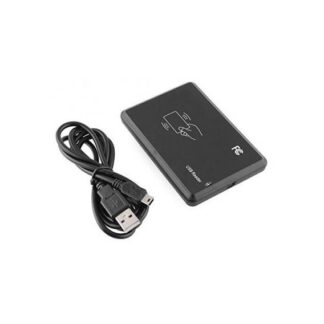
The JT308 USB RFID reader is a 13.56MHz RFID read/write device that allows interaction with RFID cards in electronic projects. Easily connectable via USB, it is ideal for applications requiring user or object identification and authentication.
Features
- Compatible with Arduino and other microcontrollers
- USB Connection
- Operating Frequency: 13.56MHz
- Reading and writing data to RFID cards
What it is for
The JT308 RFID reader can be used to create secure access systems, manage inventory, or integrate user interactions in electronic projects. It is compatible with Arduino and other microcontrollers, making it versatile for various applications.
Tutorial: How to use JT308 USB RFID Reader
The JT308 RFID card reader is a USB device that allows reading and writing data to RFID cards at 13.56MHz. Ideal for authentication, inventory, and user interaction projects.
What you need
- Computer or USB device
- RFID cards
- RFID reading software
Steps
- Connect the JT308 reader to the computer via USB.
- Install the required driver (check the datasheet).
- Download and install RFID reading software such as MFRC522.
- Open the software and verify that the reader is recognized.
- Place an RFID card near the reader to read the data.
- If necessary, configure the software to write data to an RFID card.
- Test reading and writing data on various RFID cards.
- Verify the proper functioning of the reader in different environments and lighting conditions.
Example code
/* Esempio di codice per leggere dati da una scheda RFID con Arduino */
#include <MFRC522.h>

#define SS_PIN 10
#define RST_PIN 9
MFRC522 rfid(SS_PIN, RST_PIN);

void setup() {
  Serial.begin(9600);
  rfid.PCD_Init();
}

void loop() {
  if ( ! rfid.PICC_IsNewCardPresent())
    return;
  if ( ! rfid.PICC_ReadCardSerial())
    return;
  Serial.println("UID:");
  MFRC522::UID uid = rfid.uid;
  for (byte i = 0; i < uid.size; i++)
    Serial.print(uid.uidByte[i], HEX);
  Serial.println();
  rfid.PICC_HaltA();
  rfid.PCD_StopCrypto1();
}
Mini project
Create a secure access system for a door with an RFID reader. Read authorized RFID card data and open a virtual or physical door.
Common mistakes
- The reader is not recognized by the computer.
- The reading software does not correctly read the data.
- Data written on an RFID card are not read correctly.
- The reader does not respond in low light or noisy environments.
Recommended accessories
- MFRC522 Breakout Board
- Mifare Ultralight RFID Cards
- MFRC522 RFID Reading Software
- USB cable
Frequently asked questions
How can I install the JT308 reader driver?
Check the product datasheet for detailed instructions.
Which software do you recommend for reading data from RFID cards?
MFRC522 is a popular and easy-to-use software.
Can the JT308 reader write to RFID card data?
Yes, check the datasheet for write specifications.
Reviews
There are no reviews yet.