 EN
 IT Italiano
 ES Español
 FR Français
 DE Deutsch
Description
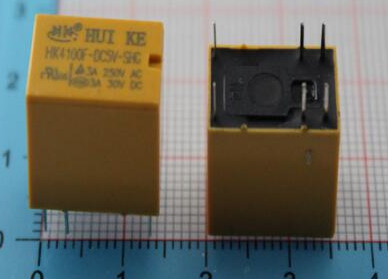
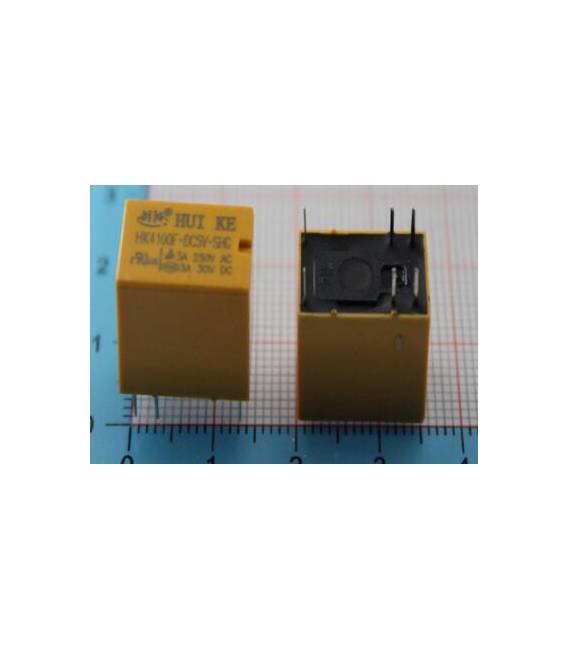
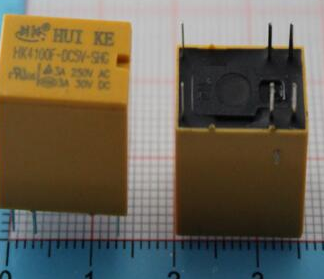
What is the HK4100F-DC5V-SHG? It’s a mechanical relay with 6 pins that operates at 5V. It allows controlling the flow of current to other electronic devices or circuits by opening and closing an electric circuit based on control signals. Features Control voltage: 5V Switching current: 3A AC switching voltage: 250VAC DC switching voltage: 30VDC Number of pins: 6 What is it for The HK4100F-DC5V-SHG is ideal for Arduino and PCB projects where controlling electrical devices with a digital signal is required. For example, it can be used to turn lights, motors or other electric loads on and off based on an Arduino program or sensor. Its low control voltage makes it compatible with microcontrollers like Arduino and ESP. Tutorial: How to use HK4100F-DC5V-SHG The HK4100F-DC5V-SHG is a 5V relay with 6 pins that allows controlling electrical devices from an electronic circuit or a microcontroller such as Arduino. It’s perfect for beginners and basic projects. What you need Arduino Uno Connecting wire Breadboard Steps Connect the power supply of 5V to the VCC pin of the relay Connect the GND mass of the relay to the GND pin of Arduino Connect the IN pin of the relay to an output pin of Arduino Write and upload the Arduino sketch to control the relay Test the relay operation by connecting a small electrical load to the relay contact Example code const int relayPin = 7; void setup() { pinMode(relayPin, OUTPUT); } void loop() { digitalWrite(relayPin, HIGH); delay(1000); digitalWrite(relayPin, LOW); delay(1000); } Mini-project Create an Arduino-controlled lighting system. Connect a small lamp to the relay and control it with a button or light sensor. Common mistakes Not checking the relay’s power supply voltage Connecting the electrical load directly to the relay without protection Reversing the power and ground pins Not testing the relay operation before connecting the electrical load Recommended accessories Arduino Uno Breadboard Light sensors Buttons Frequently asked questions What is the relay’s power supply voltage? Check the datasheet. How much current can the relay handle? Check the datasheet. How can I protect the relay from excessive loads? Use a fuse or protection diode.
Reviews
There are no reviews yet.