 EN
 IT Italiano
 ES Español
 FR Français
 DE Deutsch
Description
Technical Description
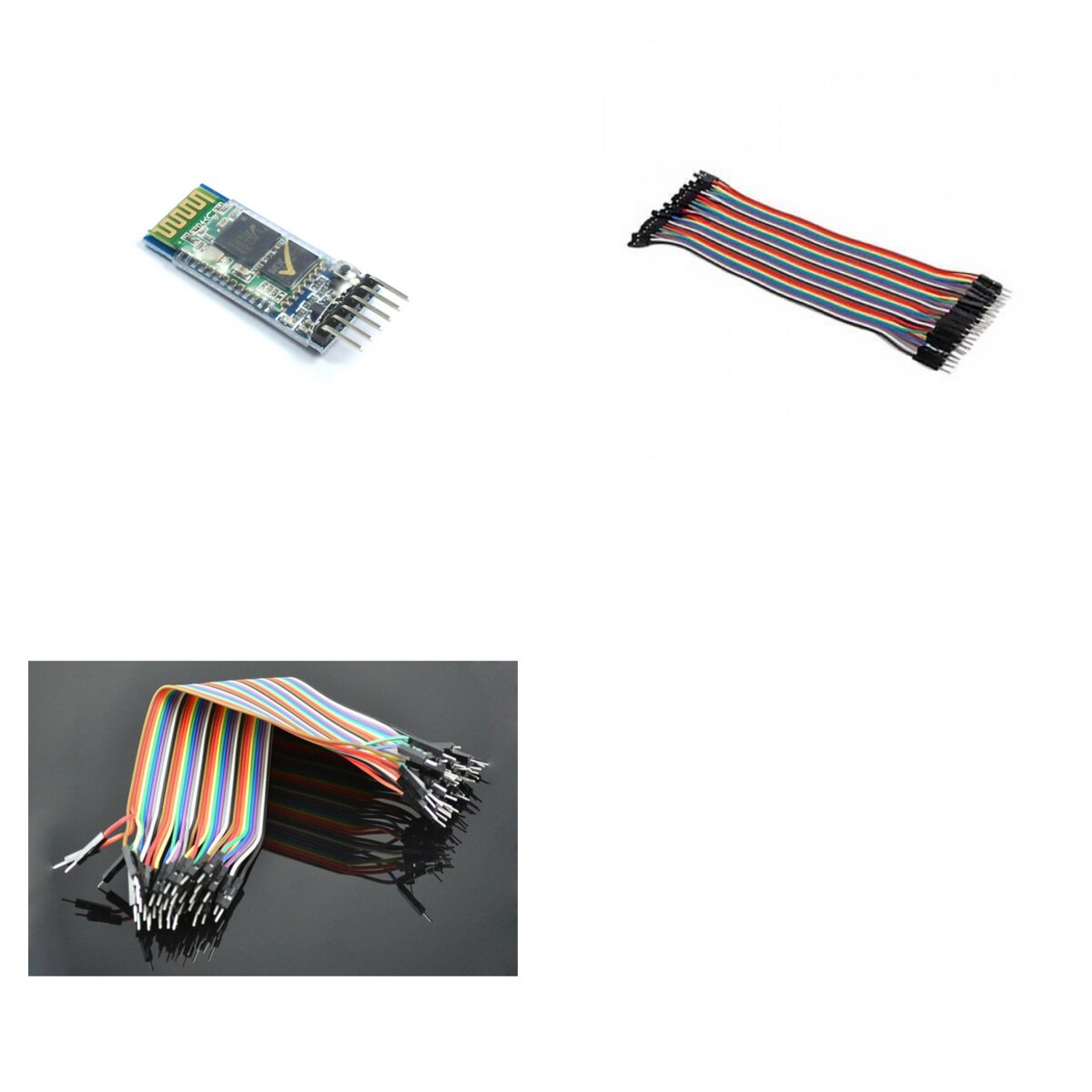
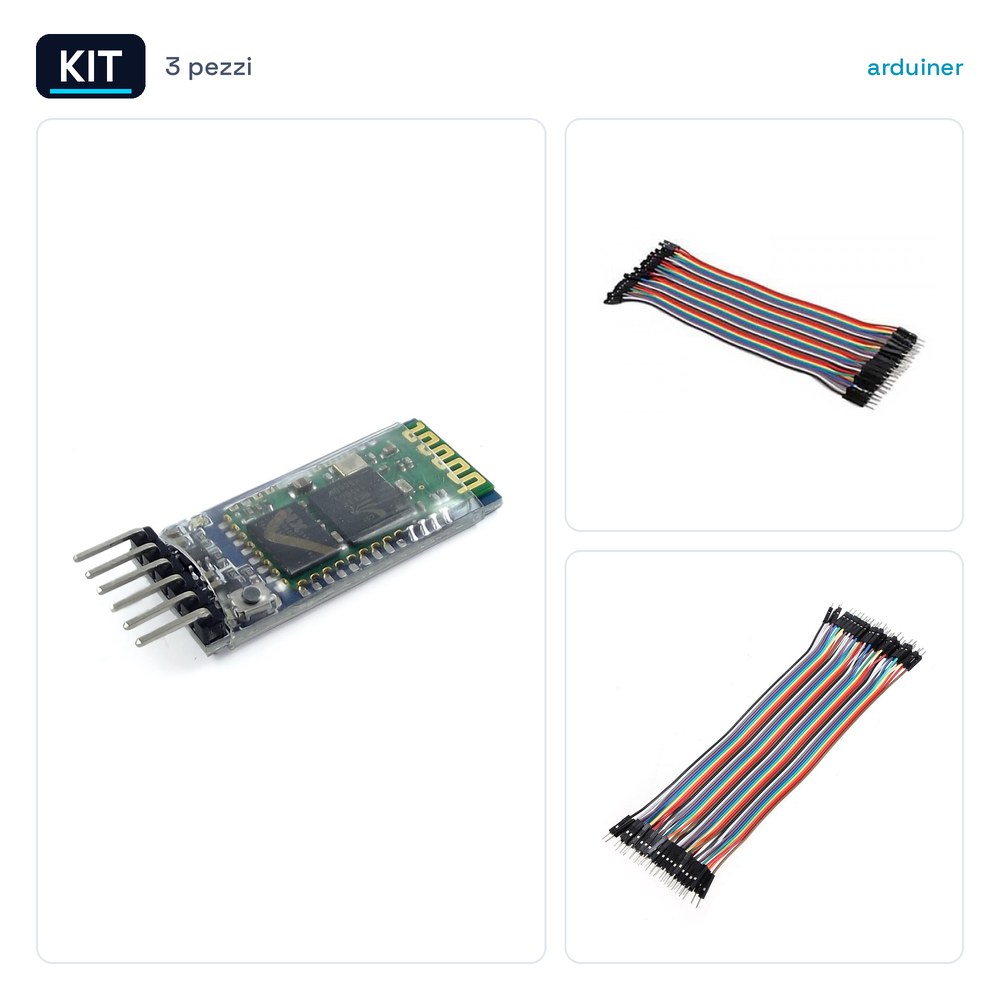
The HC-05 Bluetooth Module Transceiver Slave Mast Kit is a crucial component for wireless communication in Arduino projects. The module supports Bluetooth connectivity for transmitting and receiving data between devices. The kit includes 40 jumper cables, 20cm long, both male-male and male-female configurations, to facilitate electronic connections.
The HC-05 Bluetooth module supports serial communication and can be used in both master and slave modes. It allows configuration via the AT protocol and can be easily integrated into projects requiring wireless data transmission.
To use the module, it is necessary to correctly connect it to the power and data pins of the Arduino microcontroller, ensuring that the power supply voltage conforms to the module specifications.
Key Specifications
| Parameter | Value |
| Model | HC-05 |
| Quantity | 1 |
| Jumper Wires | 40 pieces |
| Wire Length | 20cm |
| Wire Type | Male-Male and Male-Female |
| Interface | Serial |
| Mode | Master and Slave |
| Container | Single Pack |
Installation and Usage
- Connect the HC-05 Bluetooth module to the power and data pins of the Arduino microcontroller.
- Use jumper cables to connect the module pins to those of the microcontroller.
- Check that the power supply voltage is in accordance with the module specifications.
- Configure the module via the AT protocol to set master or slave modes.
- Perform a connection and data transmission test.
Compatibility and Requirements
- The HC-05 Bluetooth module is compatible with Arduino and other microcontrollers.
- A configuration software is required to set master or slave modes.
- A jumper cable is needed for physical connection.
Limitations and Important Notes
- The module does not support direct communication with incompatible devices.
- It is necessary to configure the module via the AT protocol to use it correctly.
- Ensure the power supply voltage is in accordance with the module specifications.
- N/D (see manufacturer’s datasheet)
Troubleshooting
The module does not respond.
Probable cause: Incorrect module configuration.
Solution: Reset the module configuration via the AT protocol.
Unstable connection.
Probable cause: Insufficient power supply voltage.
Solution: Check and adjust the power supply voltage.
Incorrect data transmission.
Probable cause: Incorrect connection impedances.
Solution: Check and adjust physical connections.
The module does not connect.
Probable cause: Damaged module.
Solution: Replace the module with a new one.
Use cases
Garage parking sensor
Objective: Monitor parking spot occupancy.
What is needed: Bluetooth HC-05 module for data transmission.
Steps: 1) Configure the module in slave mode. 2) Connect the module to a distance detector. 3) Transmit the data to the Arduino microcontroller.
Expected result: The system sends the user the availability of parking spots.
Remote temperature monitoring
Objective: Detect the temperature in a remote environment.
What’s needed: HC-05 Bluetooth module for data transmission.
Steps: 1) Configure the module in master mode. 2) Connect the module to a temperature sensor. 3) Transmit the data to the Arduino microcontroller.
Expected result: The system sends the user the temperature of the remote environment.
Smart lights control
Objective: Control the lights in a remote environment.
What’s needed: HC-05 Bluetooth module for data transmission.
Steps: 1) Configure the module in slave mode. 2) Connect the module to a lighting control system. 3) Transmit data to the Arduino microcontroller.
Expected result: The system sends lighting control to the user.
Home security system
Objective: Monitor the entrance of the house.
What is needed: HC-05 Bluetooth module for data transmission.
Steps: 1) Configure the module in master mode. 2) Connect the module to a motion sensor. 3) Transmit data to the Arduino microcontroller.
Expected result: The system sends motion notification to the user.
Humidity monitoring
Objective: Detect humidity in a remote environment.
What is needed: HC-05 Bluetooth module for data transmission.
Steps: 1) Configure the module in slave mode. 2) Connect the module to a humidity sensor. 3) Transmit data to the Arduino microcontroller.
Expected result: The system sends the user the humidity of the remote environment.
Home security alarm system
Objective: Monitor security conditions.
What’s needed: HC-05 Bluetooth module for data transmission.
Steps: 1) Configure the module in master mode. 2) Connect the module to a security alarm system. 3) Transmit data to the Arduino microcontroller.
Expected result: The system sends the user the security conditions.
Atmospheric pressure monitoring
Objective: Detect atmospheric pressure in a remote environment.
What’s needed: HC-05 Bluetooth module for data transmission.
Steps: 1) Configure the module in slave mode. 2) Connect the module to a pressure sensor. 3) Transmit data to the Arduino microcontroller.
Expected result: The system sends the user the atmospheric pressure of the remote environment.
Door control system
What it serves: HC-05 Bluetooth module for data transmission.
Steps: 1) Configure the module in master mode. 2) Connect the module to a door opening detector. 3) Transmit the data to the Arduino microcontroller.
Expected result: The system sends the user the condition of the door being open or closed.
In the package
- 1 piece
Complete the project
- 40 Jumper Cables 20cm Male-Male for Arduino: It is used for the configuration of the HC-05 Bluetooth module.
- 40 Jumper Cables 20cm Male-Female for Arduino: It is used for the physical connection between the module and the Arduino microcontroller.
Technical FAQs
Can the HC-05 Bluetooth module be used in master mode?
Yes, the module can be configured in both master and slave modes.
What are the power supply requirements for the HC-05 Bluetooth module?
N/D (see manufacturer’s datasheet)
How do you configure the HC-05 Bluetooth module?
The module can be configured via the AT protocol.
What are the limitations of the Bluetooth HC-05 module?
The module does not support direct communication with incompatible devices and requires proper configuration via the AT protocol.
Reviews
There are no reviews yet.