 EN
 IT Italiano
 ES Español
 FR Français
 DE Deutsch
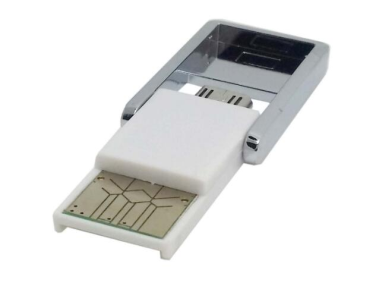
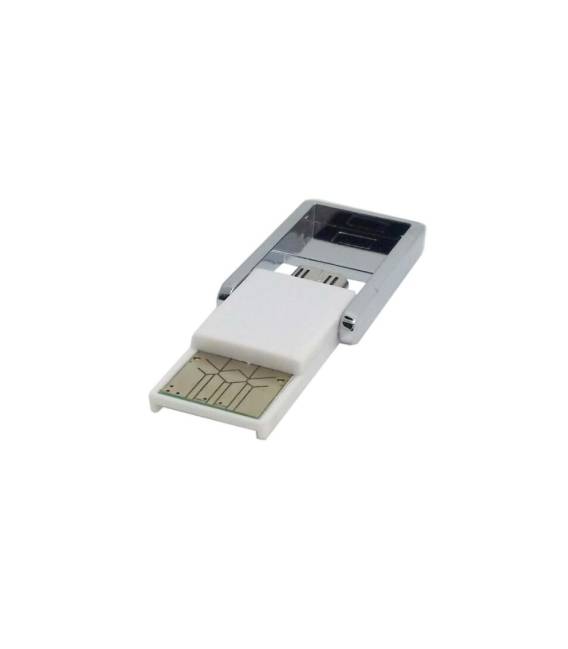
Description
What it is
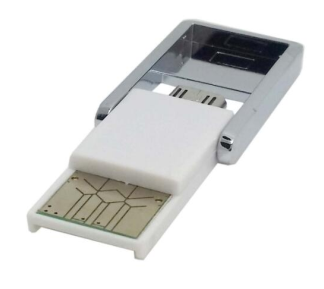
The GT-093 is a micro SD OTG reader with a micro USB connector, designed to facilitate file transfer between Android devices or computers and a micro SD card. This device allows reading and writing data to a micro SD card using a micro USB connector.
Features
- Micro SD OTG Reader
- Micro USB Connector
What it is for
Illuminates data collected from sensors, such as temperature, on a micro SD card. Ideal for Arduino and ESP projects that require the storage of large amounts of data.
Tutorial: How to use GT-093 Micro SD OTG Reader micro usb
The GT-093 is a micro SD OTG reader that allows reading data from a micro SD card using an Android device or a computer. Ideal for anyone who wants to archive and access large amounts of data.
What you need
- Arduino Uno
- Micro SD Card
- Micro USB Cable
- SD.h Library
Steps
- Connect the GT-093 to the VCC and GND pins of the Arduino.
- Connect the DAT0 pin of the GT-093 to pin 10 of the Arduino.
- Check the connection of the micro SD card to the GT-093.
- Include the SD.h library in the Arduino code.
- Configure the SD object with the connected pins.
- Open the root folder of the micro SD card.
- Read the data from the file.
- Close the connection with the micro SD card.
Example code
#include <SD.h>

const int chipSelect = 10;

void setup() {
  Serial.begin(9600);
  if (!SD.begin(chipSelect)) {
    Serial.println("Card failed, or not present");
    return;
  }
  Serial.println("card initialized.");
}

void loop() {
  // leggi i dati dal file
}
Mini project
Create a data logger that stores the values read from a temperature sensor on a micro SD card.
Common mistakes
- Ensure that the DAT0 pin is correctly connected.
- Check the presence of the SD.h library.
- Check the physical connection of the micro SD card.
- Verify that the GT-093 is properly powered.
Recommended accessories
- Temperature sensor LM35
- 16GB micro SD card
- Micro USB cable
- Arduino Uno
Frequently asked questions
Which pins of the Arduino should I use?
The DAT0 pin of the GT-093 must be connected to pin 10 of the Arduino.
How can I access data on micro SD?
Use a PC SD card reader or an Android device with OTG.
How much space do I have on a micro SD card?
Check the datasheet of the micro SD card.
Reviews
There are no reviews yet.