 EN
 IT Italiano
 ES Español
 FR Français
 DE Deutsch
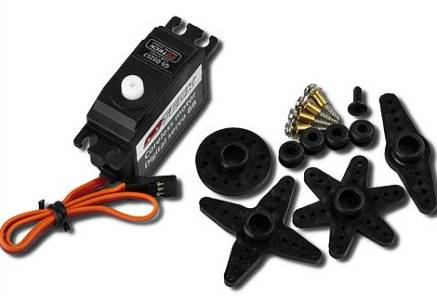
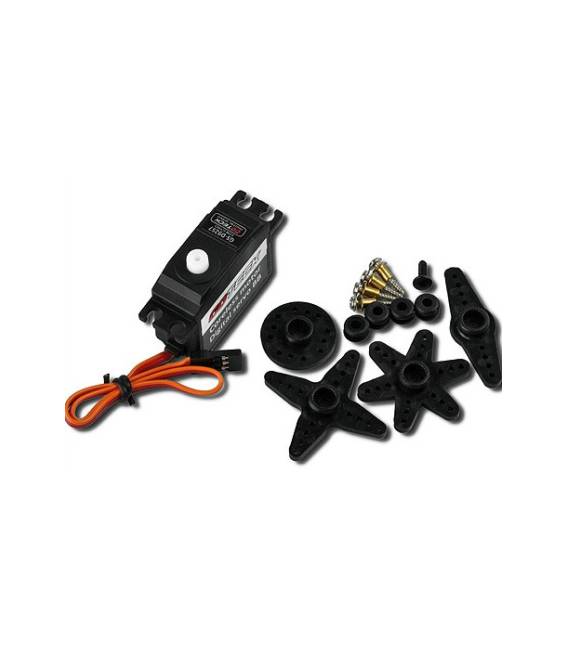
Description
What it is
The Goteck GS-D9257 is an empty cup steering servo, ideal for robotics and 3D printing projects. This device allows for precise control of the steering angle.
Features
- Empty cup steering servo TL2301-04
- Precise angle control up to 360°
What it is for
Servomechanisms like the GS-D9257 are used to create home automation or robotic systems that require accurate position control. Suitable for both beginners and intermediate makers, it is compatible with Arduino and ESP.
Tutorial: How to use Goteck GS-D9257
The Goteck GS-D9257 steering servo is perfect for projects requiring precise angle control, such as home automation or robotics. Suitable for beginner and intermediate makers.
What you need
- Arduino
- Power cable
- Multimeter
Steps
- 1. Check that the Arduino is at 5V.
- 2. Connect the power cable to the servo.
- 3. Check the datasheet for the correct pin positions.
- 4. Connect the servo pins to the Arduino: VCC to 5V, GND to GND, and PWM to a digital pin.
- 5. Load the minimum code onto the Arduino.
- 6. Check the initial position with the multimeter.
- 7. Modify the code to control the angle.
- 8. Test the servo with various PWM values.
Example code
```
#include <Servo.h>

Servo myServo;

void setup() {
  myServo.attach(9);
}

void loop() {
  myServo.write(90);
  delay(2000);
  myServo.write(180);
  delay(2000);
}
```
Mini project
Create a simple project to vary the rotation angle using the GS-D9257 servo. In 30 minutes, you can control the rudder angle from 0 to 180 degrees.
Common mistakes
- Connect the servo to a power supply other than 5V.
- Omit the pin position check.
- Do not use minimum code to test the servo.
- Do not check the initial position with the multimeter.
Recommended accessories
- Arduino Uno
- USB cable
- Multimeter
- JST connector
Frequently asked questions
Does the servo work with a power supply other than 5V?
Check the datasheet. Other voltages may damage the servo.
Can I use this servo with an Arduino Mega?
Yes, but make sure the pin being used supports PWM.
Does the servo lock up during use?
Check the proper power supply and pin positions. Other issues may require a more thorough inspection.



Reviews
There are no reviews yet.